Section 4: Connecting And Configuring Your
Computer – Print Driver Installation
29
Print Driver Installation
1. Click the START button in the lower left hand corner of your computer
screen.
2. Click on CONTROL PANEL, which is usually located about half way up
on the right side of the window.
3. Click on the PRINTERS AND FAXES ICON.
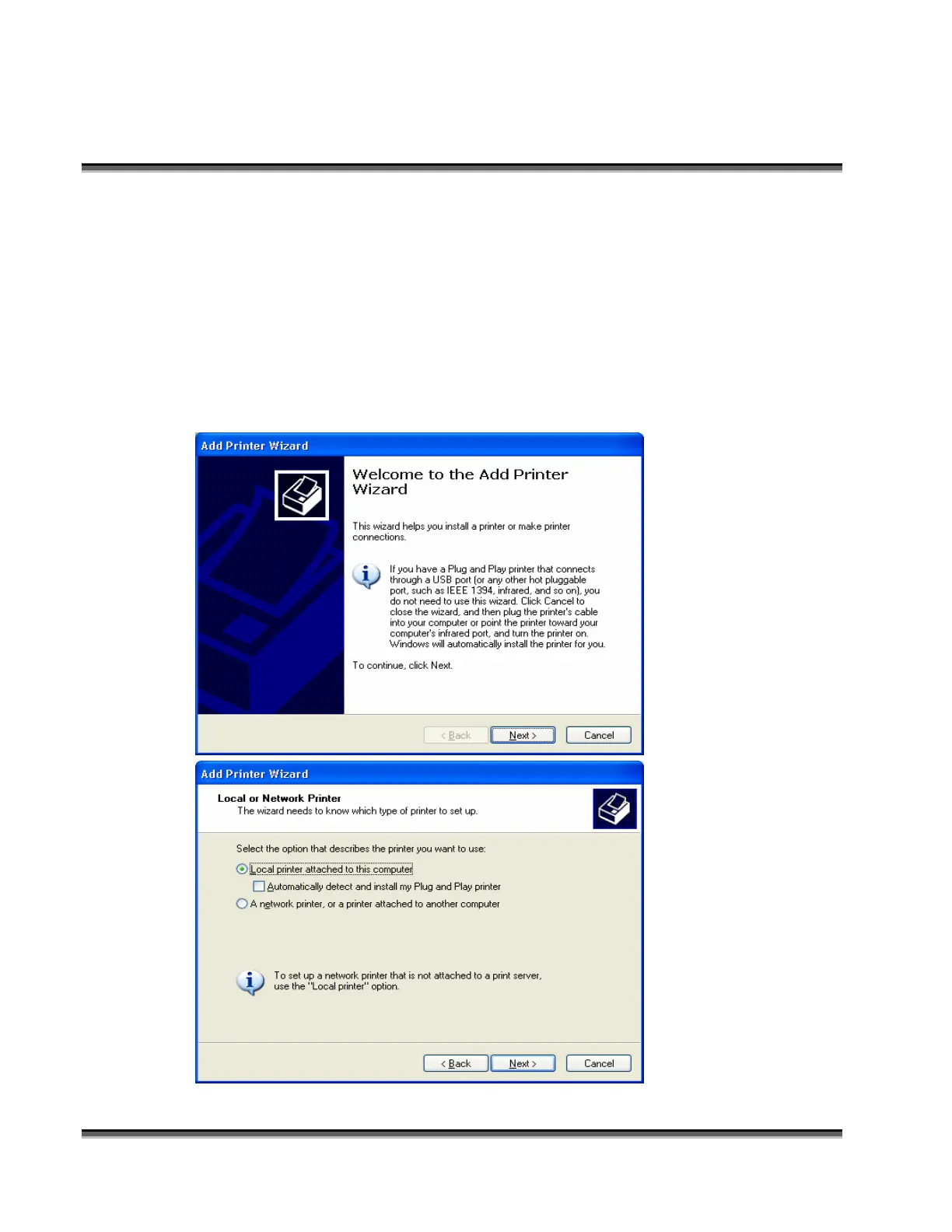
4. Click on ADD PRINTER. The following windows will appear.
Click the NEXT button
to continue
Select LOCAL
PRINTER
ATTACHED TO THIS
COMPUTER
Deselect
AUTOMATICALLY
DETECT AND
INSTALL
Click on NEXT to
continue.


 To Next Page
 Loading...






