Setting Up Your Printer on a Network 147
5
5
5
5
5
5
5
5
5
5
5
5
Note:
❏ When “Insert the Disk” appears, insert the Windows Me/98/95
CD-ROM in the computer. Click OK and then follow the
on-screen instructions.
❏ When the prompt to restart the computer appears, restart the
computer and continue with the settings. See “For users
restarting the computer” on page 147.
For users restarting the computer
1. Double-click the Printers icon on the control panel.
2. Right-click your printer icon, and click Sharing in the menu
that appears.
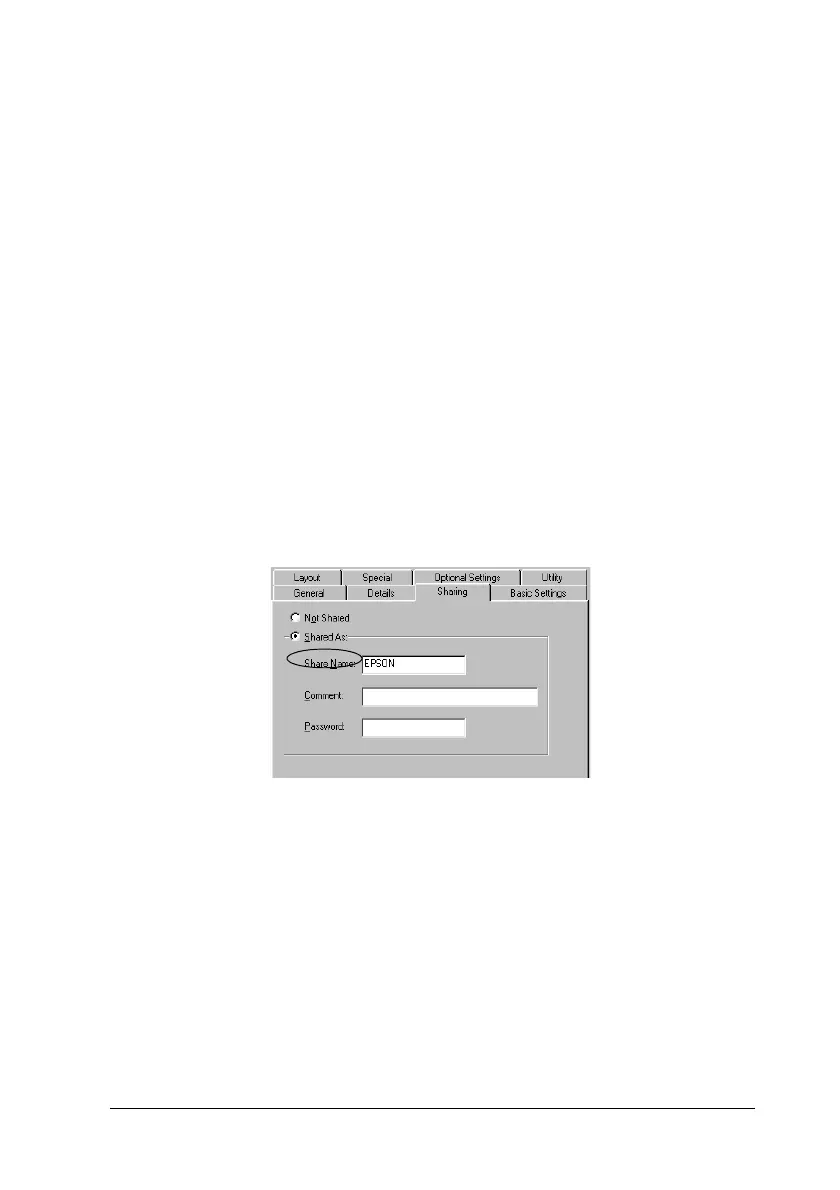
3. Select Shared As, type the name in the Share Name box, and
click OK. Type a Comment and Password if needed.
Note:
❏ Do not use spaces or hyphens for the share name, or an error
may occur.
❏ When sharing the printer, be sure to set EPSON Status
Monitor 3 so that the shared printer can be monitored on the
printer server. See “Setting Monitoring Preferences” on page
95.











 To Next Page