Epson Artisan 700/Epson Stylus Photo PX700W/TX700W Revision C
DISASSEMBLY/ASSEMBLY Disassembly Procedures 174
Confidential
4.2.6 Disassembly of the ADF Unit
4.2.6.1 ADF Hinge
Parts/Components need to be removed in advance:
Scanner Unit/ADF
Unit
Removal procedure
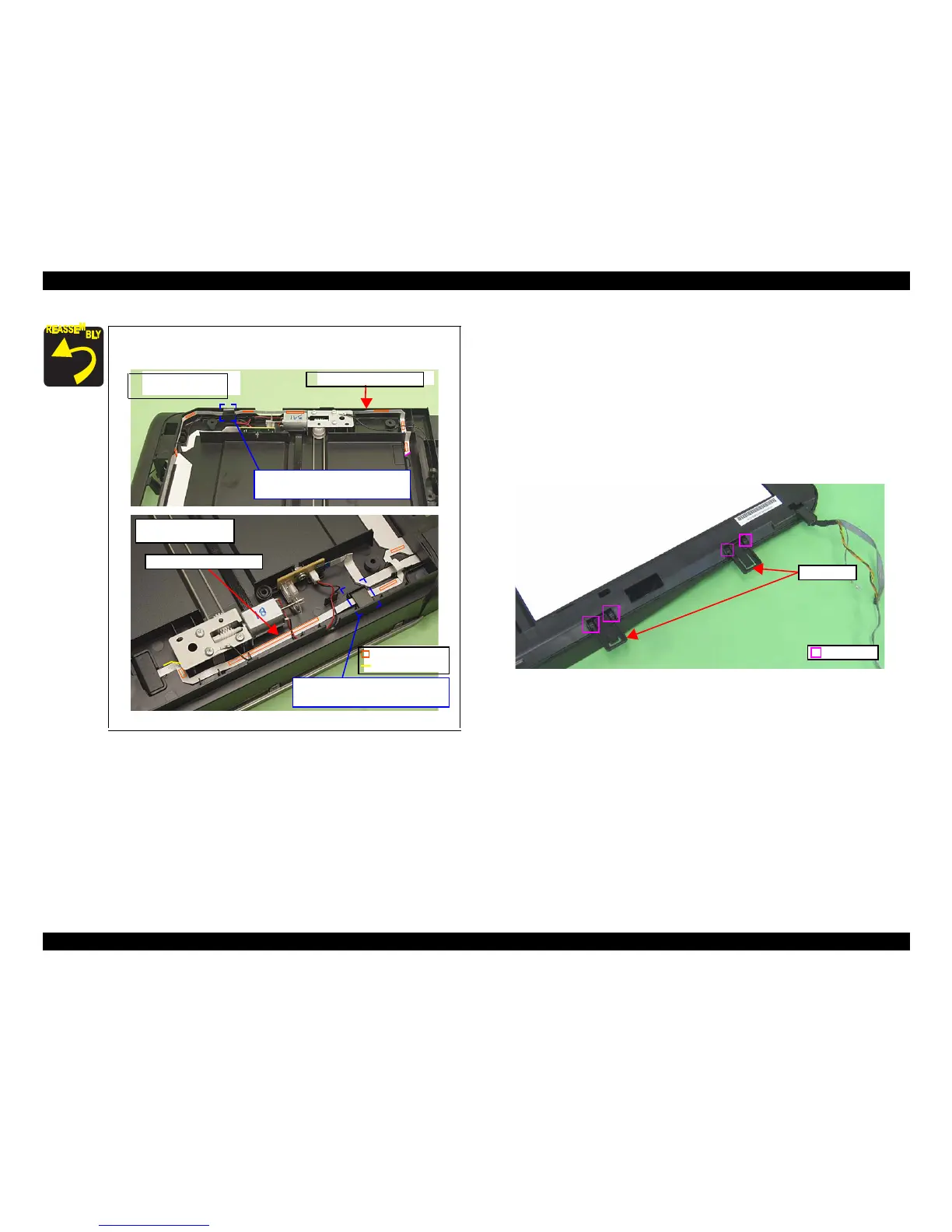
1. Release the guide pins (2 each) that secure the ADF Hinges, and remove the
ADF Hinges from the ADF Base Assy.
Figure 4-178. Removing the ADF Hinge
When routing the Cover Open Sensor FFC, route it as
shown below and in Fig. 4-171.
Figure 4-177. Routing the Cover Open Sensor FFC
Rib
Double-sided tape
Artisan 800/PX800FW/
TX800FW
Artisan 700/PX700W/
TX700W
Cover Open Sensor FFC
Cover Open Sensor FFC
Put FFC through ferrite core, and
secure it with double-sided tape (x7).
Put FFC through ferrite core, and
secure it with double-sided tape (x4).
ADF Hinges
Guide Pin













 To Next Page