Epson Artisan 700/Epson Stylus Photo PX700W/TX700W Revision C
ADJUSTMENT Adjustment Using Adjustment Program 219
Confidential
5.2 Adjustment Using Adjustment Program
This section explains how to judge print samples using the adjustment program. Follow
the instructions of the adjustment program for details of the adjustment methods.
5.2.1 Top Margin Adjustment
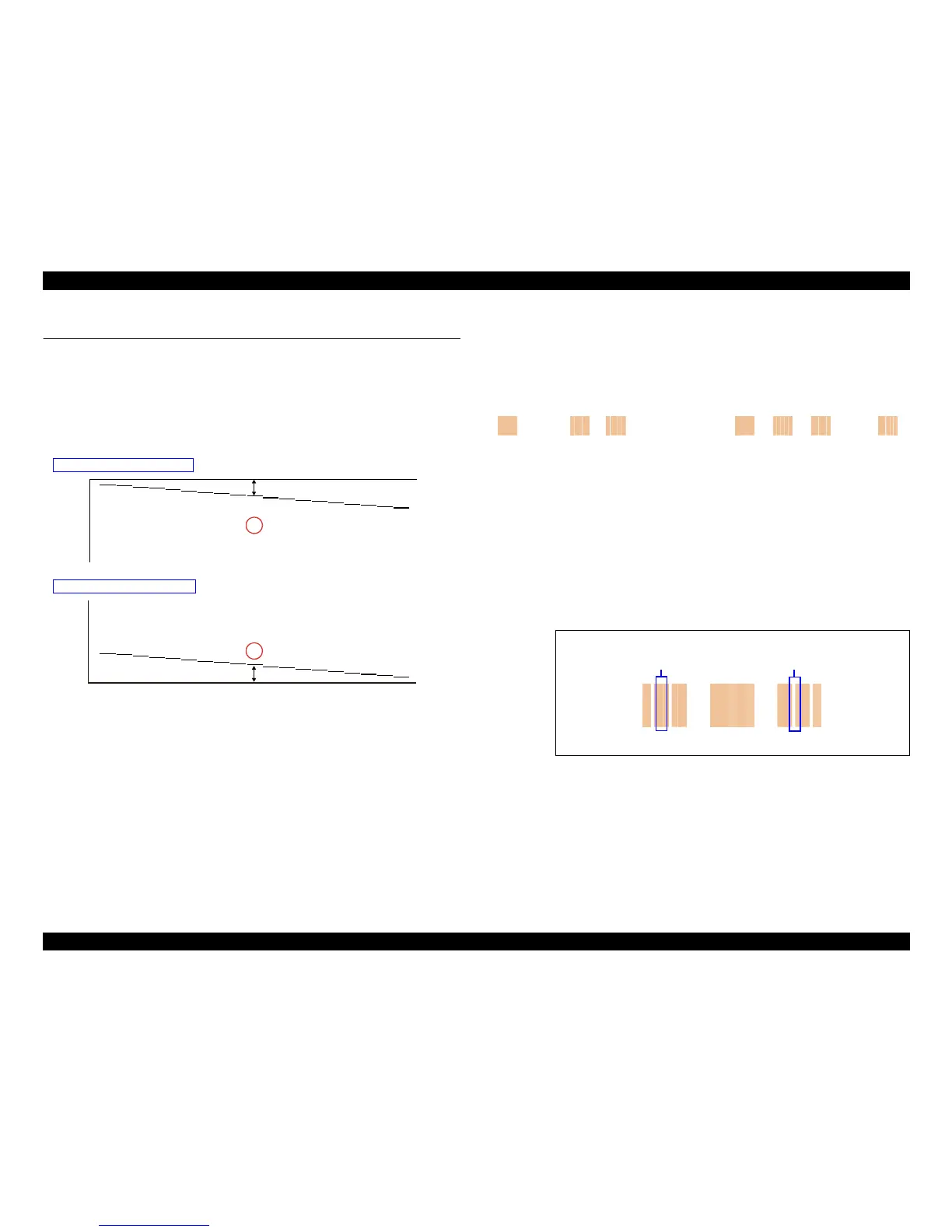
Patterns are printed as shown below.
Figure 5-1. Top Margin Adjustment
Pattern
How to Judge
Measure the distance fro
m the pap
er edge to the printed line. Enter the value for the
line that is exactly 5 mm away from the edge.
5.2.2 Bi-D Adjustment
The pattern shown below is printed for each of the PG settings and four print modes.
Figure 5-2. Bi-D Adjustment Pattern
How to Judge
Find the pattern with no gaps or overleaps of the left and right pattern, and enter the
val
ue of
that pattern.
Additional information
If an appropriate pattern is
not prin
ted, enter the nearest value and then print the
patterns again.
-6
-5
-4
-3
-2
1-1
2
3
4
5
60
-6
-5-7
-4
-3
-2
1-1
2
3
4
57
60
5mm
5mm
Top margin printout pattern
Bottom margin printout pattern
Example for judgement
+0
+1
+2 +3 +4-2 -1
OK NGNG
Gap
Overlap













 To Next Page