Epson Artisan 700/Epson Stylus Photo PX700W/TX700W Revision C
DISASSEMBLY/ASSEMBLY Disassembly Procedures 102
Confidential
4.2.2 Removing the Housing
C H E C K
P O I N T
4.2.2.1 Scanner Unit
Parts/Components need to be removed in advance:
ADF Unit
Removal procedure
1. Open the Scanner Unit.
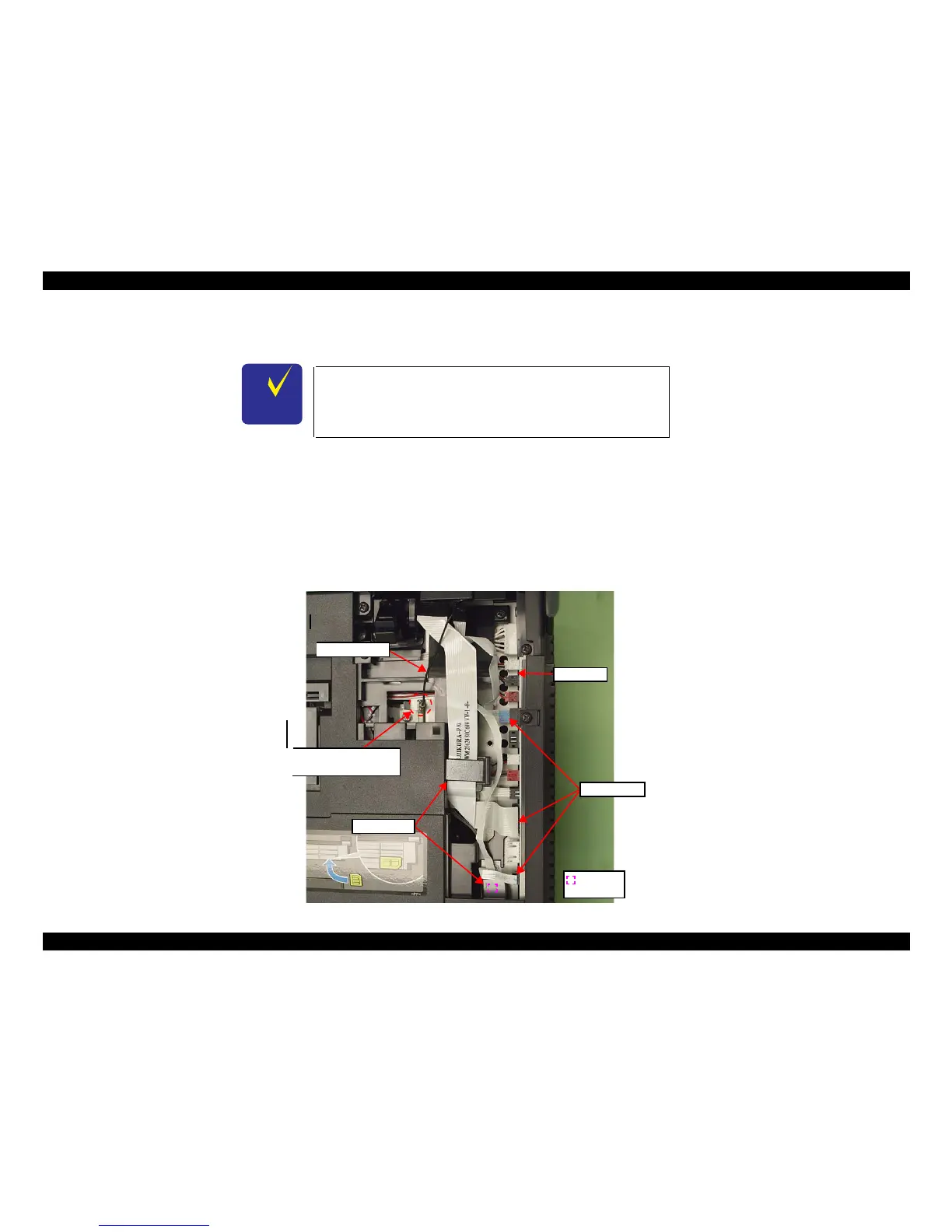
2. Disconnect the Scanner FFCs (x3) together with the Ferrite Cores (x2) from
the Main Board. (See Fig. 4-6.)
3. Pull out the terminal of the Grounding Wire from the fixing rib of the frame.
Figure 4-6. Removing the Scanner Unit (1)
The disassembly/reassembly procedures of Artisan 700/PX700W/
TX700W differ from those of Artisan 800/PX800FW/TX800FW.
See 4.3.1.1 "Scanner Unit (Artisan 700/PX700W/TX700W)" (p185)
for the procedures.
Grounding Wire
Scanner FFCs
Ferrite cores
Double-
sided tape
Main Board
Terminal of Grounding
Wire and the fixing rib













 To Next Page