Epson Artisan 700/Epson Stylus Photo PX700W/TX700W Revision C
DISASSEMBLY/ASSEMBLY Disassembly/reassembly procedures specific to Artisan 700/PX700W/TX700W 201
Confidential
4.3.3.2 Scanner Upper Housing (Artisan 700/PX700W/TX700W)
Parts/Components need to be removed in advance:
Scanner Unit/ADF Unit/Document Cover
Removal procedure
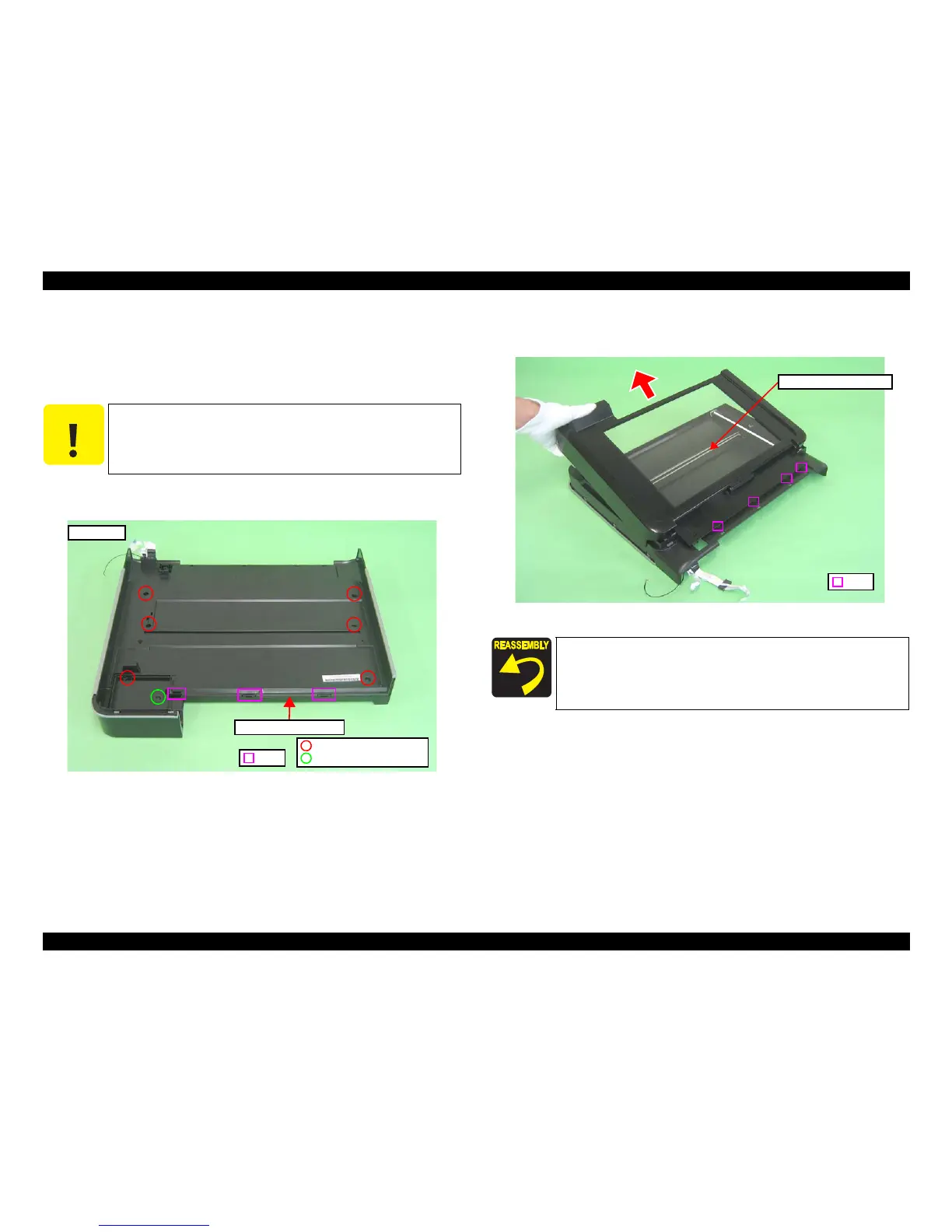
1. Remo
ve the screws (x7) that secure the Scanner Upper Housing.
2. Release the hooks
(x3) that secure the Scanner Upper
Housing.
Figure 4-241. Removing the Scanner Upper Housing (1)
3. Release the ribs (x4) on th
e Scanner Upper Housing, and remove the Scanner
Upper Housing in the direction of the arrow.
Figure 4-242. Removing the Scanner Upper Housing (2)
C A U T I O N
It is recommended to remove the Scanner Upper Housing in a
clean room or on a clean bench to keep away from dust and dirt.
Be careful not to damage the document glass on the Scanner
Upper Housing.
C.B.P. 3x10 (5±1kgfcm)
C.B.P. 3x8 (5±1kgfcm)
Hook
Scanner Upper Housing
Bottom side
When installing the Scanner Upper Housing, see “4.2.5.1 "Scanner
Upper Housing (Artisan 800/PX800FW/TX800FW)" (p167)”.
Scanner Upper Housing
Rib













 To Next Page