Epson Artisan 700/Epson Stylus Photo PX700W/TX700W Revision C
DISASSEMBLY/ASSEMBLY Disassembly Procedures 113
Confidential
4.2.2.11 Right Housing / Card Cover
Parts/Components need to be removed in advance:
ADF Unit (Artisan 800/PX800FW/TX800FW only)/Scanner Unit/Upper Left
Housing/Pape
r Guide Top Assy/Upper Housing/Hinge/Rear Right FAX Housing
Removal procedure
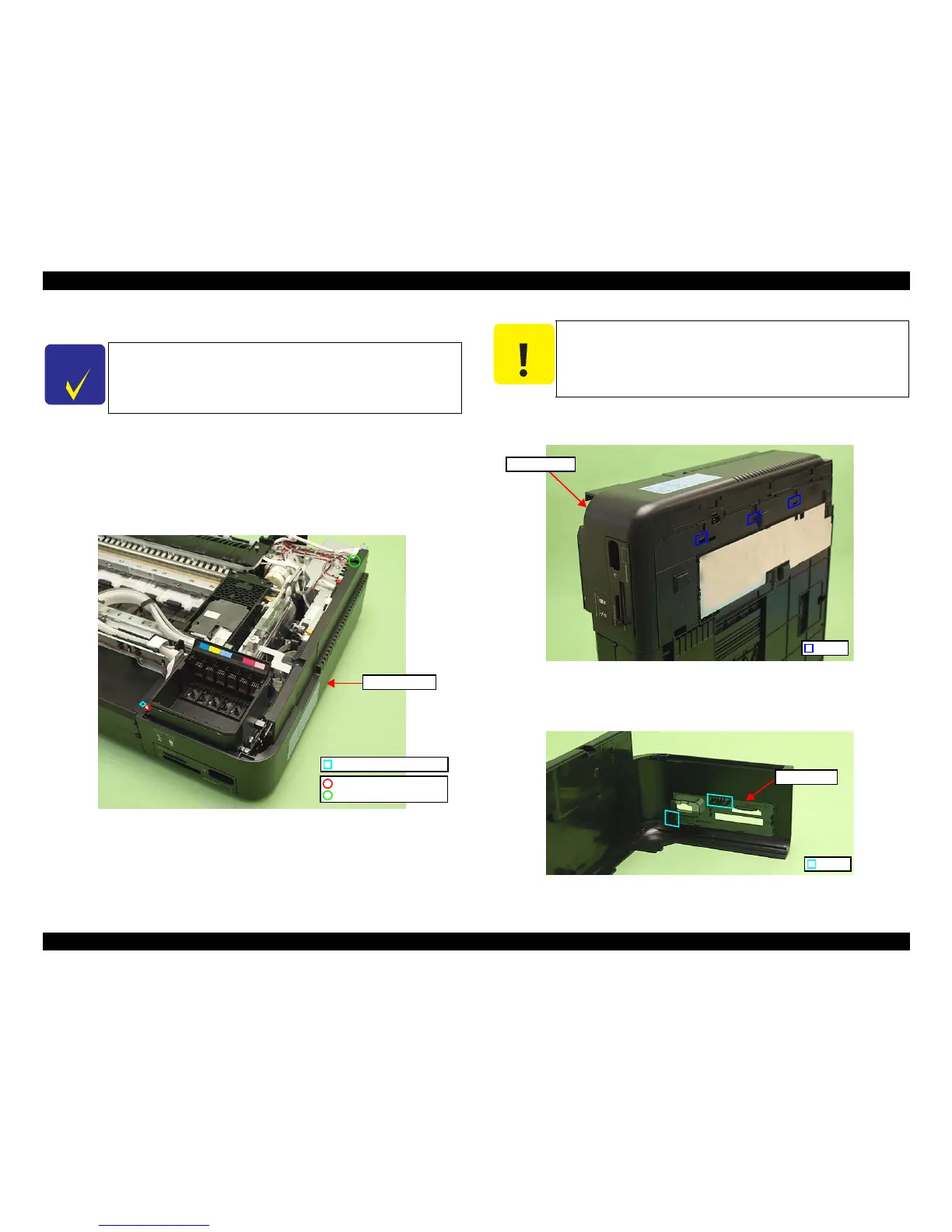
1. Remove the screws (x2) that secure the Right Housing.
Figure 4-28. Removing
the Right Housing/Card Cover (1)
2. Release the dowel (x1) of the front side (See Fig. 4-
28.) and hooks (x3) on the
bottom of the Right Housing, and remove the Right Housing.
Figure 4-29. Removing the Right Housing/Card Cover (2)
3. Release the hooks (x2) from t
he back of the Right Housing and remove the
Card Cover.
Figure 4-30. Removing the Right Housing/Card Cover (3)
C H E C K
P O I N T
The disassembly/reassembly procedures of Artisan 700/PX700W/
TX700W .
See 4.3.1.7 "Right Housing/Card Cover (Artisan 700/PX700W/
TX70
0W)" (p193) for the procedures.
Positioning hole & dowel
C.B.S. 3x6 (8±1Kgfcm)
C.B.P. 3x10 (6±1Kgfcm)
Right Housing
C A U T I O N
When removing the Right Housing, be careful not to let the Card
Cover interfere with the Card Slot Assy or the Card Cover may be
damaged.
Right Housing
Hook
Hook
Card Cover













 To Next Page