Epson Artisan 700/Epson Stylus Photo PX700W/TX700W Revision C
DISASSEMBLY/ASSEMBLY Disassembly Procedures 111
Confidential
4.2.2.9 Rear ASF Paper Guide Cover
Parts/Components need to be removed in advance:
None
Removal procedure
1. Release the hook (x1) and remove the Rear ASF Paper Guide Cover.
Figure 4-25. R
emoving the Rear ASF Paper Guide Cover
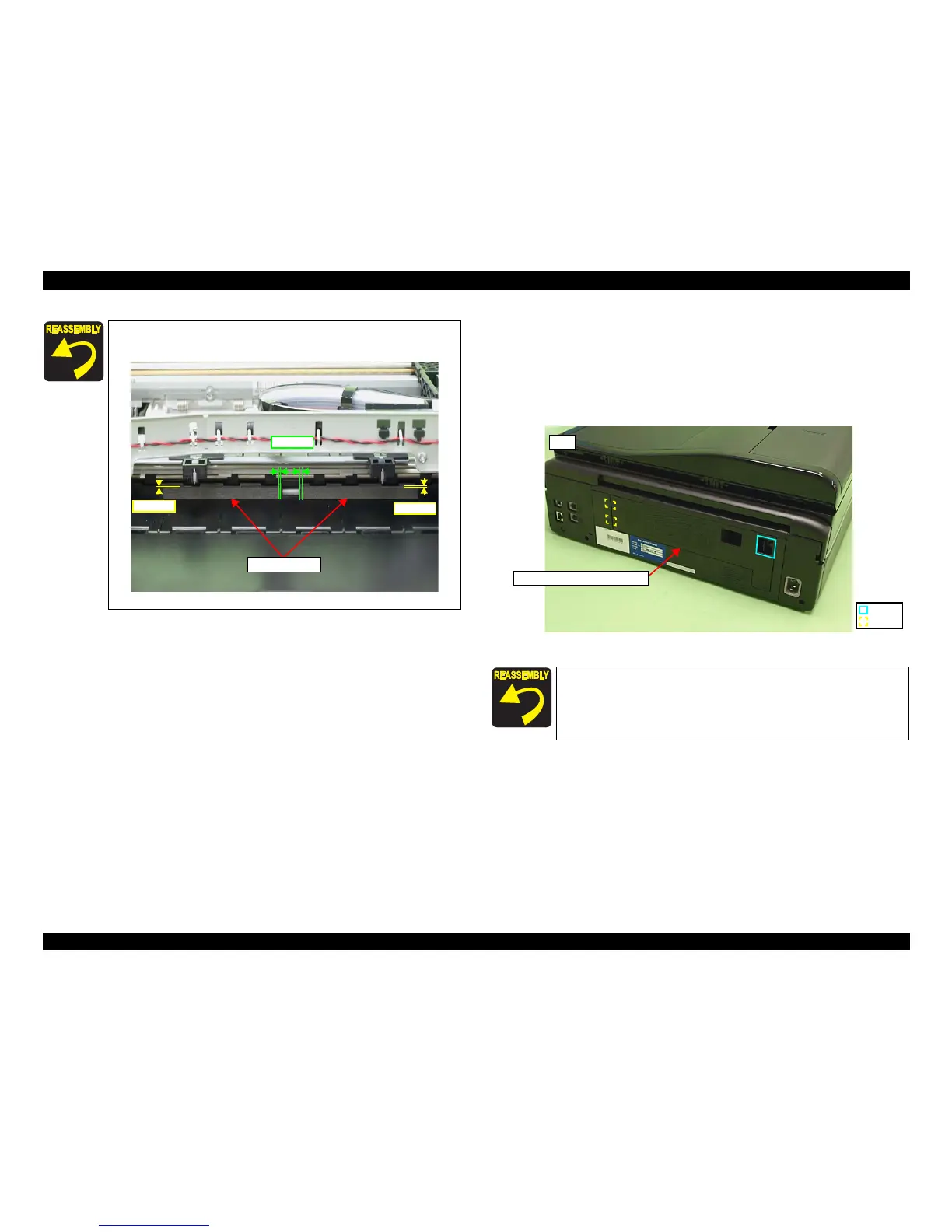
Make sure that the antistatic seals (x2) on the bottom of the Stacker
Assy are correctly attached.
Figure 4-24. Attachment position of the antistatic seal
Antistatic seals
0-2 mm
0-1 mm
0-1 mm
Insert the ribs (x2) of the Rear ASF Paper Guide Cover to the inside
of the Housing, and secure it with the hook (x1).
Hook
Rib
Rear ASF Paper Guide Cover
Rear













 To Next Page