Epson Artisan 700/Epson Stylus Photo PX700W/TX700W Revision C
DISASSEMBLY/ASSEMBLY Disassembly Procedures 114
Confidential
4.2.2.12 Cassette Unit
Parts/Components need to be removed in advance:
None
Removal procedure
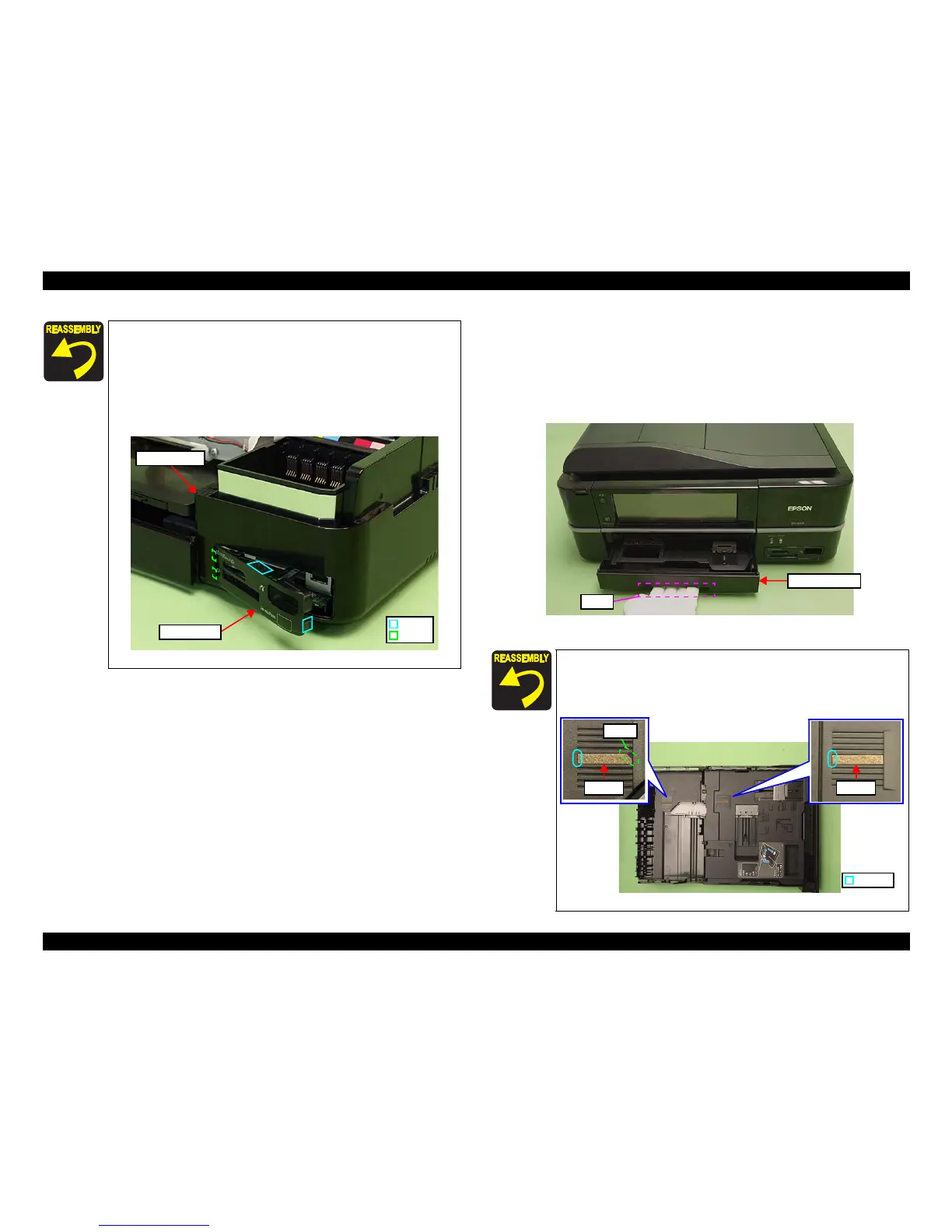
1. Hold and pull the grip under the Cassette Unit, and remove the Cassette Unit.
Figure 4-32. Re
moving the Cassette Unit
Align and insert the positioning hole of the Right Housing to the
dowel of the Base Frame. (See Fig. 4-28.)
Attach the Card Cover after installing the Right
Housing to the
Printer.
When attaching the Card Cover, insert the ribs (x2) of the Card
Cover to the ins
ide of the Right Housing, and secure it with the
hooks (x2).
Figure 4-31. Attaching the Card Cover
Hook
Rib
Right Housing
Card Cover
When replacing the cork A/B, wipe the attaching position with
ethanol, and attach it without any gap at the point A.
When attaching the cork B, align the cutout to the place shown
in Fig. 4-33.
Figure
4-33. Attaching the cork
Cassette Unit
Gripe
Cork ACork B
Cutout
Point A













 To Next Page