Epson Artisan 700/Epson Stylus Photo PX700W/TX700W Revision C
ADJUSTMENT Adjustment Using Adjustment Program 222
Confidential
5.2.5 PF Adjustment
PF-Standard Area
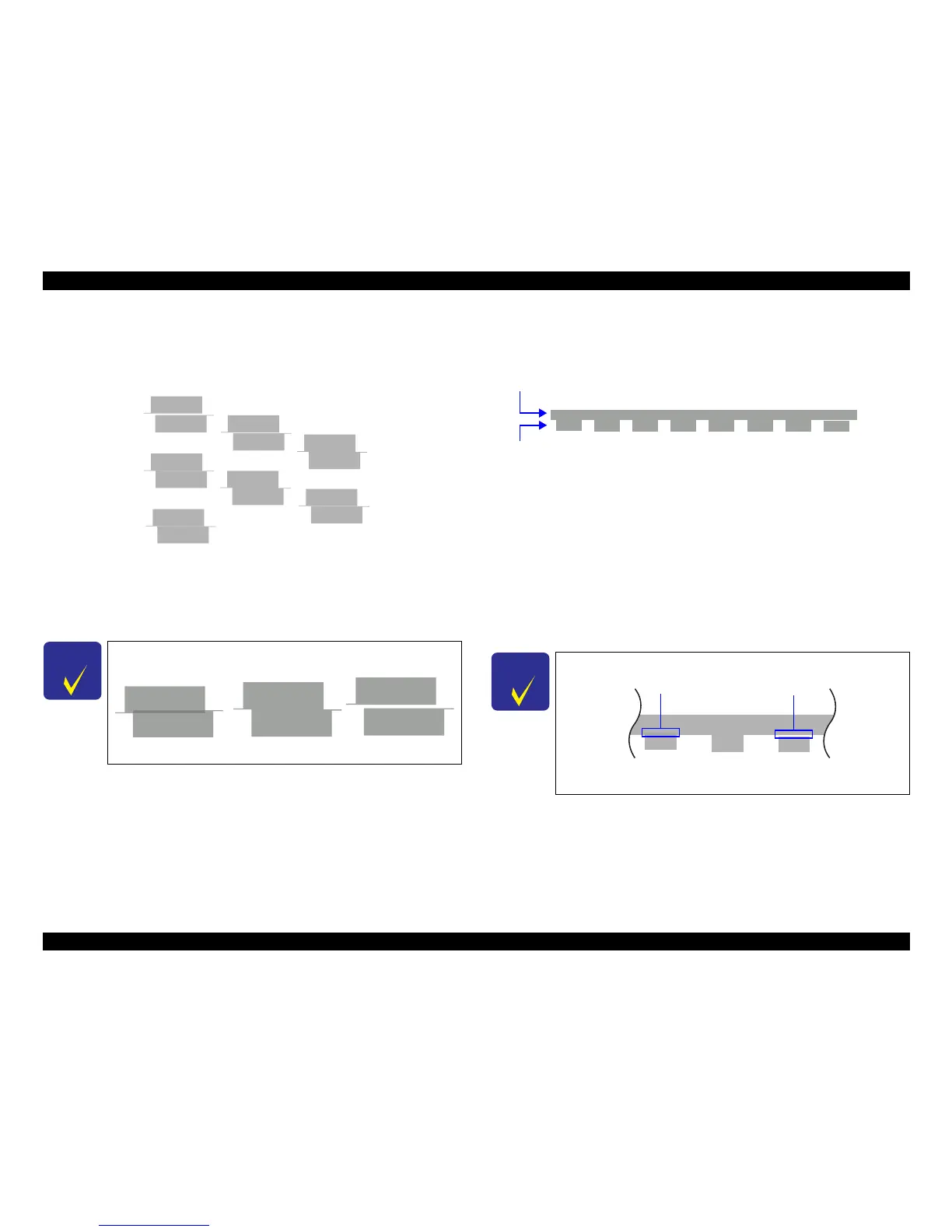
Patterns are printed as shown below.
Figure 5-6. PF Adjustment (Standard Area) Pattern
How to Judge
Enter the value for the group that has no gap or overlap between the upper and the
low
er patterns.
PF-Bo
ttom Edge Area
Patterns are printed as shown below.
Figure 5-7. PF Adjustment (
Bottom Edge Area)
Pattern
How to Judge
Input the value shown above the patterns which has no gap between the upper pattern
and
the lower pattern, and also the both
upper and lower patterns do not overlap each
other.
Example: In the above figure, patterns below “4” has no gap and overlap, so input “4”.
Additional information
In case that all patterns have gap or overlap, select
the value for the pattern which has
t
he least gap or overlap, and print the pattern again.
C H E C K
P O I N T
Example for judgement
-1
3
2
-2
0
1
4
OK
NG
NG
C H E C K
P O I N T
Example for judgement
23456781
Upper block
Lower block
OK NGNG
Gap
Overlap













 To Next Page