Epson Artisan 700/Epson Stylus Photo PX700W/TX700W Revision C
DISASSEMBLY/ASSEMBLY Disassembly Procedures 105
Confidential
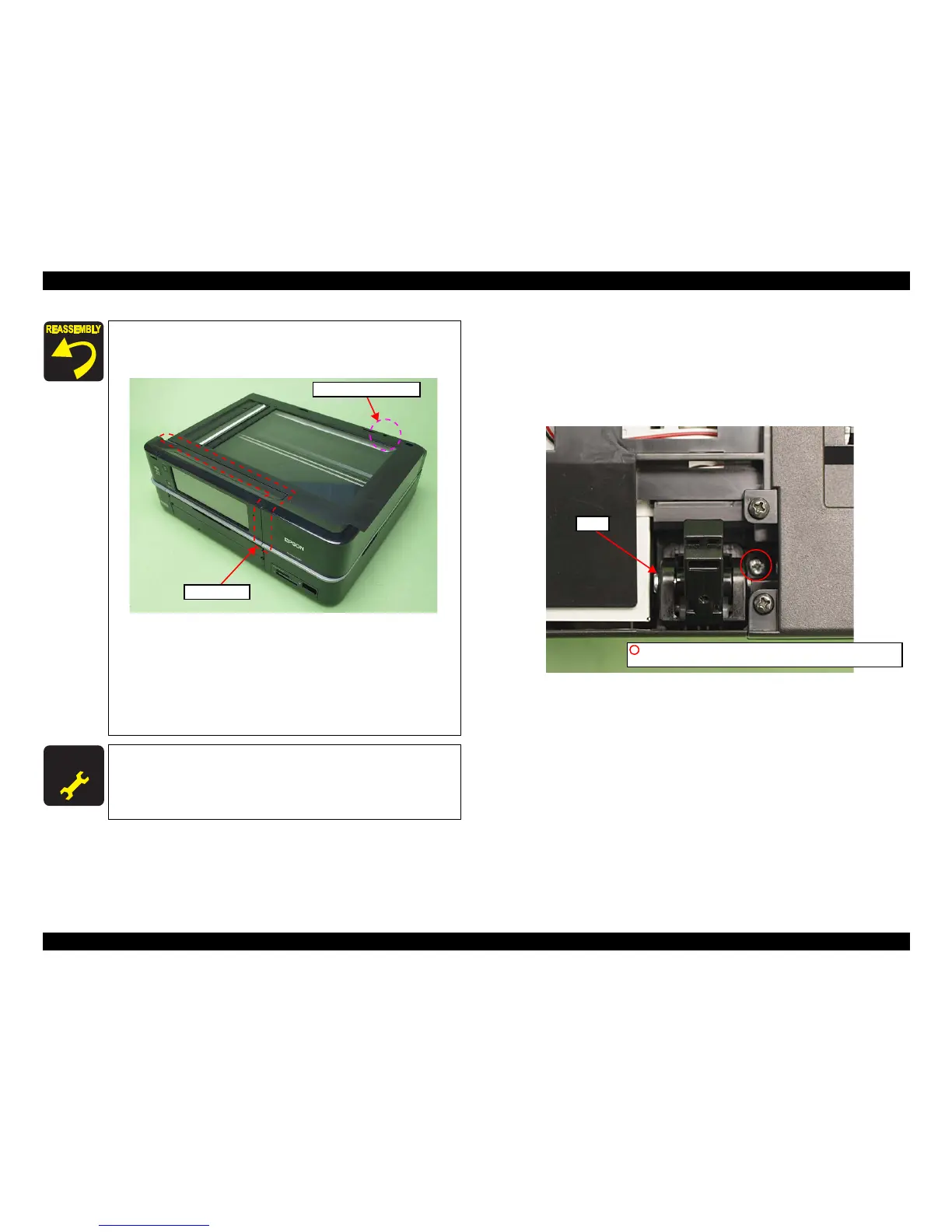
4.2.2.3 Hinge
Parts/Components need to be removed in advance:
ADF Unit Scanner Unit
Rem
oval procedure
1. Remove the screw (x1) that secures the Hinge and remove the Hinge.
Figure 4-12. Removing the Hi
nge
4. Close the Scanner Unit.
5. Tighten the screw (x1) finally after making sure that there
is no gap between the Scanner Unit and the printer.
Figure 4-11. Installing the Scanner Unit
Make sure to insert the terminal of
the Grounding wire to the
fixing rib of the Frame. (See
Fig. 4-6.)
For the routing of the FFCs, see 4.4 "Routing FFC/cables"
(p202).
When installing the Cable Cover, secure it with a new Harness
Cover Clamp. (See Fig. 4-3.)
A D J U S T M E N T
R E Q U I R E D
After removing/replacing the Scanner Unit, make the specified
adjustments. (See
Chapter 5 "ADJUSTMENT".)
Screw (Final tightening)
Check the gap
Hinge
C.B.P. 3x10 (6±1Kgfcm)(Artisan 800/PX800FW/TX800FW)
C.B.P. 3x12 (black) (6±1Kgfcm)(Artisan 700/PX700W/TX700W)













 To Next Page