Epson Artisan 700/Epson Stylus Photo PX700W/TX700W Revision C
ADJUSTMENT Adjustment Using Adjustment Program 220
Confidential
5.2.3 PW Adjustment/First Dot Position Adjustment
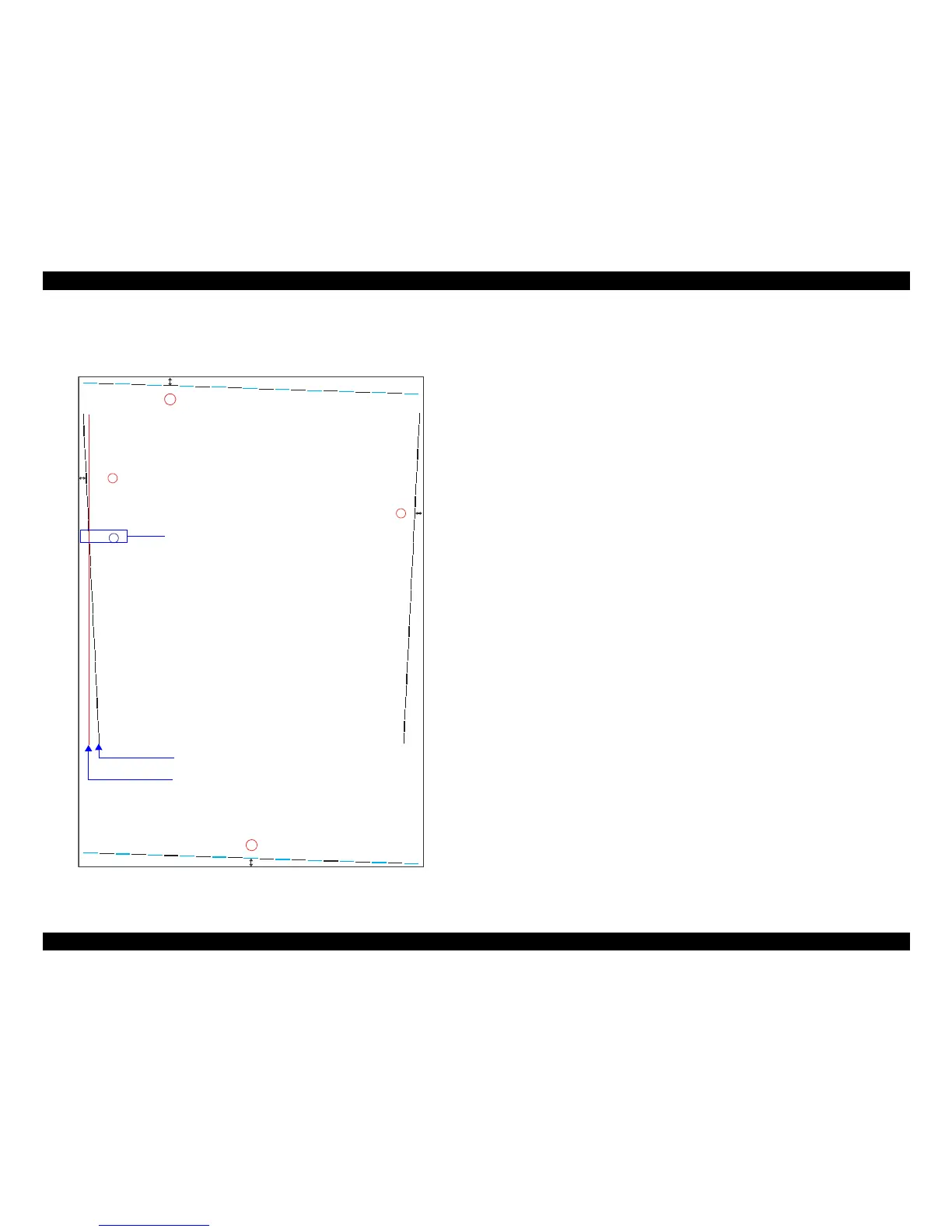
Patterns are printed as shown below.
Figure 5-3. PW Adjustment Pattern/First Dot Position Adjustment Pattern
PW Adjustment
How to Judge
Enter the value of the line located 5mm
away from each edge.
Example: In the left figure, enter
“0” (top), “5” (bottom), “-3” (left) and
“0” (right).
First Dot Position Adjustment
How to Judge
Enter the value of the point of intersection of the PW Adjustment pattern line and First
Do
t Position A
djustment pattern line on the left.
Measure the distance from the left edge of the paper to the printed line. Enter the value
for the line that
is exactly 5 mm away from the edge.
Example: In the left figure, enter “2” since the lines intersect at 2.
-8
-7
-6
-5
-4
-3
-2
-1
0
1
2
3
4
5
6
7
8
9
10
11
12
13
14
15
16
17
18
19
-5 -4 -3 -2 -1 0 1 2 3 4 5 6 7 8 9 10 11 12 13 14 15
-5-4-3-2-10123456789101112131415
-8
-7
-6
-5
-4
-3
-2
-1
0
1
2
3
4
5
6
7
8
9
10
11
12
13
14
15
16
17
18
19
5mm
A: PW Adjustment pattern line
B: First Dot Position Adjustment pattern line
Intersection point of A and B













 To Next Page