Epson Artisan 700/Epson Stylus Photo PX700W/TX700W Revision C
DISASSEMBLY/ASSEMBLY 195
Confidential
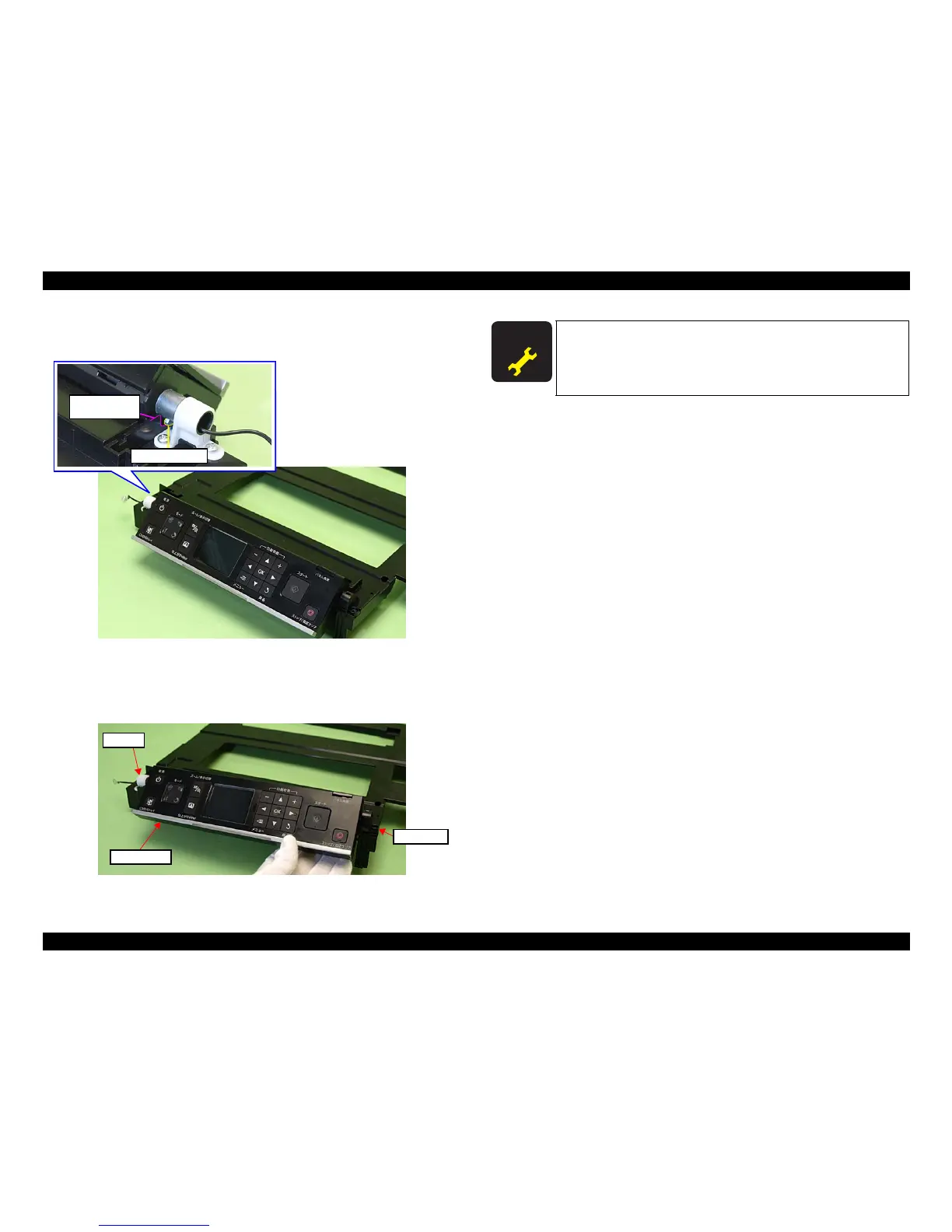
3. Tilt the Panel Unit by 45 degrees to align the rib of the shaft on the left side of
the Panel Unit with the groove of the Upper Housing.
Figure 4-227. Removing the Panel Unit (2)
4. Lift the Panel Unit so as not to let the Right Hinge interfere with the Upper
Housing, and remove th
e shaft from the bushing on the left side of the Panel
Unit, and then remove the Panel Unit.
Figure 4-228. Removing the Panel Unit (3)
Rib of the shaft
Groove of the
Upper Housing
Bushing
Panel Unit
Right Hinge
A D J U S T M E N T
R E Q U I R E D
After replacing the Panel Unit, be sure to perform the required
lubrication. (See
Chapter 6 "MAINTENANCE"
.)













 To Next Page