Rev. A Disassembly, Assembly, and Adjustment 5-33
TM-U200 Series (Type A/AM) Technical Manual
Confidential
Main Assembly 17
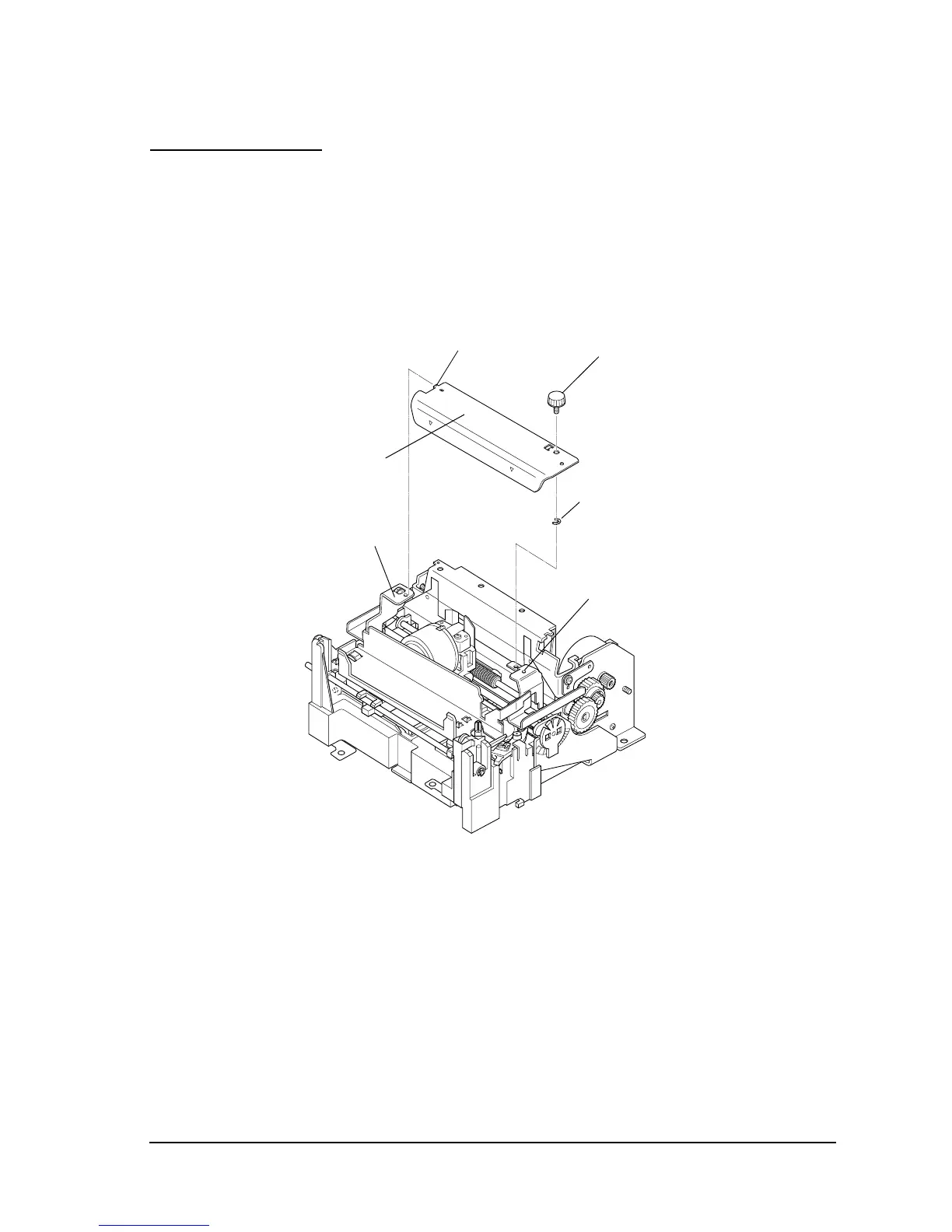
Thumb-screw and head cover
1. Place the thumb-screw into the hole in the head cover and secure the RE (2.5) in the center of
the thumb-screw.
2. Insert the tab of the head cover into the left cover fixing plate first, and then rotate and
secure with the thumb-screw while aligning the dowel.
Thumb-screw
Head cover
RE (2.5)



 To Next Page
 Loading...











