5-6 Disassembly, Assembly, and Adjustment Rev. A
Confidential
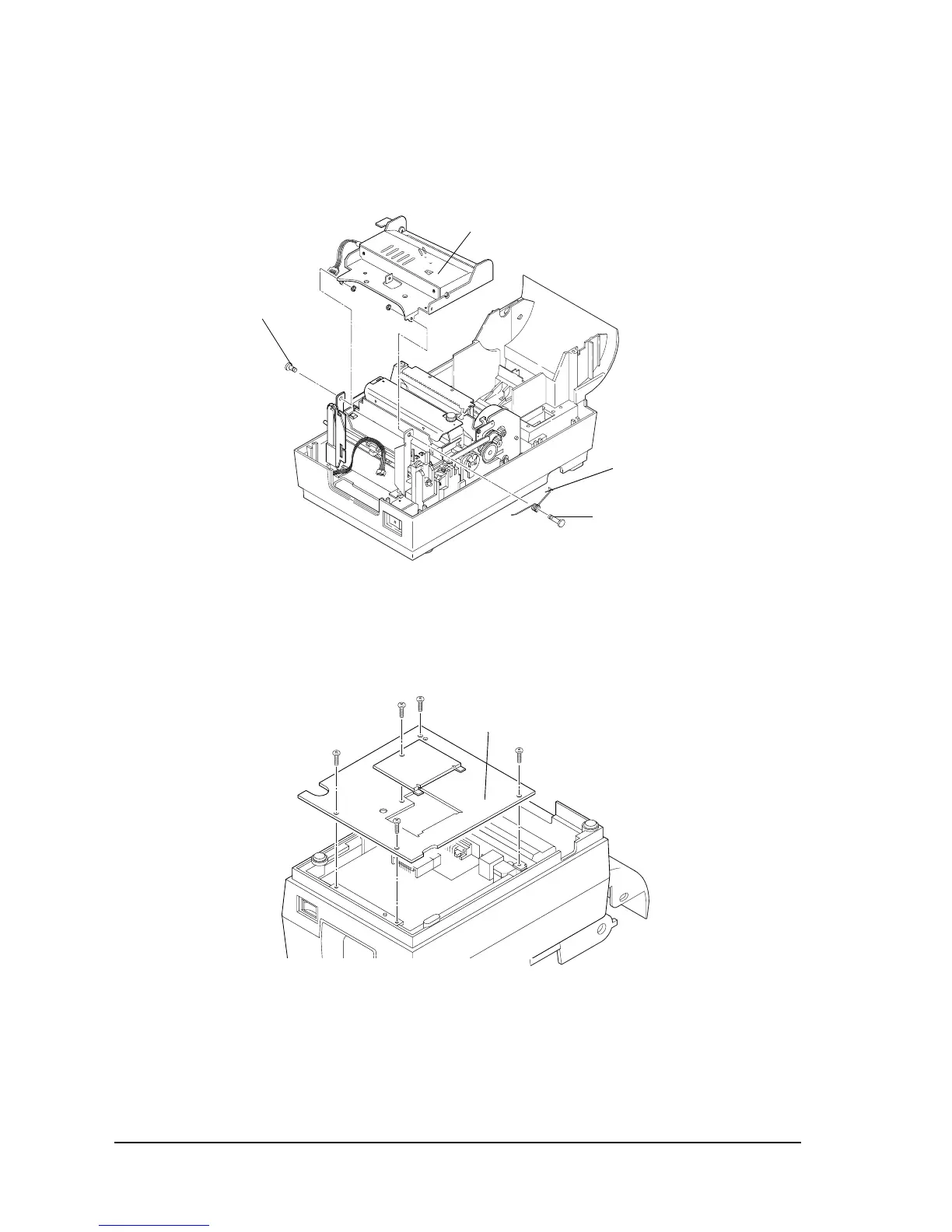
4. Remove the auto-cutter plate shaft, auto-cutter plate spring shaft, and auto-cutter plate
spring. Then remove the auto-cutter.
Refer to the corresponding assembly section(s) in this chapter for assembly procedure.
Removing the main circuit board assembly
1. Remove the lower plate.
Auto-cutter
Auto-cutter
plate spring
Auto-cutter
plate spring shaft
Auto-cutter
plate shaft
lower plate



 To Next Page
 Loading...











