Description of the Front and Back P anels • 6
1
CHAPTER 6
Description of the Front and Back Panels
Diagrams on folding leaf 1 clockwise
Operating elements on the front panel
On the display, the graphical interface (shell) of the APC 300 is shown. The
shell is the interface between the operator and the unit's software. Using the
shell, the instrument's COAG flow and CUT flow, as well as all the functions
of the APC 300, can be controlled and the unit modified to suit your
requirements. See CHAPTER 7 Description of the graphical interface of the
APC 300
à
.
The
UP / DOWN keys are used to set the flow parameters. For instance, up:
increases COAG flow, down: decreases COAG flow.
In addition, the
UP / DOWN keys are used for marking menu items in selection
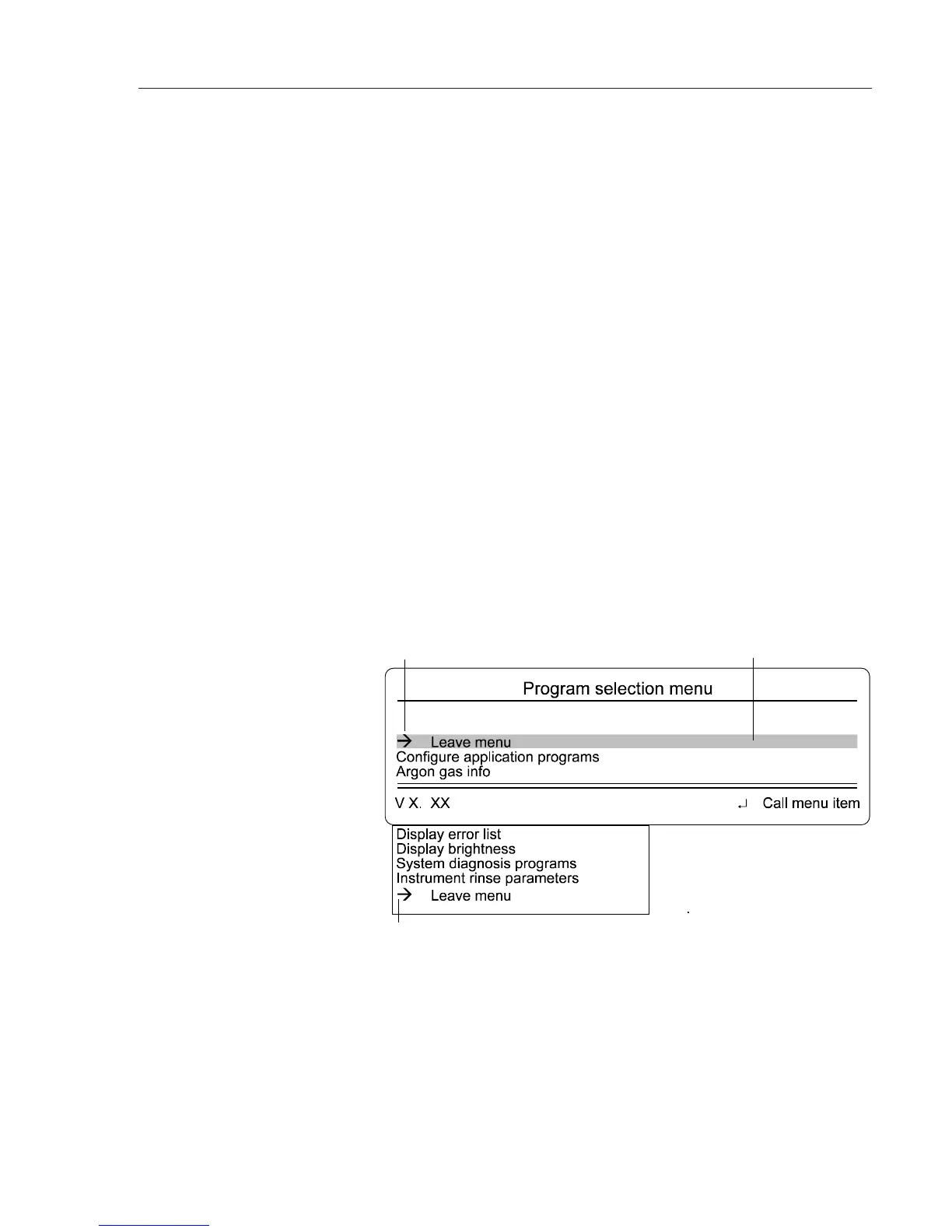
menus. All the APC 300's menus have the same structure. There is a cursor in
the second line. If you press the up or down keys, the cursor runs up and
down the menu items.
Display
U
P
/
DOWN
buttons
Start of the menu
Cursor
End of the menu
P
ROGRAM
button
E
NTER
button
The APC 300 possesses 13 application programs. Using these, you can, among
other things, program and store COAG flow and CUT flow settings for a
particular instrument.
Using the program key, the selected application program is started.
The enter key is used to alternate between the standard display and the pro-
gram selection menu and for calling the menu item marked. Its current function
is always shown on the bottom, at the right of the display.



 To Next Page