To alter the volume of the audible signal for COAG, CUT and PURGE:
1. Select the program you require.
2. Mark menu item Sound level adjustment. Press the
ENTER key.
3. Using the program key, select the TONE desired. (COAG, CUT or
PURGE ).
4. Press
UP / DOWN keys and select volume.
5. Store volume control setting using the P
UR key.
6. Leave the menu by pressing the
ENTER key.
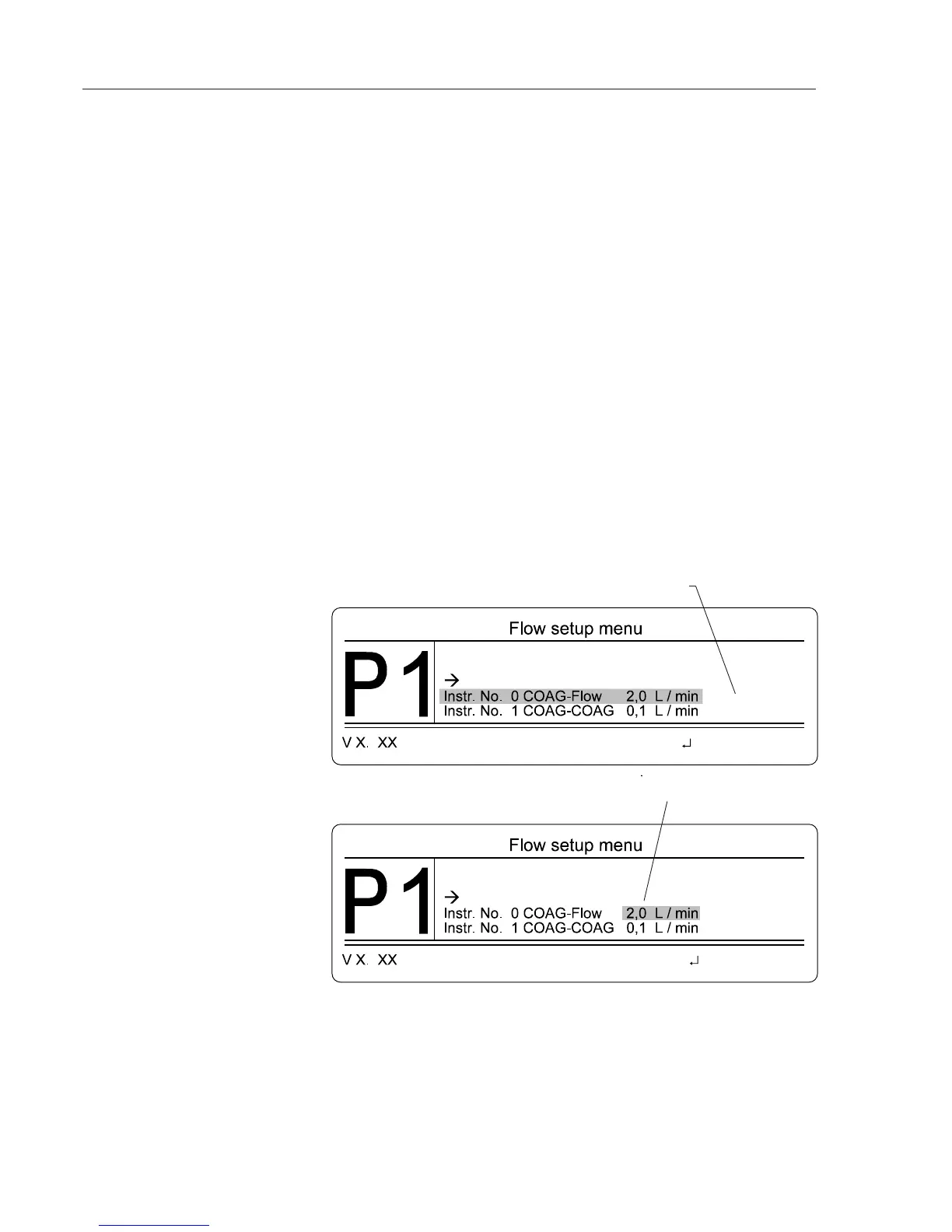
In the Flow setup you can alter the COAG flow / CUT flow settings for
Instrument numbers 0 to 10 in each application program. A number of
parameters exist which for safety reasons cannot be altered by the user. The-
se include maximum COAG flow / CUT flow, CUT function, on or off.
1. Select the program you require.
2. Mark menu item Flow adjustments. Press the
ENTER key.
3. Using the
UP / DOWN keys mark the Instrument number (COAG flow or
CUT flow). Press the ENTER key.
4. Press
UP / DOWN keys to select the desired flow. Press the ENTER key.
6. Repeat the procedure for other Instrument numbers or leave the Flow
setup menu.
Alter COAG flow / CUT flow
settings
Instrument number 0 COAG flow is marked.
After pressing the enter key, the cursor is only marking a section of the display. You can now
alter the flow with the UP / DOWN keys.
1. Select the menu item Screen brightness from the Program menu.
2. With the
UP / DOWN keys, select the required brightness.
3. Store the setting using the
ENTER key. You are now back in the Program
menu.
Display brightness
Alter the volume of
audible signals



 To Next Page