Actuation Configurations for ICC 200 • 8
3
2. Check fill level of the argon cylinders (fill level of the argon cylinders
is in the information line of the standard display). Always keep a full
replacement cylinder ready.
1. Set AUTO COAG field to FORCED.
2. Press selection key again. Displayed: A.60 (APC mode, power limit
60 W)
3. Select the desired power limit.
If an instrument is connected to the BIPOLAR socket and you select BIPO-
LAR mode by mistake, you can actuate the instrument using the foot switch.
7. Set ICC for APC
WARNING!
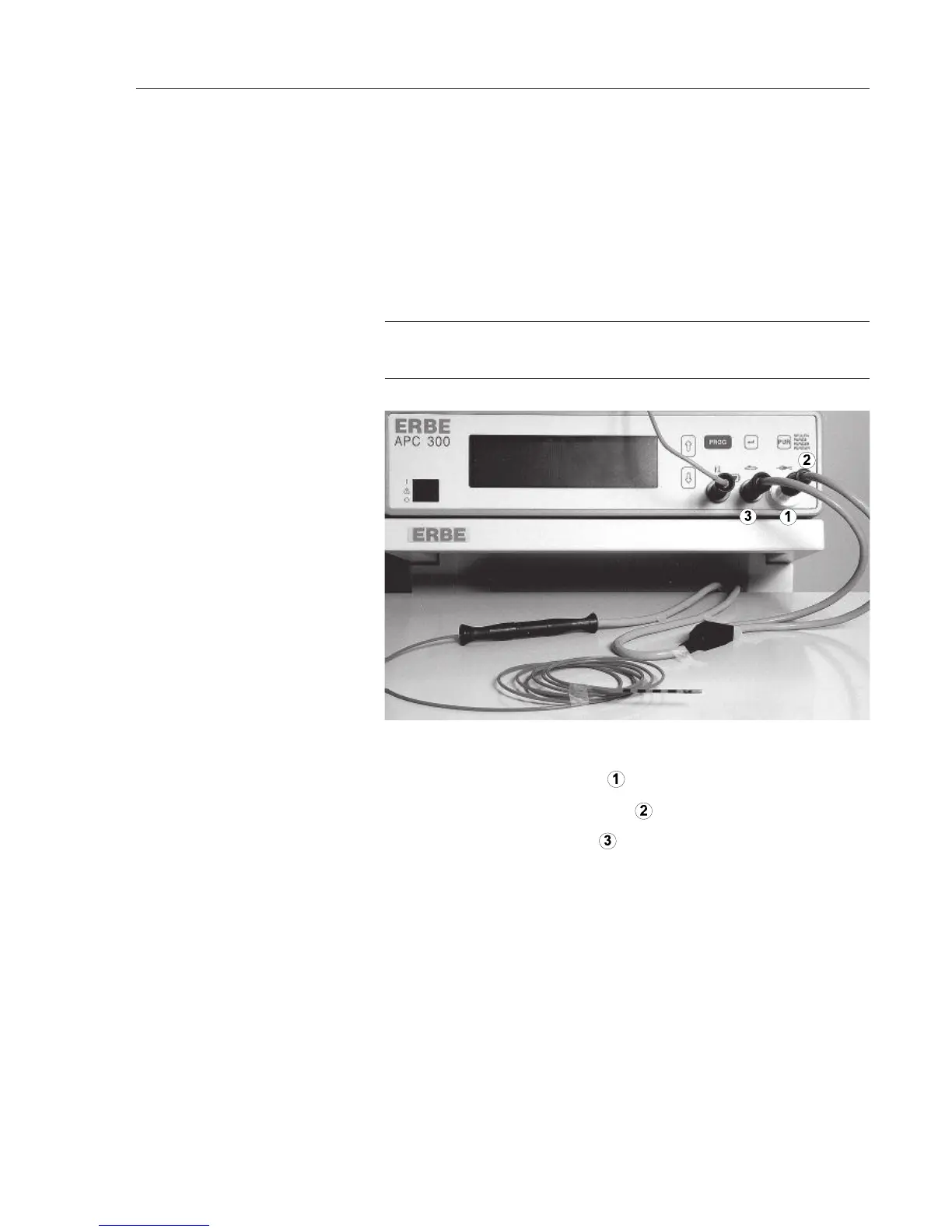
APC probe for flexible endoscopes, consisting of: cable and probe
1. Screw the bacteriological filter
to the argon socket.
2. Screw the cable's argon connection
to the filter.
3. Plug the cable's multiple plug into the multiple socket.
4. Connect the cable to the APC probe.
Is the automatic setting of the COAG flow suitable for the application?
Press P
UR key and rinse the probe with argon.
Carry out functional test as described in CHAPTER 3
à
.
Press the blue pedal.
Introduce the sterile APC probe into the work channel of the endoscope.
8. Connect APC probe
9. Check flow
10. Rinse probe
11. Functional test
12. Actuate APC
13. Introduce probe into the
endoscope



 To Next Page