Actuation Configurations for ICC 200 • 8
1
CHAPTER 8
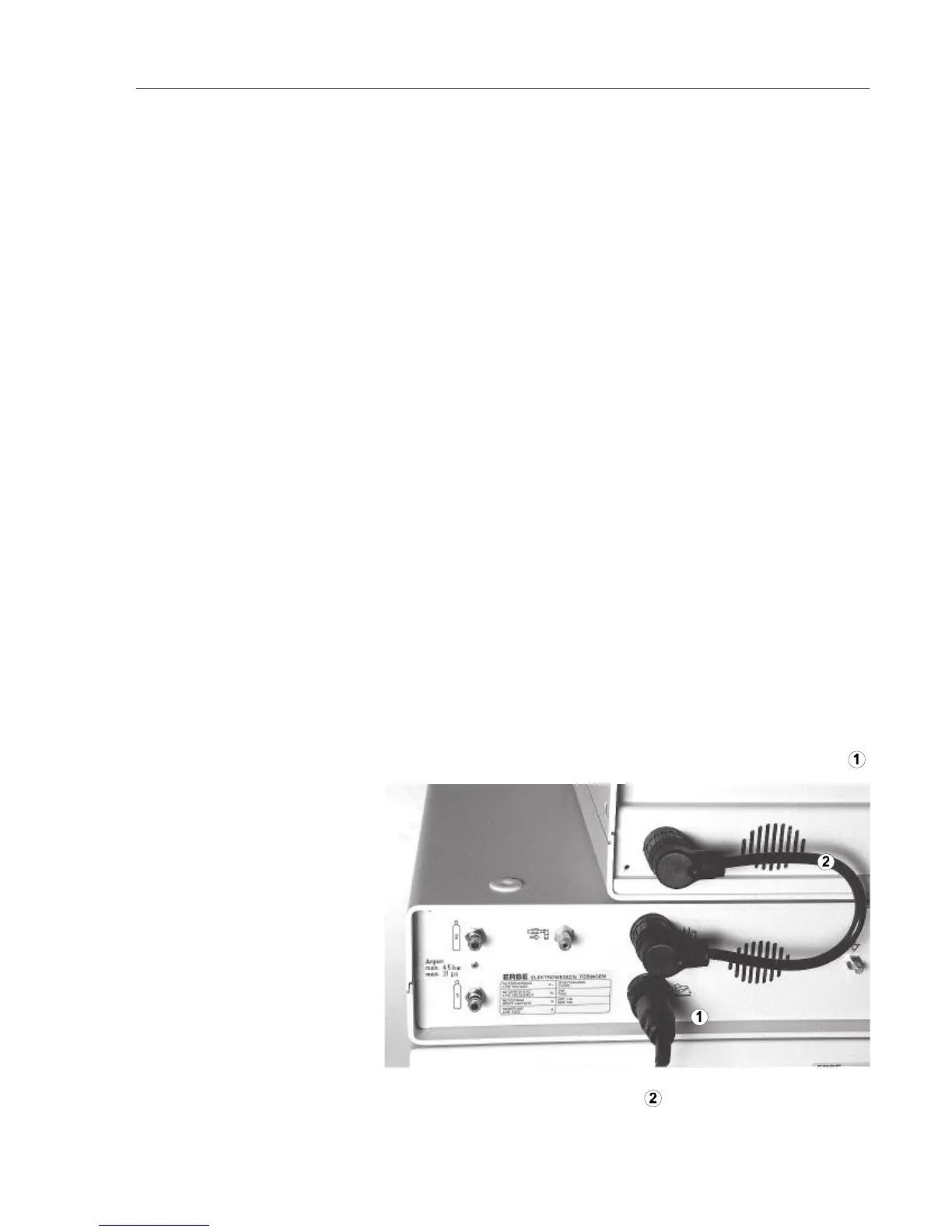
2. Plug connection cable 20189-022 into the APC 300's actuation
signal output and into the ICC's foot switch socket.
1. Connect foot switch,
connection cable with two 4-pin
plugs
Connection and Actuation Configurations for
ERBE Electrosurgical Equipment in Conjunction with the APC 300
This chapter gives a step by step guide to the preparation of the
electrosurgical equipment, the APC 300 and instruments. In particular, it
explains how to
• connect the electrosurgical equipment to the APC 300.
•
connect the foot switches.
• connect the APC applicator, neutral electrode and the instruments.
•
set up the electrosurgical equipment.
• actuate APC, ARGON CUT, CUT, BIPOLAR CUT, COAG and BIPO-
LAR COAG.
Connection cables required:
• Connection cable no. 20189-022 with two 4-pin plugs.
•
Connection cable no. 20132-063 with one 4-pin and one 7-pin plug.
For actuation configurations 3 and 4 ICC 350 only.
• HF cable no. 20192-082 or 20192-126.
Actuation Configuration 1 for ICC 200
APC probe for flexible endoscopes
1. Connect two-pedal foot switch to the APC 300's foot switch socket .



 To Next Page