Actuation Configurations for ICC 300 • 8
9
Actuation Configuration 1 for ICC 300
APC probe for flexible endoscopes
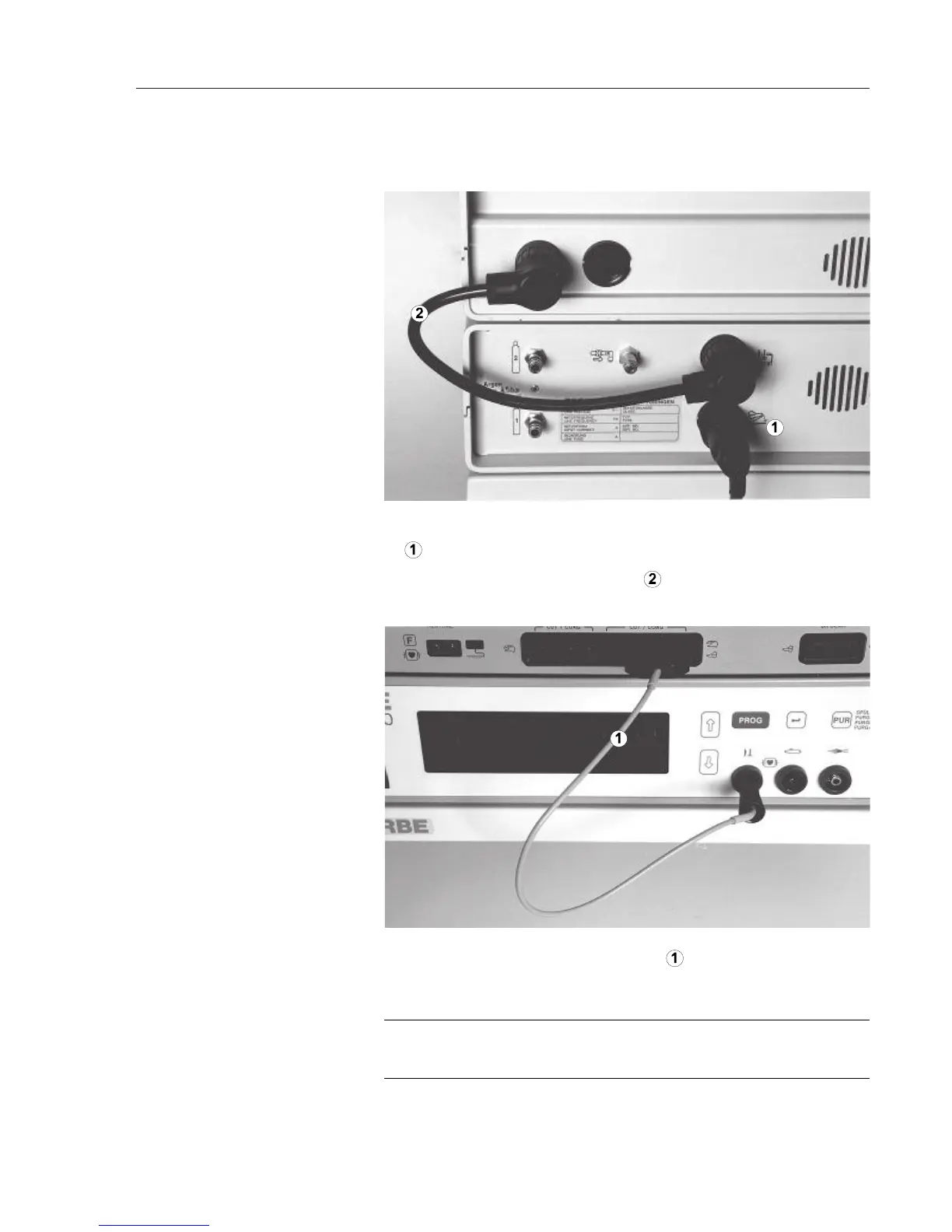
1. Connect two-pedal foot switch to the APC 300's foot switch socket
.
2. Plug connection cable 20189-022
into the APC 300's actuation
signals output and into the ICC's 4-pin foot switch socket.
Plug HF cable 20192-082 or 20192-126 into HF input of the APC
300 and into the CUT / COAG socket of the ICC for foot and finger
switches.
If an instrument, rather than the HF cable, is connected to the CUT /
COAG socket, you can actuate this instrument using the foot switch!
WARNING!
1. Connect foot switch,
connection cable with
two 4-pin plugs
2. Connect HF cable



 To Next Page