61 / 84
7 • Maintenance and servicing
80116-938_V24392
2023-03
3. Press the COAG button on the electrode handle. The test program
must confirm the activation with the following entries:
– source: Illustration of a hand (for finger switch) + handpiece
+ VIO 3 + indication of the appropriate socket slot.
– signal: COAG
4. Simultaneously press the CUT and COAG button on the electrode han-
dle. The test program must confirm the activation with the following
entries:
– source: Illustration of a hand (for finger switch) + handpiece
+ VIO 3 + indication of the appropriate socket slot.
– signal: REMODE
5. Repeat test steps 1 to 4 with each MO and MF-U socket.
6. Terminate the test program with <Close>.
7. Stay in the test program list for the next test step.
Instrument recognition
Test sockets
The following sockets are tested:
• MF
• MF-U
Testing and measuring equipment
Test setup
• The test specimen is connected to the power supply via the power
cord.
Instrument recognition
via EEPROM
Test procedure
1. Call up <Test Program Instrument recognition>.
2. Plug a suitable cable into the first test socket. The test program must
show the measuring cable data record at the appropriate slot.
– Slot counting in TP: From top to bottom (VIO 3: 1, 2, 3 and 4, return
electrode not shown, APC 3: 1 and 2)
– Slot naming in TP (MF for MF socket, UNI for MF-U socket)
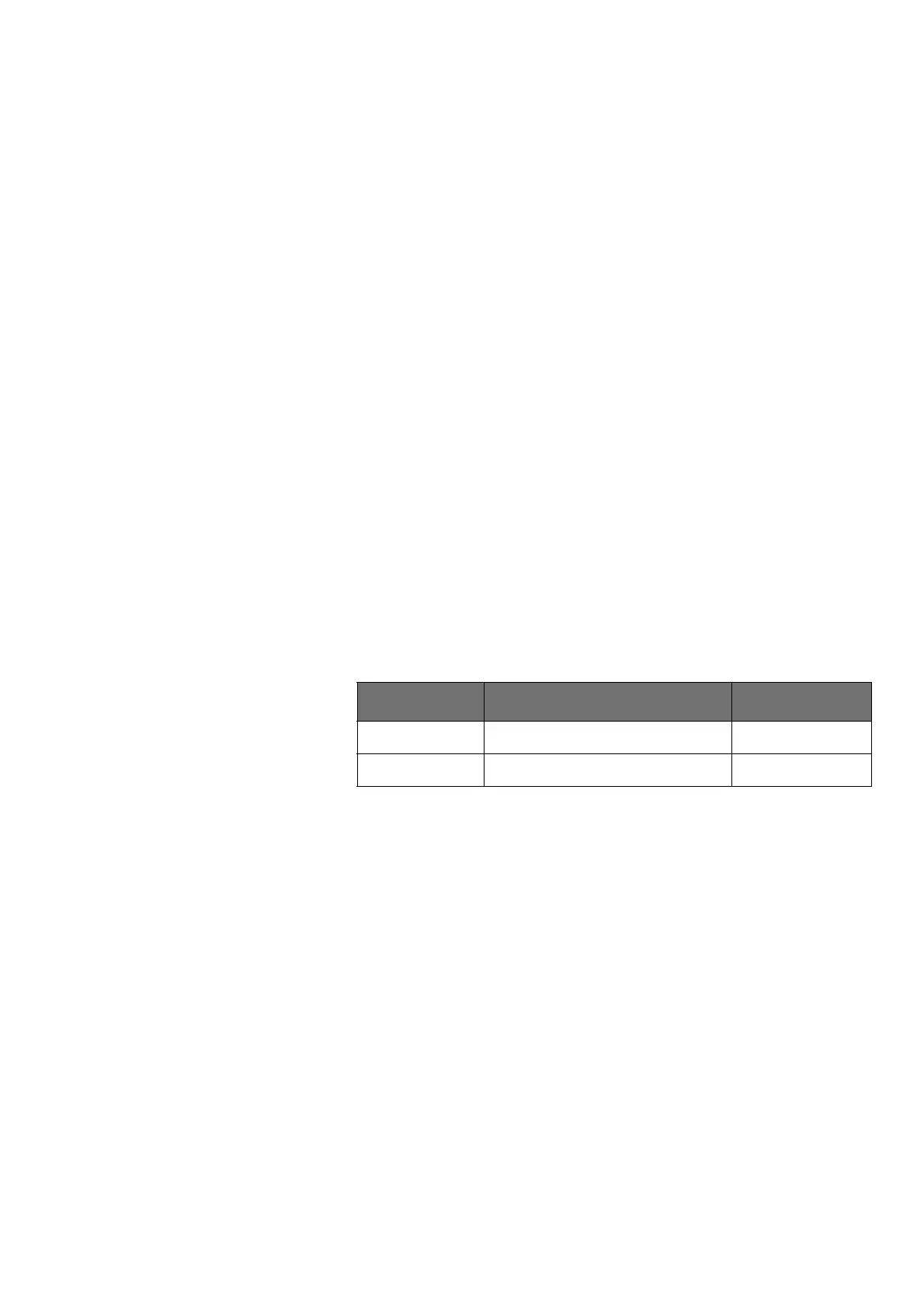
Erbe Art. No. Description for
20100-152 BiClamp measuring cable MF socket
20100-189 BiClamp MF-2 measuring cable MF-U socket



 To Next Page