TROUBLESHOOTING
9-1
SECTION 9 TROUBLESHOOTING
9.1 PRELIMINARY CHECKS
Try these checks and inspections before sending for an authorized service technician.
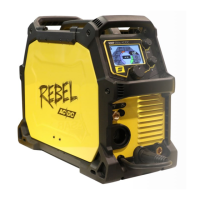
Before attempting to troubleshoot the ESAB Rebel it is recommended to first perform a WELD
DATA RESET (navigate to HOME/SETTING/RESET/WELD DATA RESET). A WELD DATA RESET of
the system will restore the unit to its default welding condition. Performing this Reset will
not lose any user stored memory values but will establish a baseline from which all
troubleshooting should start. If the WELD DATA RESET is not successful it is recommended to
perform a Factory Reset and repeat testing. CAUTION: A Factory Reset will also erase all user
stored memory locations. If this does not correct the problem, follow the table where
possible.
Table 9-1. Table of Faults
Porosity within the weld metal
• Check gas bottle is not empty.
• Check gas regulator is not closed.
• Check gas inlet hose for leaks or blockage.
• Check that the correct gas is connected, and the correct
gas flow is used.
• Keep the distance between the MIG torch nozzle and the
work piece to a minimum.
• Do not work in areas where drafts, which would disburse
the shielding gas, are common.
• Make sure the work piece is clean, with no oil or grease on
the surface, before welding.
Wire feeding problems
See Section 10.2 WEAR
PARTS for correct sizes or
types.
• Make sure the wire spool brake is adjusted correctly.
• Make sure the feed roller is correct size and not worn.
• Make sure the correct pressure is set on the feed rollers.
• Make sure the proper direction of motion is set based on the
wire type (into the weld pool for aluminum, away from the
weld pool for steel).
• Make sure the correct contact tip is used and it is not worn.
• Make sure liner is the right size and type for wire.
• Make sure the liner is not bent so that friction is caused
between the liner and the wire.



 To Next Page