Page 14 of 66 0455-0323 Rev A
Calling
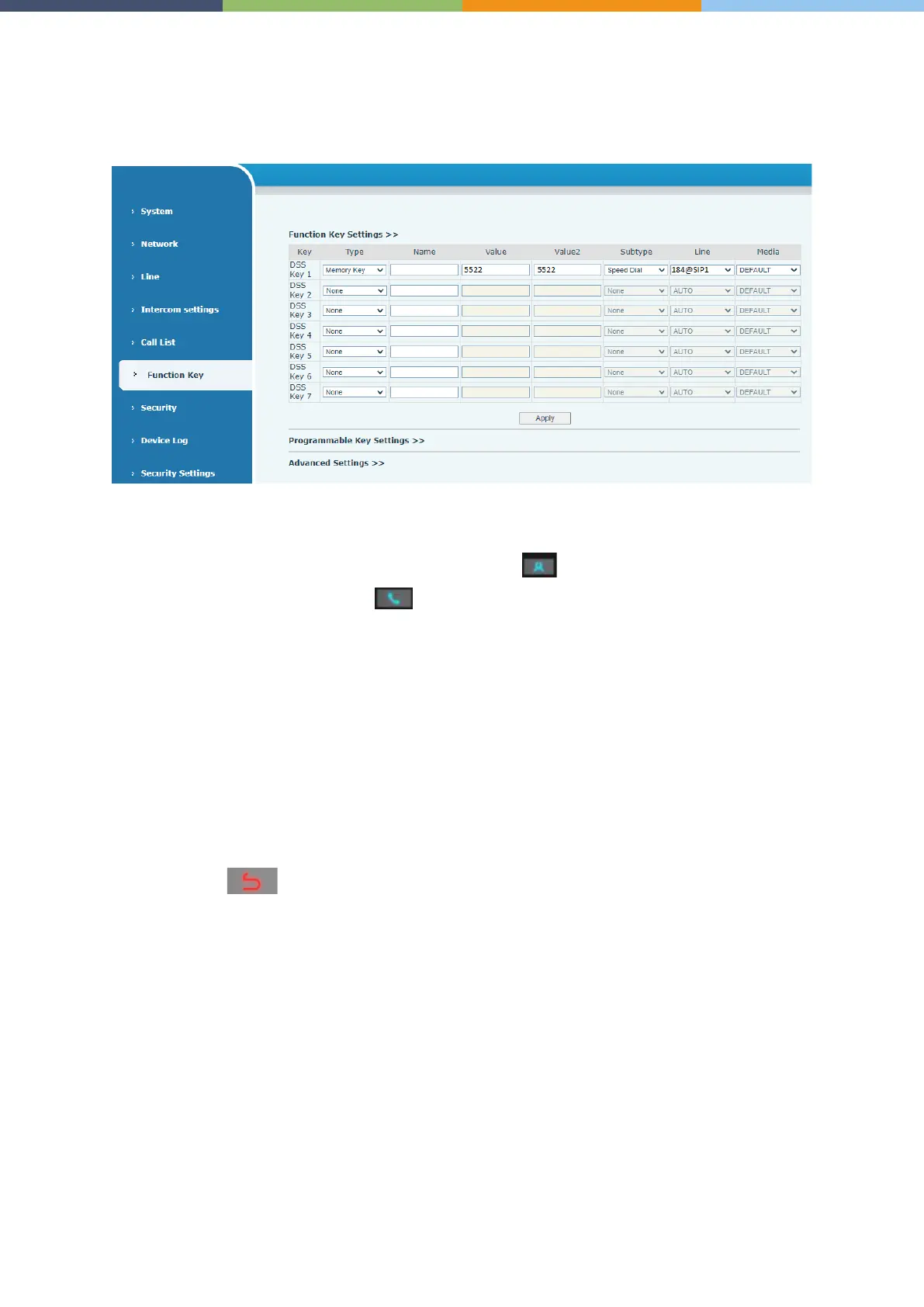
After setting the function key to Hot key and setting the number, press the function key to immediately
call out the set number, as shown below:
See detailed configuration instructions Function Key.
After setting the speed dial according to the above settings, the AC64v access device can directly dial
the set number by pressing the Management Center button .
You can also press the dial button first , then enter the number you want to call, and
automatically call after timeout.
Answering Calls
After setting up the automatic answer and setting up the automatic answer time, it will hear the ringing
bell within the set time and automatically answer the call after timeout. Cancel automatic answering.
When a call comes in, you will hear the ringing bell and will not answer the phone over time.
End the Call
You can hang up the call through the Release key (you can set the function key as the Release key)
or turn on the speed dial button to hang up the call. See detailed configuration instructions Function
Key.
The back button can also be used to hang up the call.



 To Next Page