Page 15 of 66 0455-0323 Rev A
Auto Answer
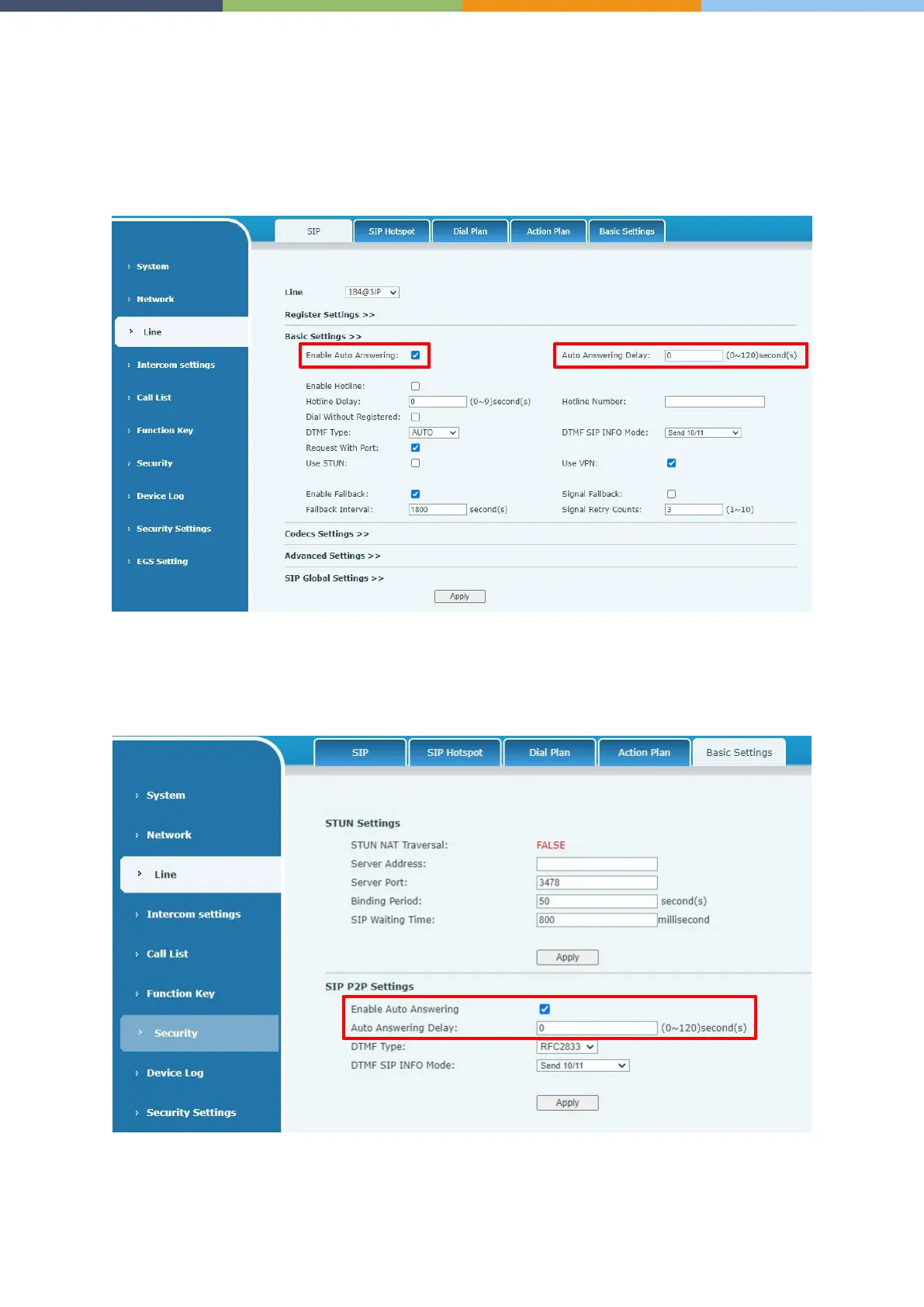
The user can turn off the auto-answer function (enabled by default) on the device webpage, and the
ring tone will be heard after the shutdown, and the auto-answer will not time out.
Web interface:
Enter [Line] >> [SIP], Enable auto answer and set auto answer time and click submit.
SIP P2P auto answering:
Enter [Line] >> [Basic settings], Enable auto answer and set auto answer time and click submit.
Auto Answer timeout is 0-120 seconds.
The range can be set to 0~120 seconds and the call will be answered automatically after timeout.



 To Next Page