Page 64 of 66 0455-0323 Rev A
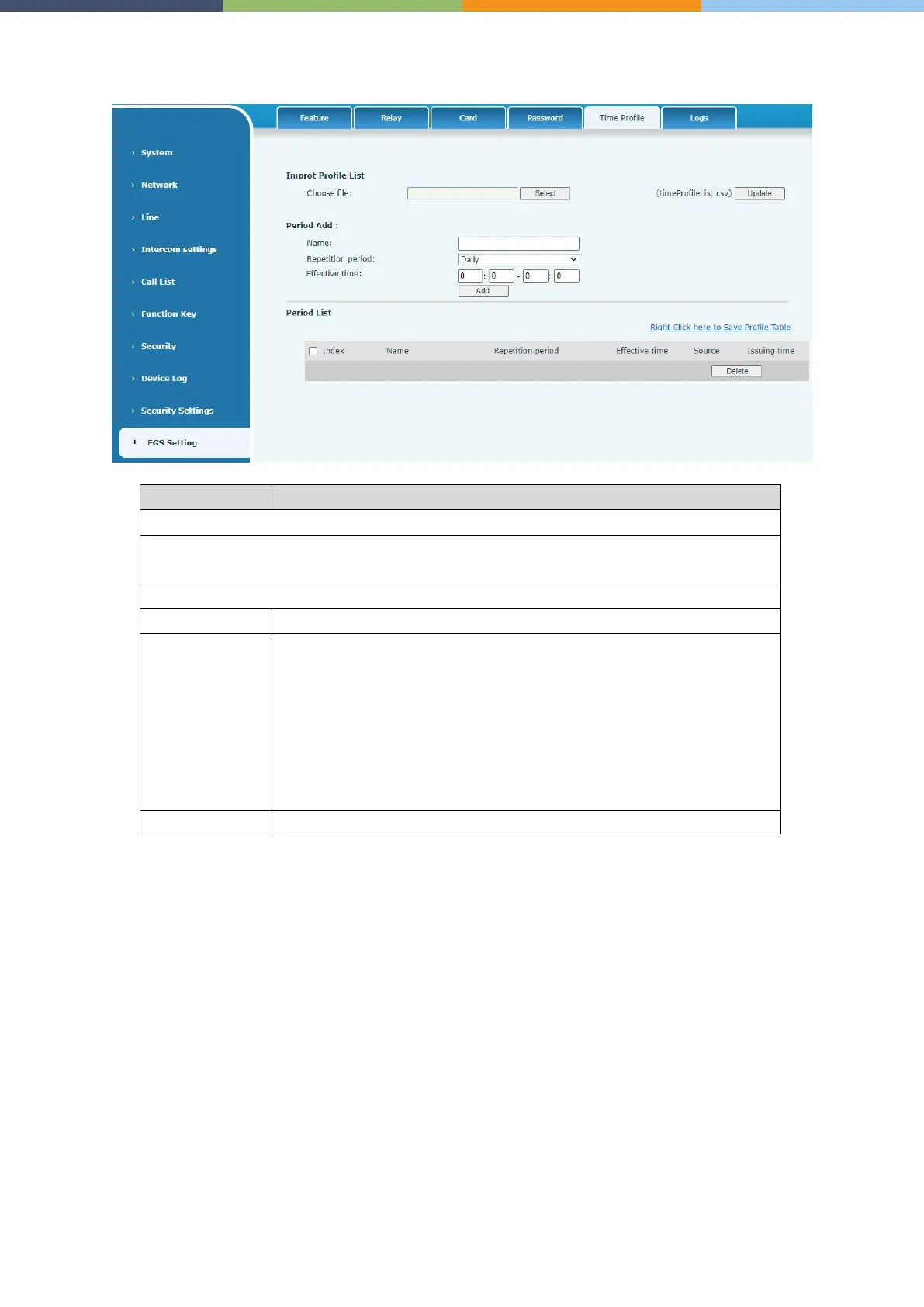
EGS Setting >> Time Profile
Field Name Explanation
Click the <Select> to choose to import remote Profile list file (timeProfileList.csv) and then
clicking <Update> can batch import remote Period.
Set the name of the time period
No repetition
: Opening the door in the set time period is valid,
and it is
invalid at other times.
Daily
: It is valid to open the door in the time period set daily,
and it is invalid
at other times.
Weekly
: It is valid to open the door in the time period set every
invalid at other times.
Monthly: Open the door in the time period set every month is valid, and
it is invalid at other times.



 To Next Page