Page 56 of 66 0455-0323 Rev A
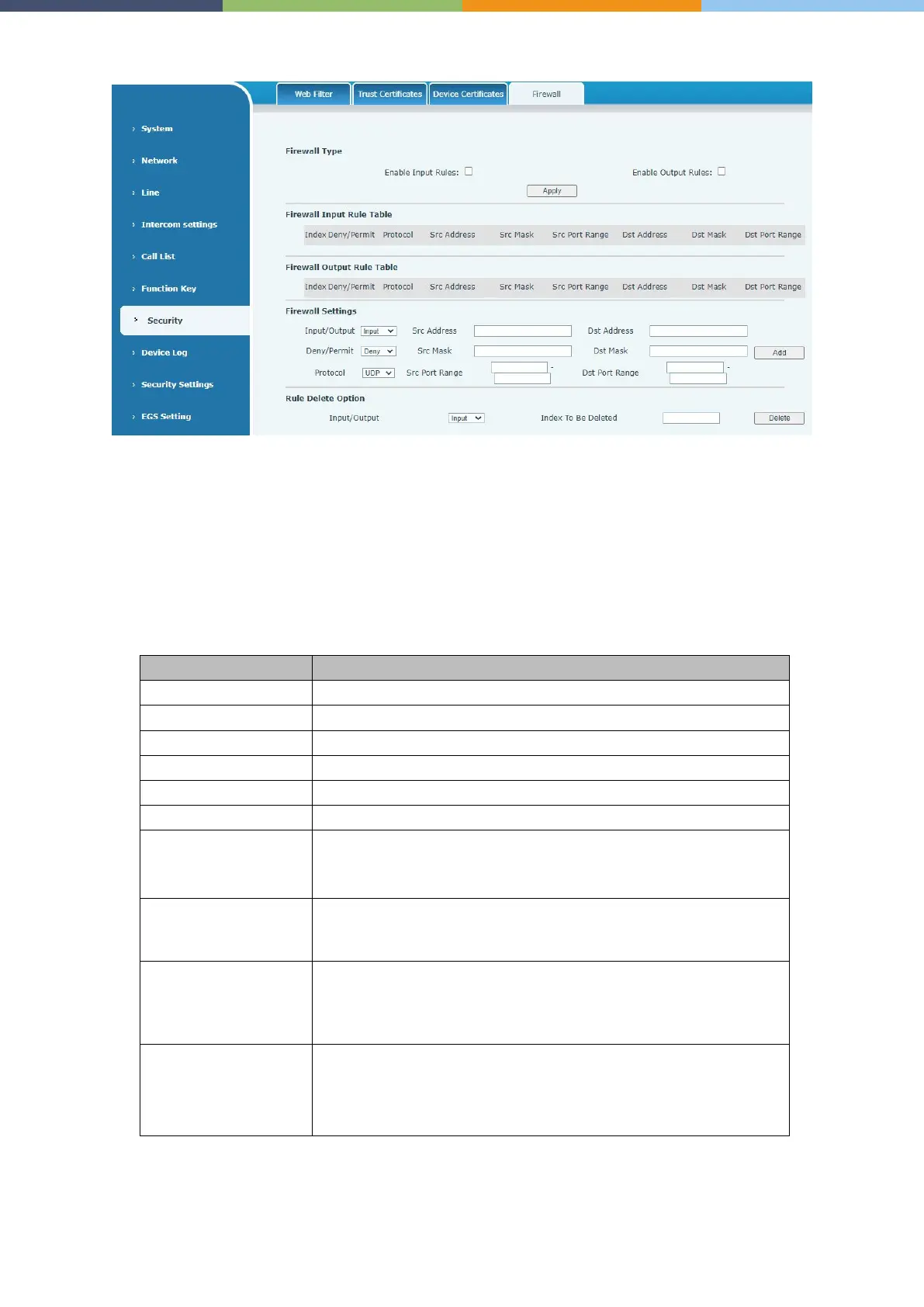
Security >> Firewall
Through this page, you can set whether to enable the input and output firewalls, and at the same time,
you can set the input and output rules of the firewall. Use these settings to prevent malicious network
access, or restrict internal users from accessing some resources of the external network, and improve
safety.
The firewall rule setting is a simple firewall module. This function supports two kinds of rules: input
rules and output rules. Each rule will be assigned a serial number, and a maximum of 10 each rule
can be set.
Taking into account the complexity of firewall settings, the following will illustrate with an example:
Select the current rule as an input or output rule
Choose a rule to deny or allow.
There are four types of protocols
:
,
,
,
The source address can be the host address, network address, or all
addresses 0.0.0.0; it can also be a network address similar
such as 192.168.1.0.
The destination address can be a specific IP address or all
addresses 0.0.0.0; it can also be a network address similar to
such as 192.168.1.0.
This is the source address mask. When it is configured as
255.255.255.255, it means it is a specific host. When it is set as a
subnet mask of type 255.255.255.0, it means that the filter is a
network segment.
This is the destination address mask. When it is configured as
255.255.255.255, it means it is a specific host. When it is set as a
subnet mask of 255.255.255.0 type, it means that a network
segment is filtered.



 To Next Page