Page 24 of 66 0455-0323 Rev A
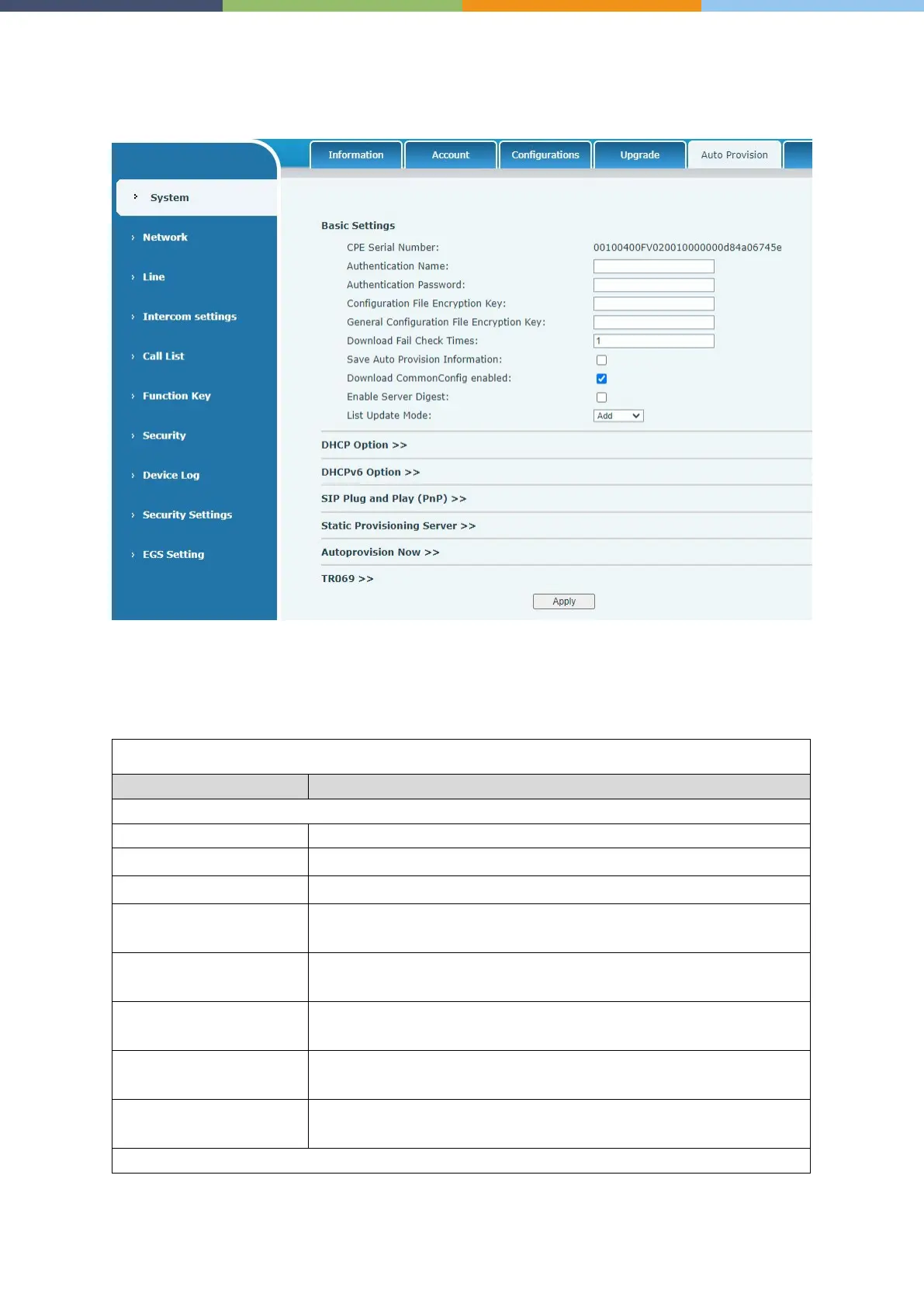
System >> Auto Provision
Webpage: Login and go to [System] >> [Auto provision].
Devices support SIP PnP, DHCP options, Static provision, TR069. If all of the 4 methods are enabled,
the priority from high to low as follows: PNP>DHCP>TR069> Static Provisioning.
Transferring protocol: FTP、 TFTP、 HTTP、 HTTPS
Auto Provision
The user name of provision server
The password of provision server
Encryption Key
If the device configuration file is encrypted , user should add the
encryption key here
General Configuration File
Encryption Key
If the common configuration file is encrypted, user should add the
encryption key here
Information
Save the HTTP/HTTPS/FTP user name and password. If the provision
URL is kept, the information will be kept.
enabled
Whether phone will download the common configuration file.
Server
When the feature is enable, if the configuration of server is changed,
phone will download and update.



 To Next Page