Page 16 of 66 0455-0323 Rev A
Call Waiting
•
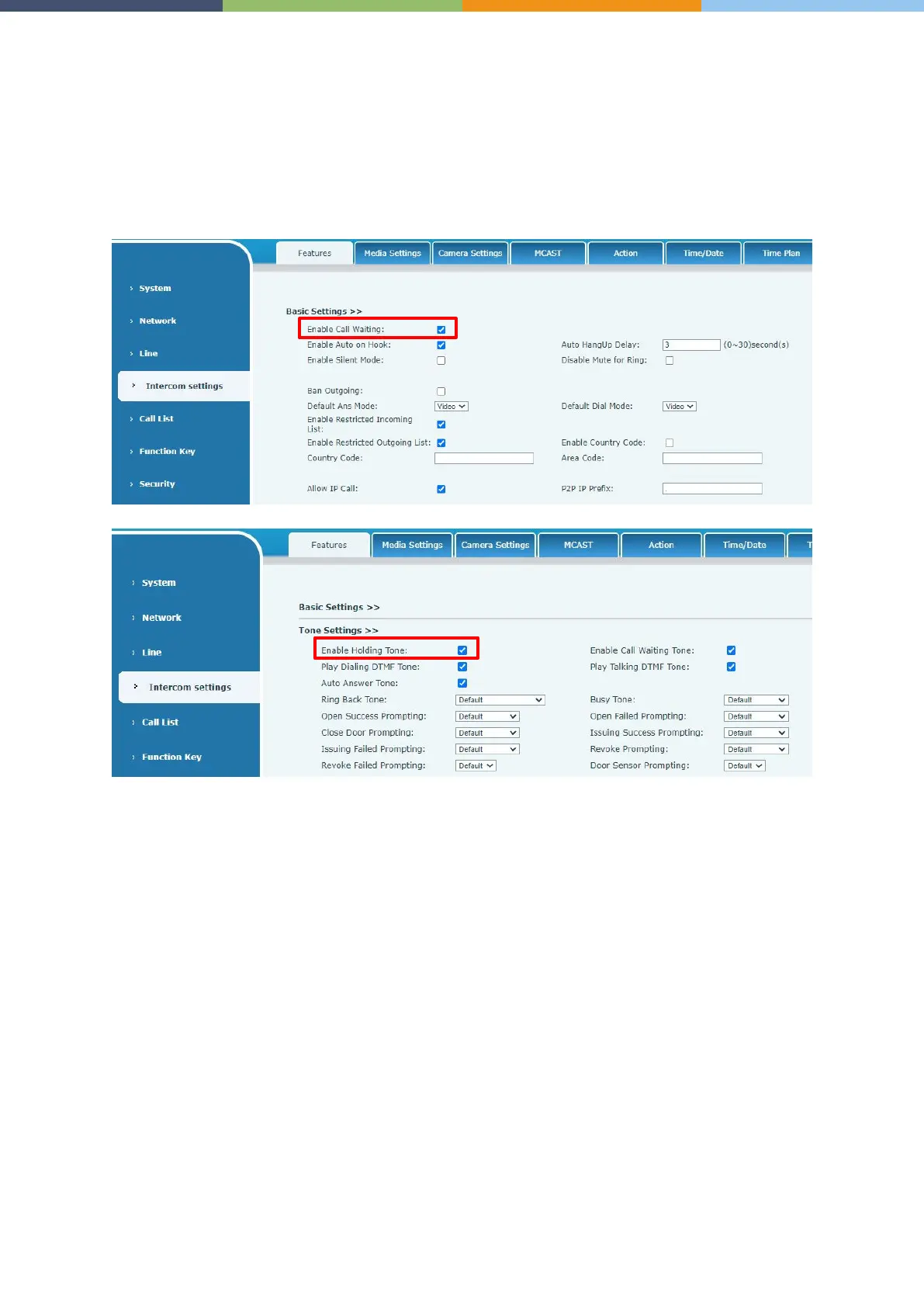
Enable call waiting: new calls can be accepted during a call.
•
Disable call waiting: new calls will be automatically rejected and a busy signal will be prompted.
•
Enable call waiting tone: when you receive a new call on the line, the device will beep.
Users can enable/disable call waiting in the device interface and the web interface.
•
Web interface: enter [Intercom Settings] >> [Features], enable/disable call waiting,
enable/disable call waiting tone.



 To Next Page