Patch 101
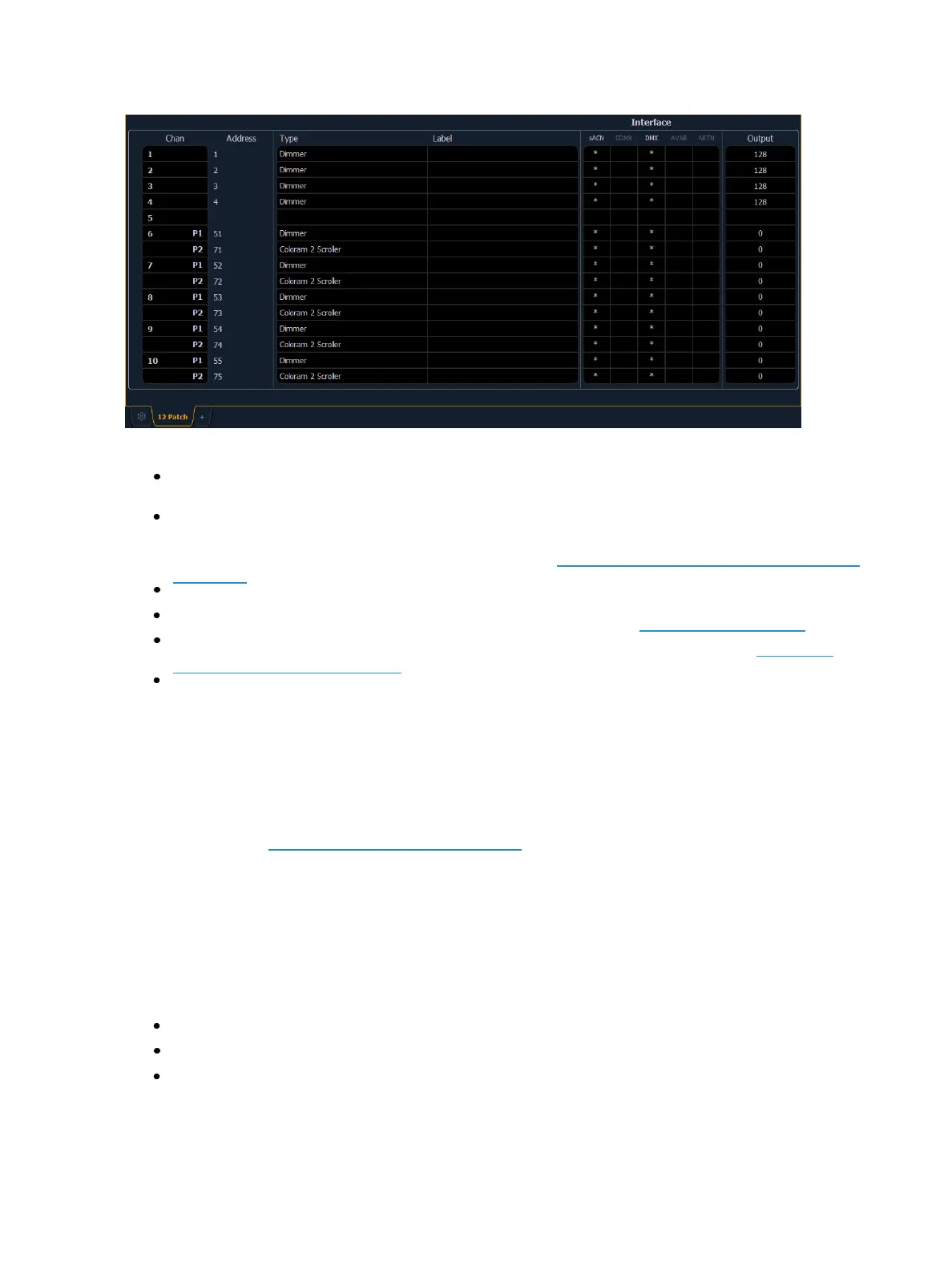
The patch screen will display the following information if available:
Channel - the patched channel number. In patch by address mode, channel will appear blank
if not currently patched.
Address - the patched output address. In patch by channel mode, address will appear blank if
not currently patched. Pressing [Data] toggles the display from showing address as patched
by the user, output address, and the port/offset. See Using Output Address vs Port/Offset (on
page103).
Type - device or dimmer type that is patched.
Label - displays the assigned label of the channel or address. See Labeling (on page110).
Interface - displays which interfaces will be used for the device. See {Interface} in {Patch} Dis-
play and Settings (on page117).
Output - displays the current live intensity level. Value is displayed as 0 through 255, with 255
being full.
Status in the Patch Display
Status flags will display on the far left of the patch display to advise you when a channel or address
requires your attention.
A red “!” or yellow “?” will display when there is an error or warning from an RDM, CEM+, CEM3,
or ACN device. See Errors and Warnings (on page127).
Flexichannel Views in Patch
In patch by channel mode, [Flexi] can be used to view only those channels that are currently patched.
In patch by address mode, [Flexi] can be used to view only those addresses that are currently
patched. By pressing [Flexi], you can toggle the view between patched channels/addresses, selected
channels, and all channels/addresses.
Holding down [Flexi] will display the following softkeys:
{Flexi All} - displays all the channels or addresses depending on which view is used.
{Patch} - displays only the patched channels or addresses.
{Selected} - displays any selected channels or addresses.



 To Next Page