Patch 127
The desk warns you when a channel’s attached dimmer has an error or is offline.
Items that are attached between patch and the device list will display a caret (>) beside their
channel/address in patch.
The advantages of attaching a device to a channel are:
Its fixture type is copied to the channel.
The desk warns you when a channel’s attached device is offline or has an error.
The device will always appear in the device list display, even if the device is offline.
Items that are attached between patch and the device list will display a caret (>) beside their
channel/address in patch.
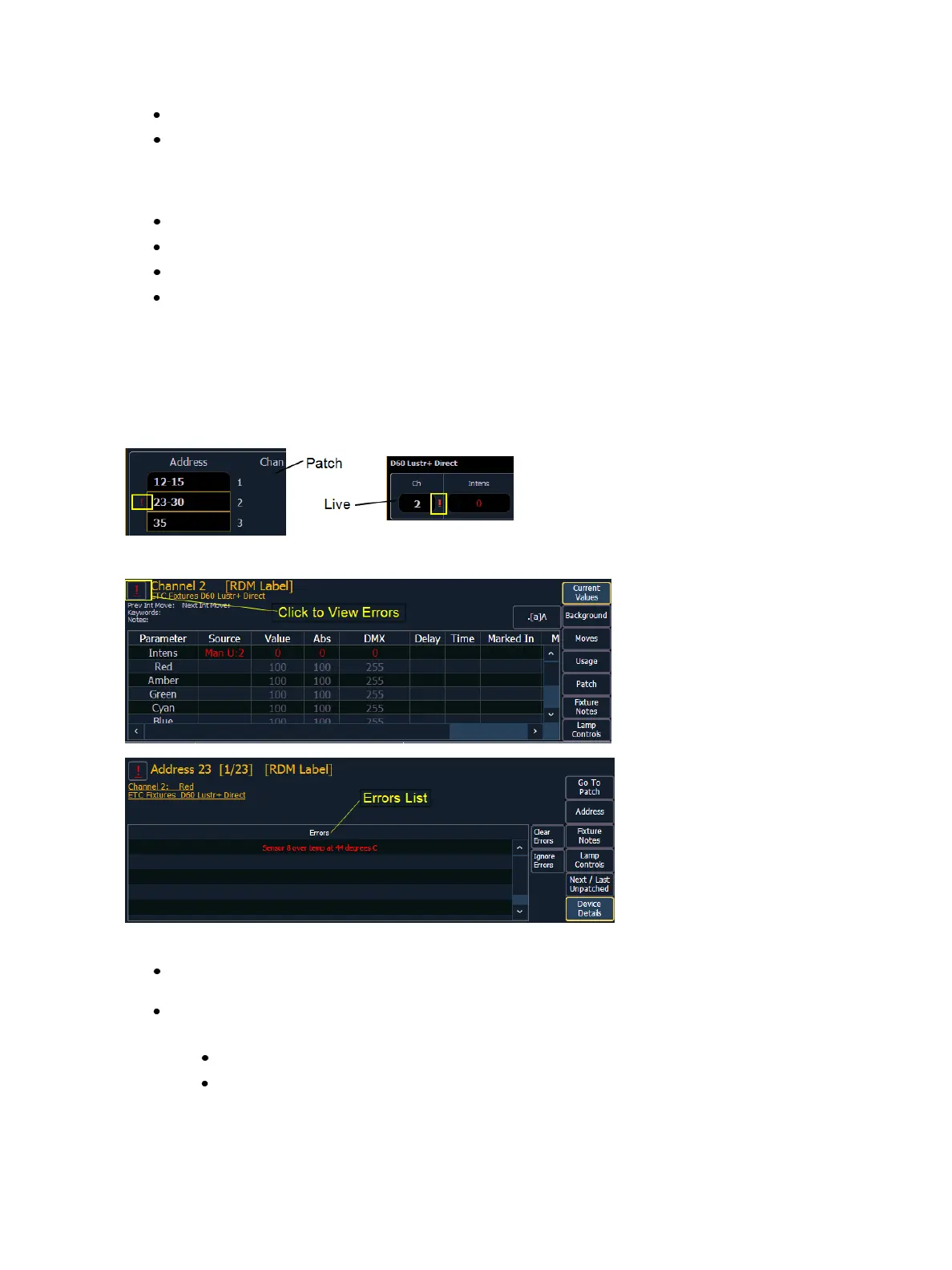
Errors and Warnings
One of the advantages of using dimmer and RDM feedback is error and warning reporting. If some-
thing happens with a patched and attached dimmer/ device, you will be notified in live, patch, and
about.
Errors can be viewed in the About Channel and About Address displays.
The notifications you can see are:
A red “!” means that the dimmer/ device has errors, such as overtemp, breaker trip, and lamp
out.
Yellow “?” means that the dimmer/ device has a warning message. Warning messages can
include:
Multiple devices’ addresses overlap
Multiple devices or different devices at this address



 To Next Page