126 Ion Operations Manual
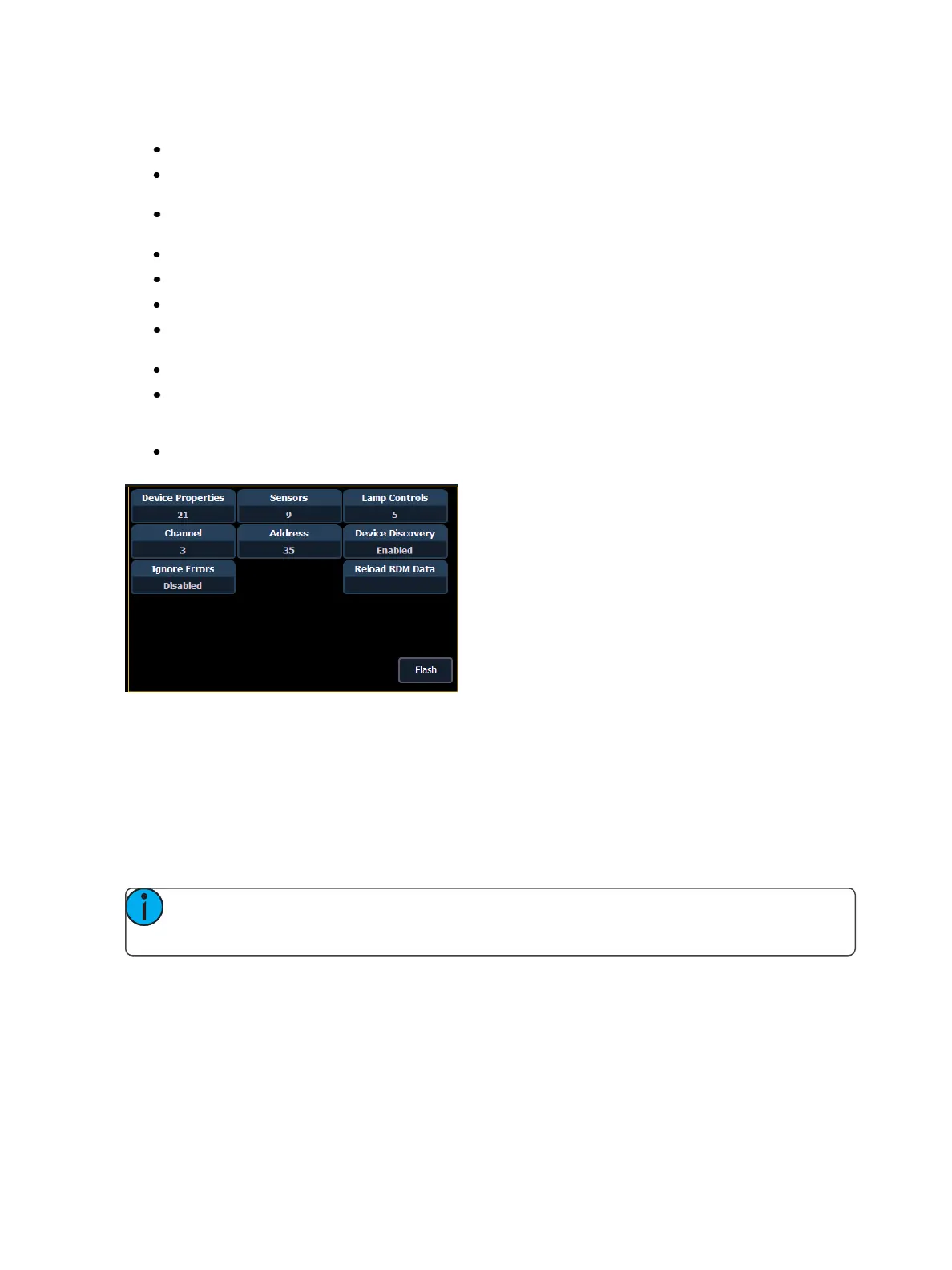
The following buttons will also display in the property view:
{Device Properties} - opens the properties list for the selected RDM device.
{Sensors} - displays if the selected device has sensors. Pressing {Sensors} will open the sensors
list.
{Lamp Controls} - displays if the selected device has lamp controls.Pressing {Lamp Controls}
will open the lamp controls list.
{Channel} - channel number of the selected device.
{Address}- address of the selected device.
{Device Discovery} - allows for discovery ofRDMdevices.
{Ignore Errors}- when enabled, errors messages will not display in the live/blind displays. They
will still display in about and the properties display in patch.
{Reload RDMData} - deletes the fixture data from the desk and reloads it from the device.
{Flash} - triggers the identify function of the RDM device. The identify function may defer
between different manufacturers' devices. For example, Wybron scrollers identify by wiggling
their gel back and forth.
{!} or {?} - displays if selected device has errors. Pressing {!}/{?} will open the error list.
Patching Discovered Dimmers and RDM Devices
When dimmers/devices are discovered, they are not automatically attached to any patched channels
in Ion. If you want the benefits of dimmer or RDM feedback, you must attach a dimmer or device to a
channel.
If you patch a dimmer/device's address to a channel, while in the device list display, the dim-
mer/device will be automatically attached to that channel. However, if you patch outside of the
device list, you will need to {Attach} the device to the channel.
Note: If the dimmer/device's address is not yet used in the patch, it is easiest to patch the
address to a channel in the dimmer list or device list screen.
<Chan> [X] {Attach} or <Address> [X] {Attach} will link that channel/address in patch and the dim-
mers/devices at that address.
When a channel number is attached to a dimmer/device, by patching it or using {Attach}, the chan-
nel’s fixture type is changed to the dimmer or device fixture type.
The advantages of attaching a dimmer to a channel are:



 To Next Page