Patch 113
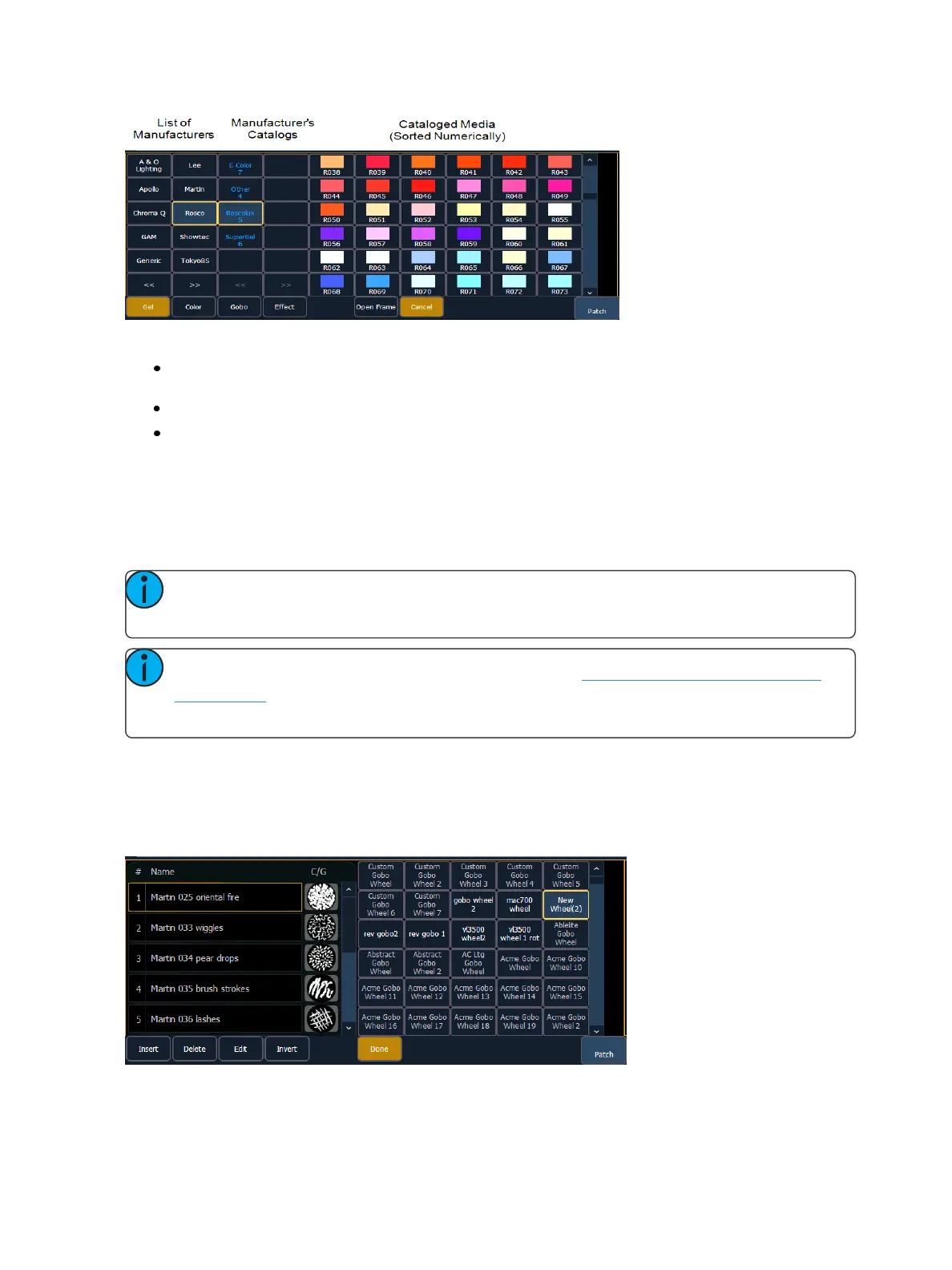
The media selection includes the following softkeys:
{Gel}, {Color}, {Gobo}, and {Effect} - each will display available media selections as they are cata-
loged by the associated scroll or wheel manufacturers.
{Open Frame} - places the frame in Open White. Generallly, the first media frame is open.
{Cancel} - cancels the media selection and returns to the frame editor.
When a manufacturer is selected from the list, the catalog selection changes to display only the selec-
ted manufacturer’s offerings. When a specific catalog is selected, the selected media will display.
When you make a media selection, the display returns to the new wheel frame list where additional
frames can be added to the scroll or wheel by selecting the next frame area to add more frames.
Note: An {Invert} softkey will display when creating or copying a wheel or scroller. {Invert}
is used to reverse the order of frames.
Note: It is possible to import custom gobo images. See Importing Custom Gobo Images
(on page96) for more information. To use a custom gobo image, select {Gobo} and then
{Custom}.
Editing a copy of a scroll or wheel
If a copy has been made of an existing scroll or wheel, the copied scroll or wheel will display as {New
Wheel n} before the standard manufacturer offerings. The frame list will include an exact duplicate
of the copied selection.



 To Next Page