114 Ion Operations Manual
To make a change to a frame, first select the frame then press {Edit} or click the gray box in the C/G
column to display the media selection. Or you can insert a new frame above a selected frame using
the {Insert} softkey.
For example, to insert a new frame in between existing frames 2 and 3, select frame 3 and press the
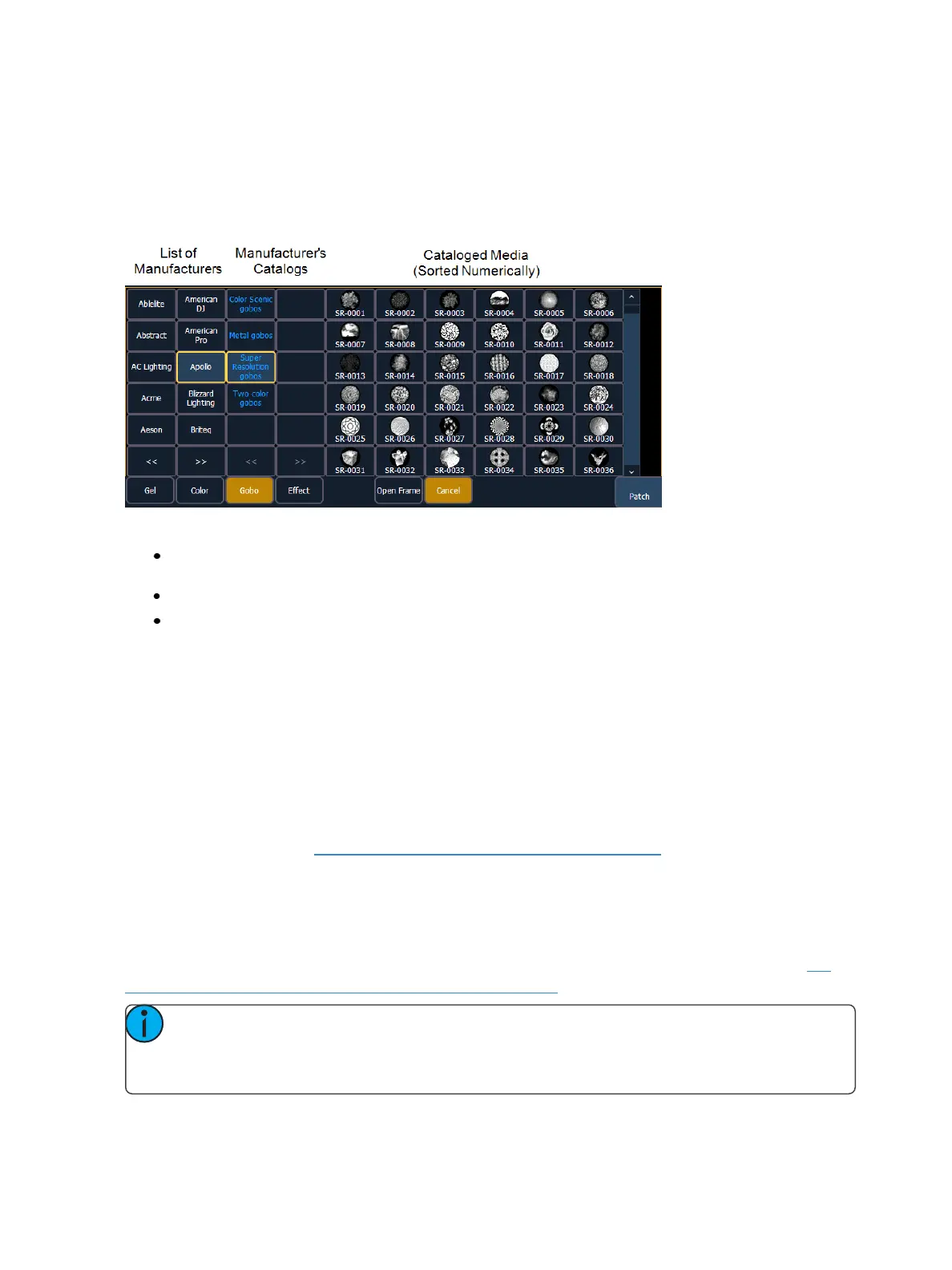
{Insert} key. The media selection will display.
The media selection includes the following softkeys:
{Gel}, {Color}, {Gobo}, and {Effect} - each will display available media selections as they are cata-
loged by the associated scroll or wheel manufacturers.
{Open Frame} - places the frame in Open White. Generallly, the first media frame is open.
{Cancel} - cancels the media selection and returns to the frame editor.
When a manufacturer is selected from the list, the catalog selection changes to display only the selec-
ted manufacturer’s offerings. When a specific catalog is selected, the selected media will display.
When you make a media selection, the display returns to the new wheel frame list where additional
frames can be edited in the scroll or wheel.
Scroller Fan Curves
Curves can be applied to the scroller fan parameter allowing for the output of the fan to be con-
trolled by the intensity of the channel. The curves available for this are the same used for intensity
parameters and cues. See Applying a Curve To Scroller Fans (on page373).
To set a curve to a scroller fan, go to Displays>Patch>Attributes>Fan Curve for each scroller.
Calibrating a Scroller Using the Encoders
You can calibrate the center point of any frame in a scroller using the calibrate feature. Calibrating a
scroller is normally done from the live display. You can also calibrate using the ML display. See Cal-
ibrating a Scroller Using the ML Display (on the facing page).
Note: It is recommended that you calibrate your scroller frames starting with the last frame
and working backward to the first frame. This will help ensure a complete and accurate cal-
ibration.



 To Next Page