132 Ion Operations Manual
Range editing a parameter
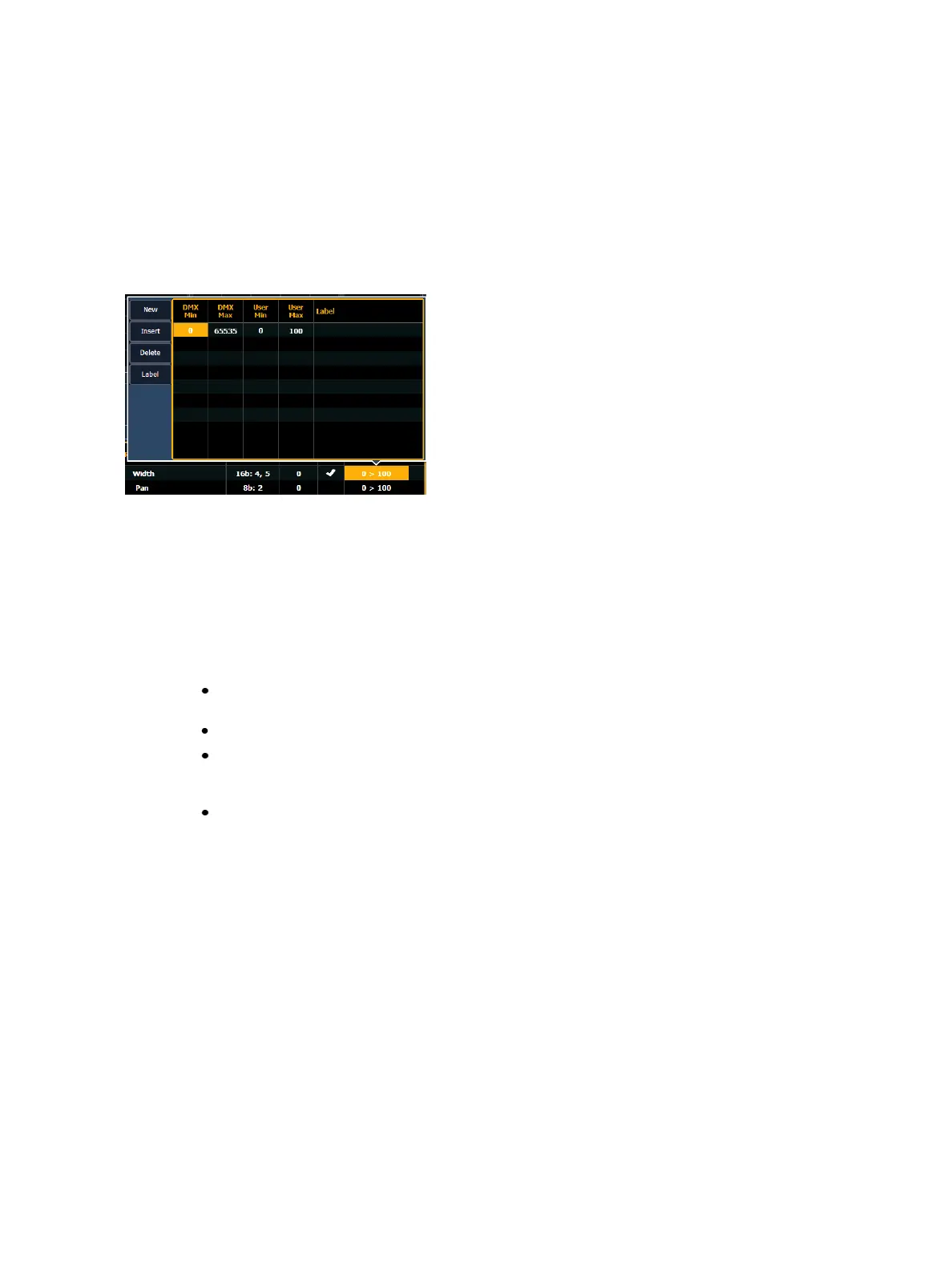
You can enter the operational ranges for specific slots within any specific parameter (such as color
scroller, color wheel, gobo wheel, and so on).
For example, if the parameter were “Gobo Wheel”, and the fixture included a four-slot gobo wheel,
you can use ranges to determine the minimum/ maximum values for each of those slots. You can
also label the slots and define the minimum/ maximum values that will appear in the channel display
for that parameter.
To define the range values for any parameter:
1. Use the [Page] keys to navigate to the parameter that you want to add ranges to.
2. Click on the range. The range window will open.
3. Determine the total number of slots required by the parameter. Be sure to include“open”
slots when needed.
4. Press {New} to add ranges. Repeat this step until you have as many slots as are required by the
number determined in step 3.
5. Use the [Page] keys to select the range and field you wish to edit. Fields are:
DMX Min - enter the minimum value (0 through 255) for the range slot you are defin-
ing.
DMX Max - enter the maximum value (0 through 255) for the range slot.
User Min - enter the value that will be displayed to users (for example, what will be dis-
played in the live summary view) when the slot is at its minimum value. Value can range
from -32767 to 65535.
User Max - enter the value that will be displayed to users when the slot is at its max-
imum value. Value can range from -32767 to 65535.
6. Press {Label} to add a label to any range slots. These will appear in the encoder LCD when the
related parameter is displayed for the new fixture.
7. Press {Return} when you have finished editing the ranges.
To delete a range value, select it and press {Delete}.
Lamp Controls
For many devices, their lamp and motor control functions can be controlled remotely using DMX.
These will often require use of a timed sequence of DMX levels to control various functions such as
striking the lamp, resetting the fixture, and other specific actions.
To define the lamp controls for a device:



 To Next Page