Working with a Single Cue List 263
Display Cue Parts - displays the individual parts of a part cue. When not enabled, the number
of parts for that cue will display as a superscript number beside the cue's number.
Display Cue Links - displays the Link/Loop (on page242) information.
Display Scenes - displays cue scene information.
Display PSD Time Countdown - displays the cue category times countdown in the PSD as a
cue is fading.
Display Cues - displays the top half of the cue list index, which shows all the stored cues.
Reorder Columns
Reorder columns allows you choose what data displays in the top and bottom halves of the Cue List
Index and what order it displays in. To make changes to the top half, select {Cues}. To make changes
to the bottom half, select {Cue List}.
By default, all columns except notes will be displayed. The arrow keys on the right can be used to
move columns around. Columns with multiple options are moved in groups. To select a column
header to move, click or tap the name. The check boxes suppress or enable. When an item is enabled
to display, a check mark will be in the corresponding box.
Default
The Cue List Index takes its default settings from the Playback Status Display. The default is identified
with parentheses. See Playback Status Display Configuration (on page63) for more information.
Reset to Default - returns the settings to the default state that you created.
Reset to Eos Default - returns all settings to the Eos defaults.
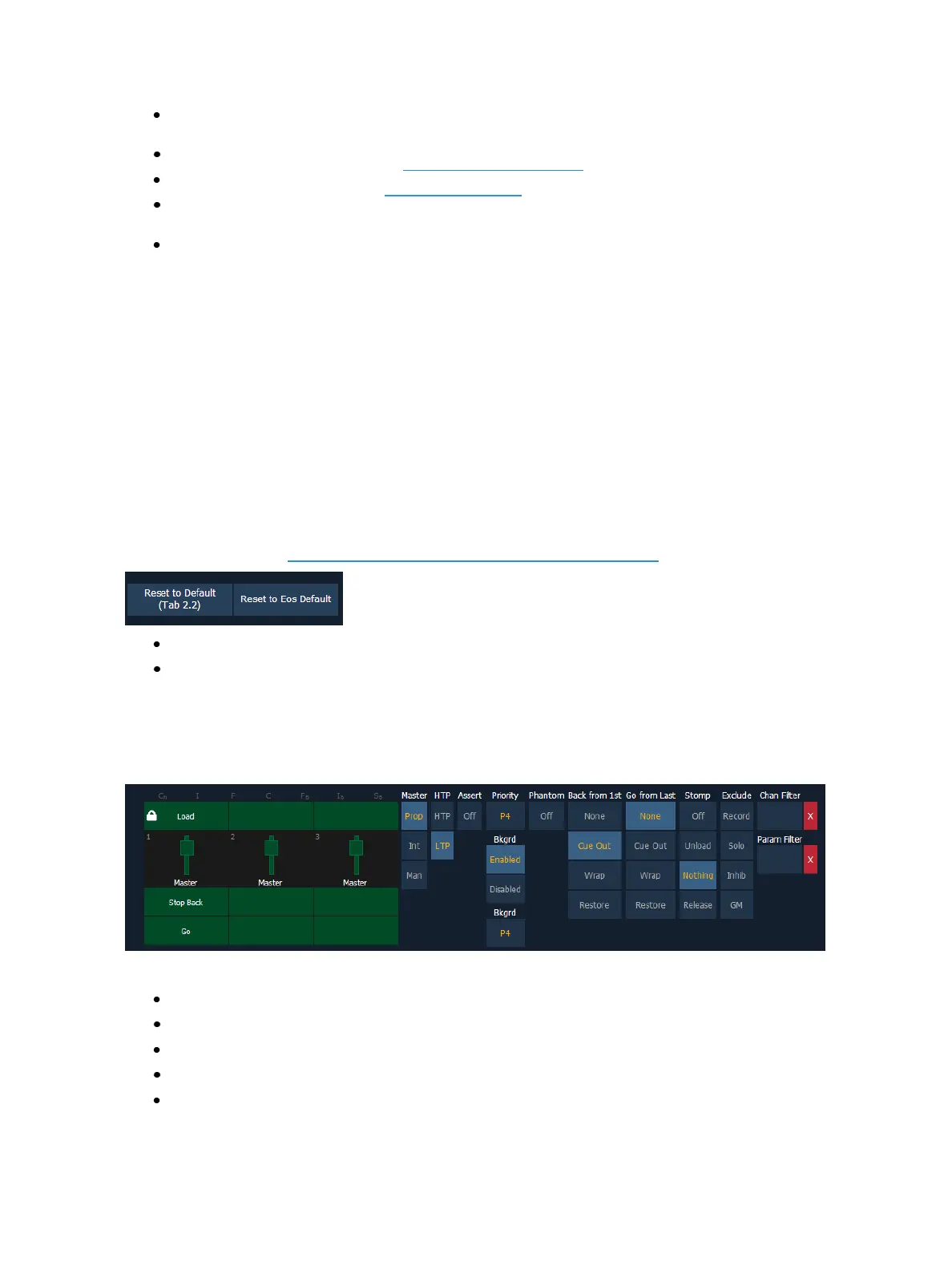
Cue List Properties
When the cue list index is open, the cue list properties dialogue box will display in the CIA. The cue
list properties determine how the cue list will interact.
Cue list properties include:
Master type (Proportional, Manual Master, or Intensity Master)
Intensity HTP or LTP setting (default is LTP)
Assert
Priority
Background



 To Next Page