System Basics 37
Playback Status Display
Magic Sheet Display
Effect Channels
Park
For multiple instances of the same display, the tab number will be followed with a decimal number.
Additional tabs will start their numbering with n.2. If you have only one instance, there will be no
decimal number.
Control Tabs
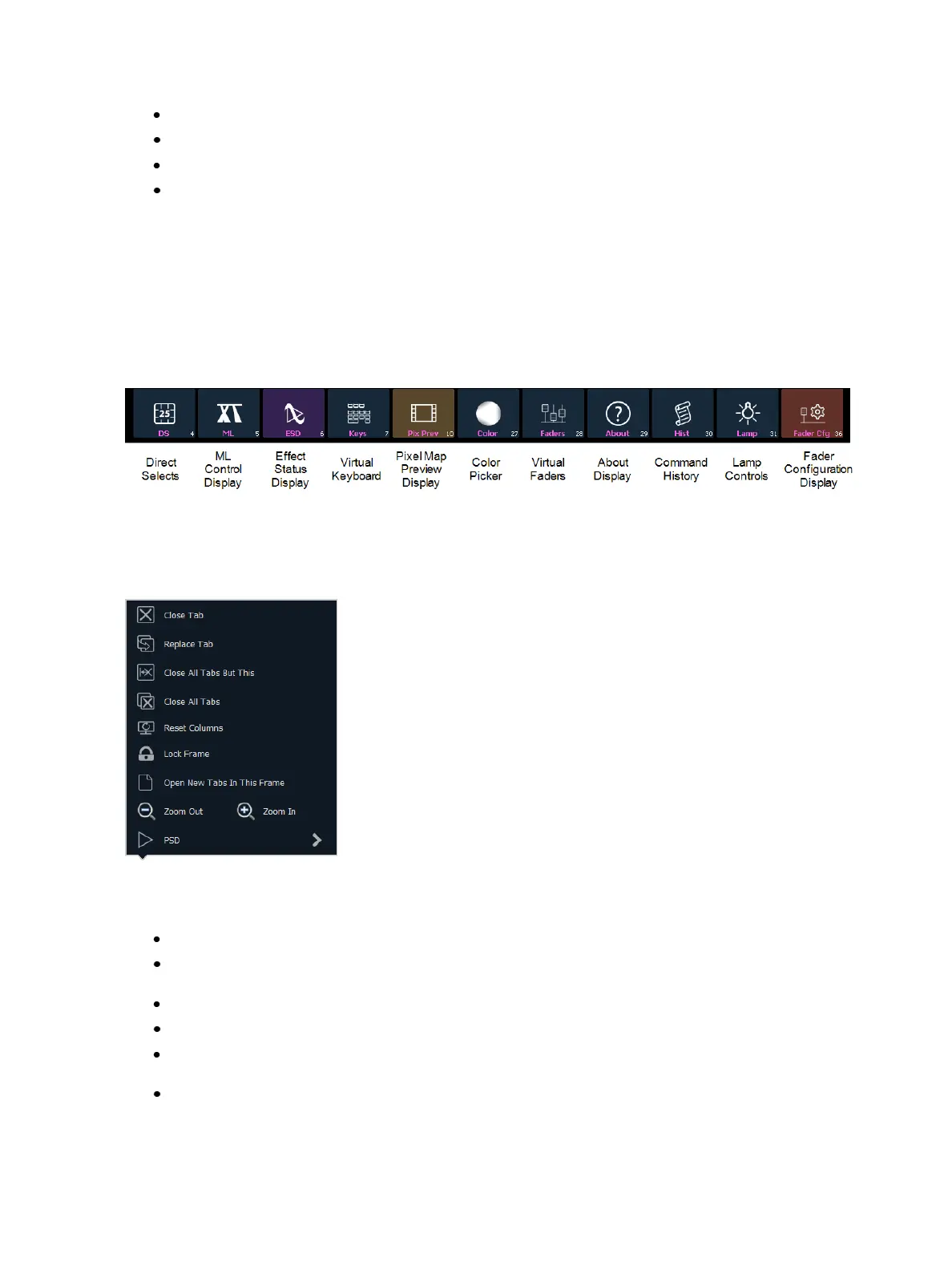
You can select from the following list of virtual controls, and they will open in a new tab in the selec-
ted frame:
Tab Tools
Every frame has a tab tools menu in the lower left corner of the frame. Selecting this menu icon will
open the tab tools menu, which provides options for opening and closing tabs in that frame.
You can left click with a mouse or double tap a tab in focus to also see this menu.
The following is a list of menu options. Not all options are available for every tab.
Close Tab - closes the selected tab.
Replace Tab - allows you to close the current tab and choose from the Home Screen which dis-
play to replace it with. Pressing escape will return you to the previously selected tab.
Close AllTabs But This - closes all of the tabs except the selected one.
Close All Tabs - closes all of the tabs including the selected one.
Reset Columns - resets all of the column widths in the selected tab to Eos defaults. This option
will only be available for displays with columns.
Lock Frame - prevents any additional tabs from being opened in the selected frame.



 To Next Page