System Basics 41
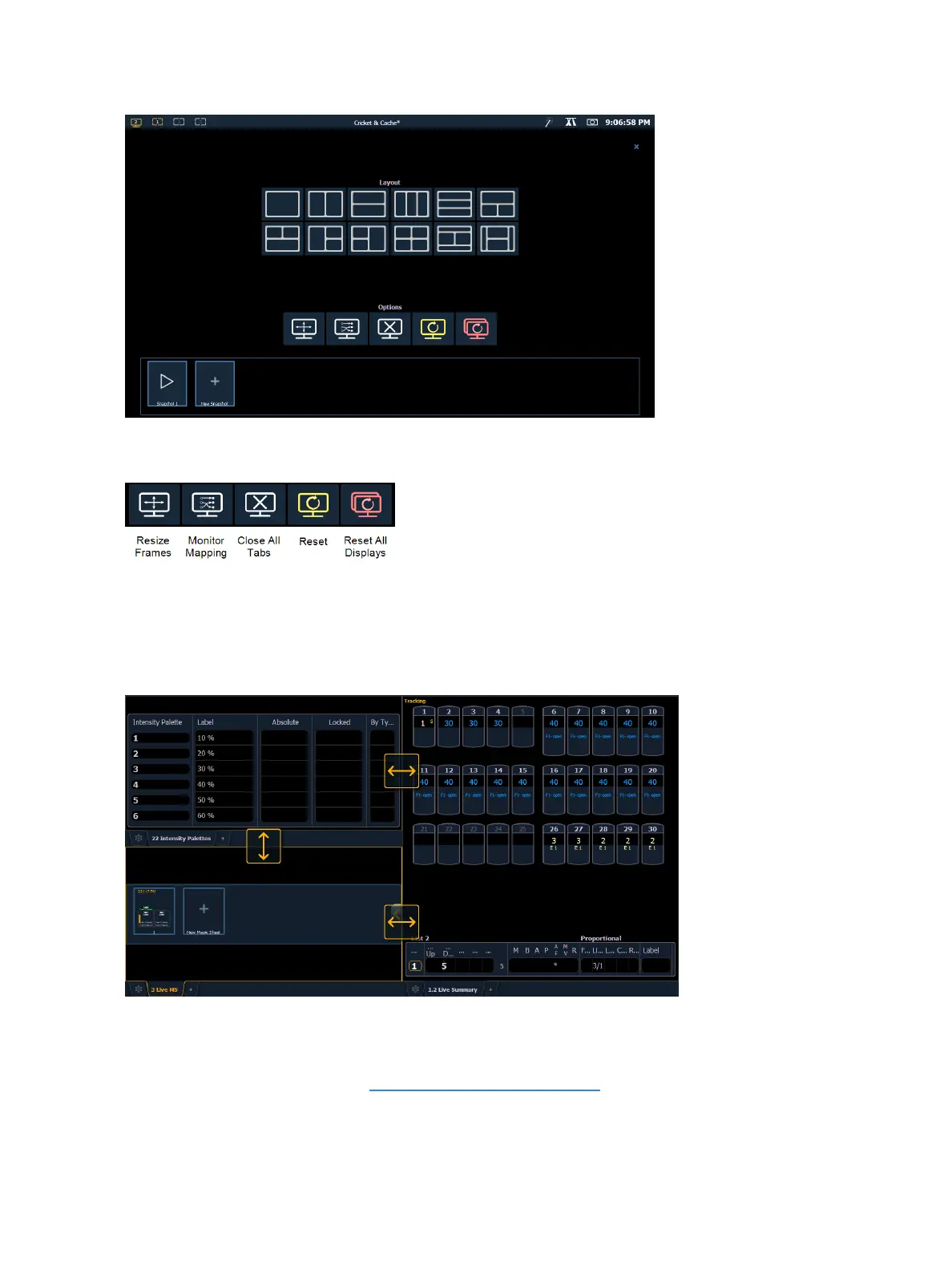
This screen also offers options for opening and closing tabs as well as resizing and resetting the mon-
itor(s).
Resize Frames
Select this icon to resize frames in any of the workspaces on the monitor. After selecting, resizing
tools will appear between frames of the workspace and you can select and drag the resize tool icons
to adjust sizing as needed.
Monitor Mapping
Select this icon to arrange your monitors without having to go into the ECU. This function allows you
better control of your snapshots (About Snapshots (on page376)).
Click on a monitor to display the available numbers, and then click on the number to assign it.



 To Next Page