System Basics 67
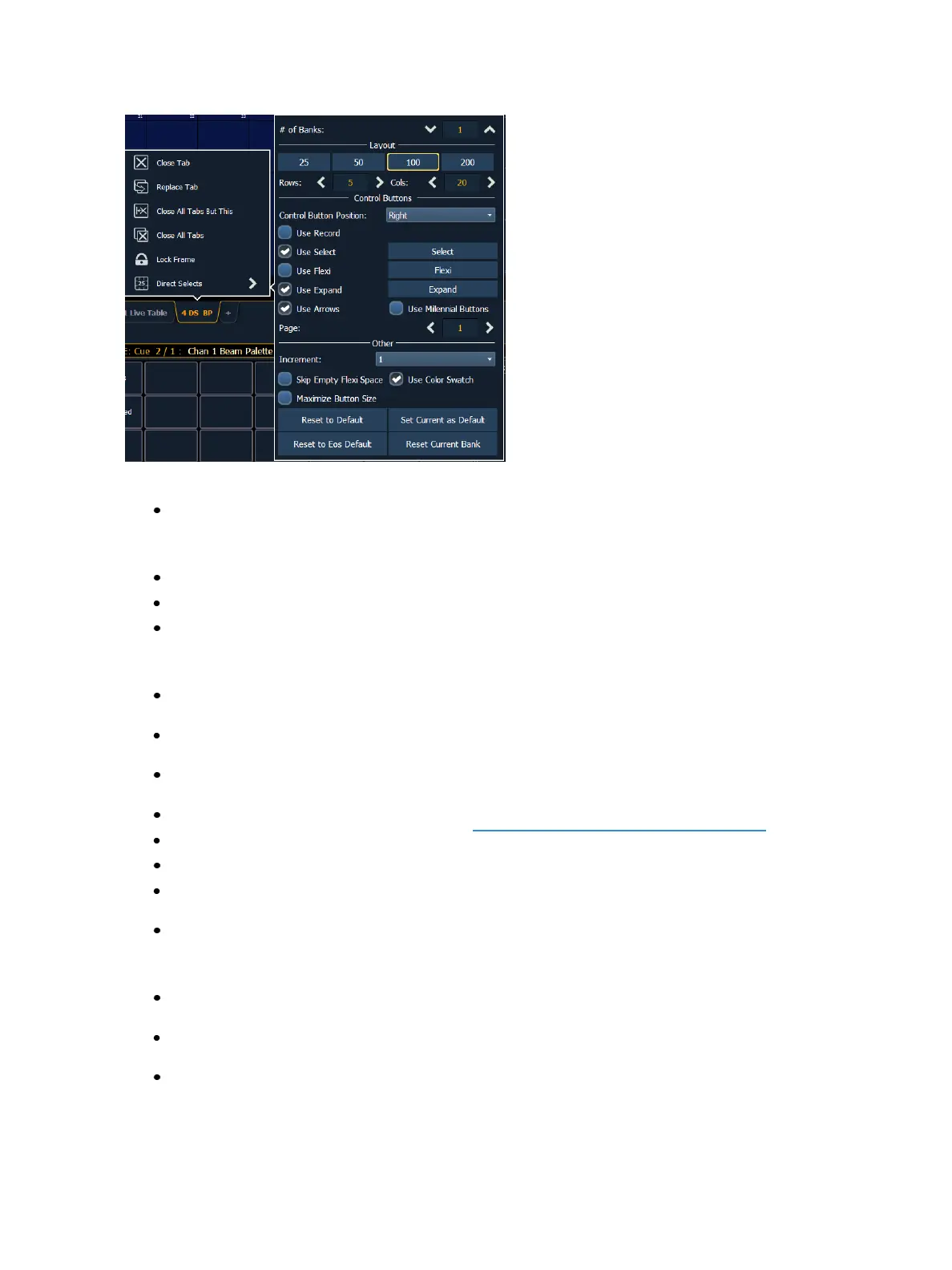
The following options are available:
# of Banks - sets the number of direct select banks that will display.
Layout
25, 50, 100, 200 - allows you to select the number of buttons that will display per bank.
Rows - allows you to select the number of rows in the banks.
Columns - allows you to select the number of columns in the banks.
Control Buttons
Control Button Position - allows you to set if the control buttons will display on the left side or
the right side of the banks.
UseRecord - displays the {Record} button. The {Record} button posts Record to the command
line.
UseSelect - displays the {Select} button. The {Select} button will display the selected direct
select type. Pressing it will allow you to select a different direct select type.
UseFlexi - displays the {Flexi} button. See Direct Selects in Flexi Mode (on page70)
UseExpand - displays the {Expand} button.
UseArrows - displays the page up and down arrows.
UseMillennial Buttons - displays the century and millennial buttons. These buttons allow you
to jump to pages in the hundreds and thousands.
{Page} - displays the selected page of direct selects.
Other
Increment - allows you to select if the direct select buttons will display as 1 (whole numbers),
.1 (tens), .01 (hundreds).
Skip Empty Flexi Space - will display a vertical bar instead of empty space between a range of
buttons when in Flexi mode.
UseColor Swatch - displays a triangular color swatch in the lower left corner of a color palette
direct select.



 To Next Page