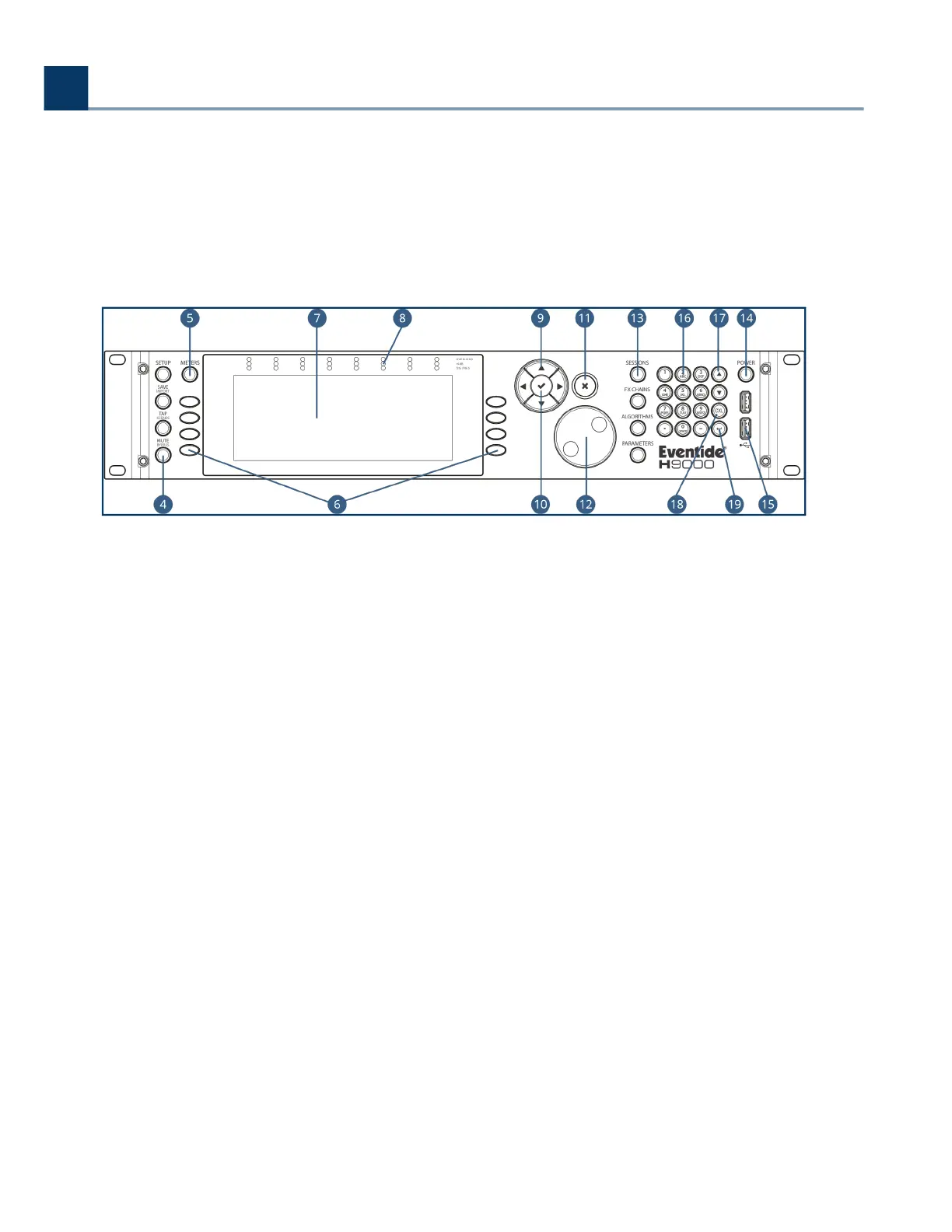
The Tap button’s inset LED illuminates in time with the tempo you have set, giving a visual
indication of the tempo. Note that if you’re not a fan of constant ashing, this can be disabled
in the Setup menu.
Long-press the Tap/Scenes button to bring up the SCENES screen. See section 4.9: Scenes for
more details.
Mute/Bypass
Press the Mute/Bypass button in order to mute the audio output of the H9000. Long-press the
Mute/Bypass button in order to bypass all processing while still preserving the ow of audio
through the I/O connectors and FX chains.
When either Global Mute or Global Bypass is activated, an indication will illuminate in the upper
right hand corner of the display until deactivated.
Meters
Press the Meters button to switch the display to a full meter bridge.
Sot Keys
These eight unlabeled buttons (four on either side of the display) allow you to quickly navigate
the H9000’s front panel user interface. The sot keys correspond to dierent functions and are
always context sensitive to the currently screen.
Color Display
The H9000’s color display allows you to both view and control all aspects of the product while
working with its front panel controls.
.
.
.
.
3. Hardware
Copyright © 2021, Eventide Inc.



 To Next Page