XRF6 RF Router Manual
Page 6-4 Revision 1.0 OPERATION
6.4. VistaLINK
®
CONTROLLED PARAMETERS
The following items may be controlled or configured through the VistaLINK
®
interface:
• Router crosspoint settings
• Manual or AGC mode on each input
• Power level for each input (AGC mode)
• Gain on each input (manual gain mode)
• Input squelch mode (on or off)
• Input squelch threshold
6.5. VistaLINK
®
CONTROL SCREEN
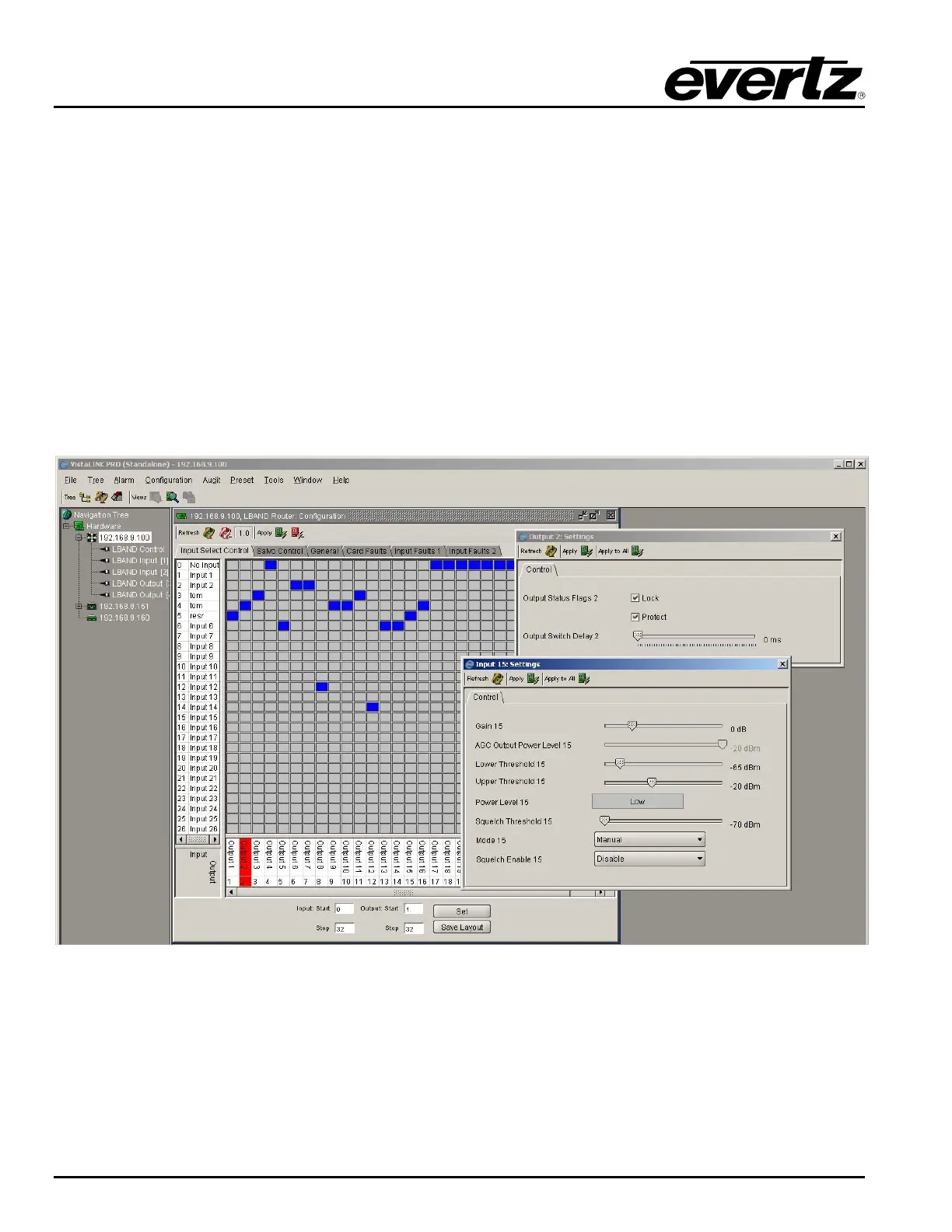
The following picture shows the VistaLINK
®
crosspoint control matrix and the configuration menu available
for each router input. For more information on the VistaLINK
®
suite of products, please contact an Evertz
sales representative or visit www.evertz.com.
Figure 6-2: VistaLINK
®
Control Screen



 To Next Page