Operating elements and operating unit
98
27891EN-900-02 / Edition 02/2017
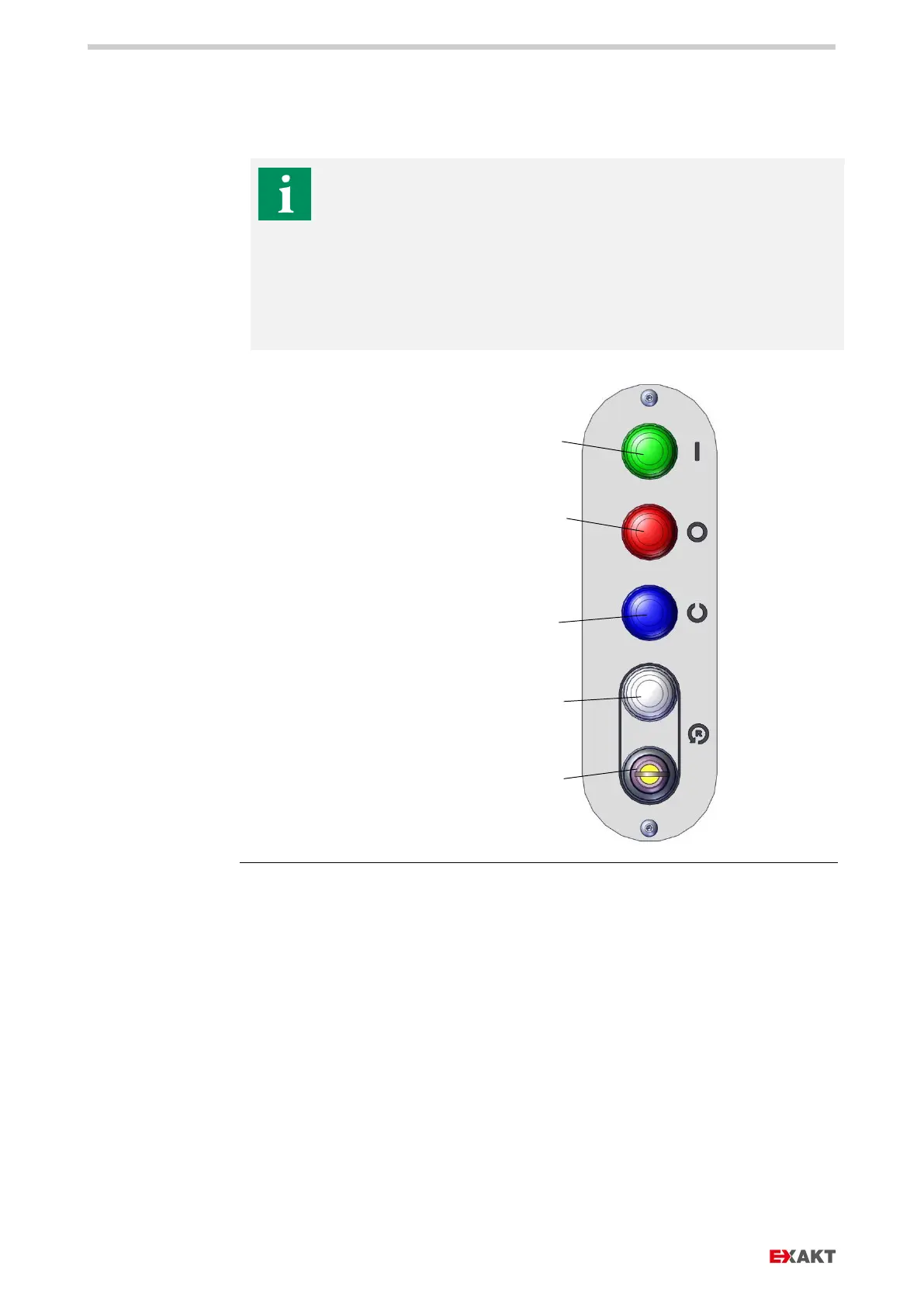
11.2. OPERATING PANEL
The operating panel controls the basic functions of the machine
such as:
› Start and stop of the roller drive.
› Receipt safety of the safety devices.
› Reversing in case of overload or foreign objects being pulled in,
in order to move the product / foreign object in reverse direction
out of gap 1.
Fig.
: Operating panel with operating buttons
a Start button, starts the drive
motor with the preselected
roller speed
b Stop button, stops the drive
motor
c Receipt safety button All
safety devices must be
mounted. The emergency
stop button must be unlocked.
d Start button reversing mode,
to reverse the rollers in case
of overload by a product with
excessive viscosity
e Key switch „Release Reverse“
The key can be pulled off in
the non-released position and
kept at a safe place.


 To Next Page