Operation
116
27891EN-900-02 / Edition 02/2017
12.6.1. SETUP AFTER EVERY ADJUSTMENT AND BEFORE
EACH PROGRAMMING
After every adjustment of the rollers or before every creation of a program, the
setup menu is displayed automatically.
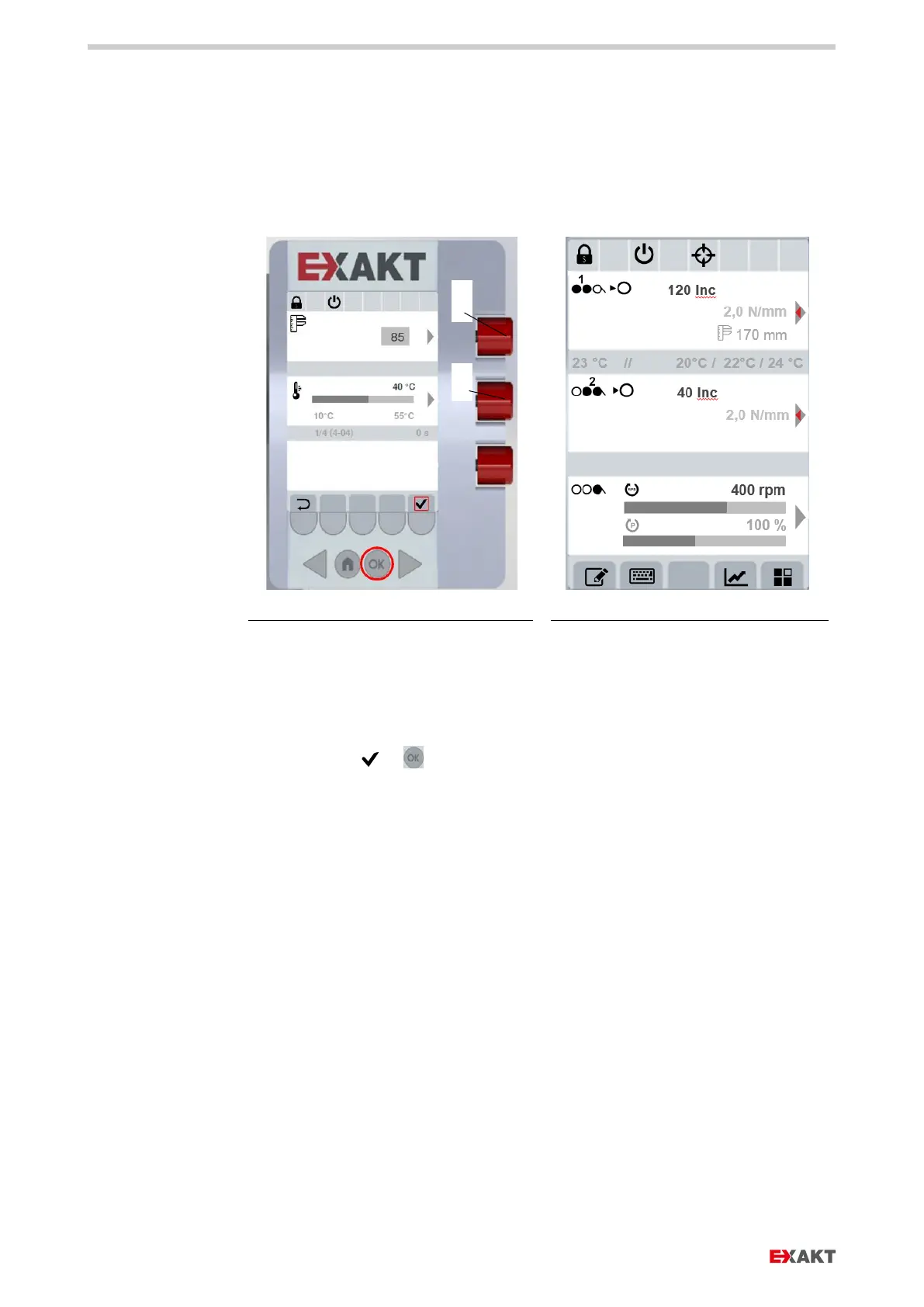
Fig. 92: Setup - Setting working width and temperature
Fig. 93: Continue in routine operations
1. Select working width with control dial (a) out of 85 / 170 und 200 mm.
2. Select temperature limit with control dial (b).
3. Confirm with or . Display changes to routine operations.


 To Next Page