Operation
126
27891EN-900-02 / Edition 02/2017
12.9.2. SEQUENCE FROM ROUTINE OPERATIONS
› Splash tray must be mounted.
› Safety device at nip gap (gap 1) is mounted.
If a foreign object was pulled in, it can be helpful to mount the
safety bridge before reversing, depending on the employed safety
bridge.
1. Select menu item Settings .
2. Select Setup .
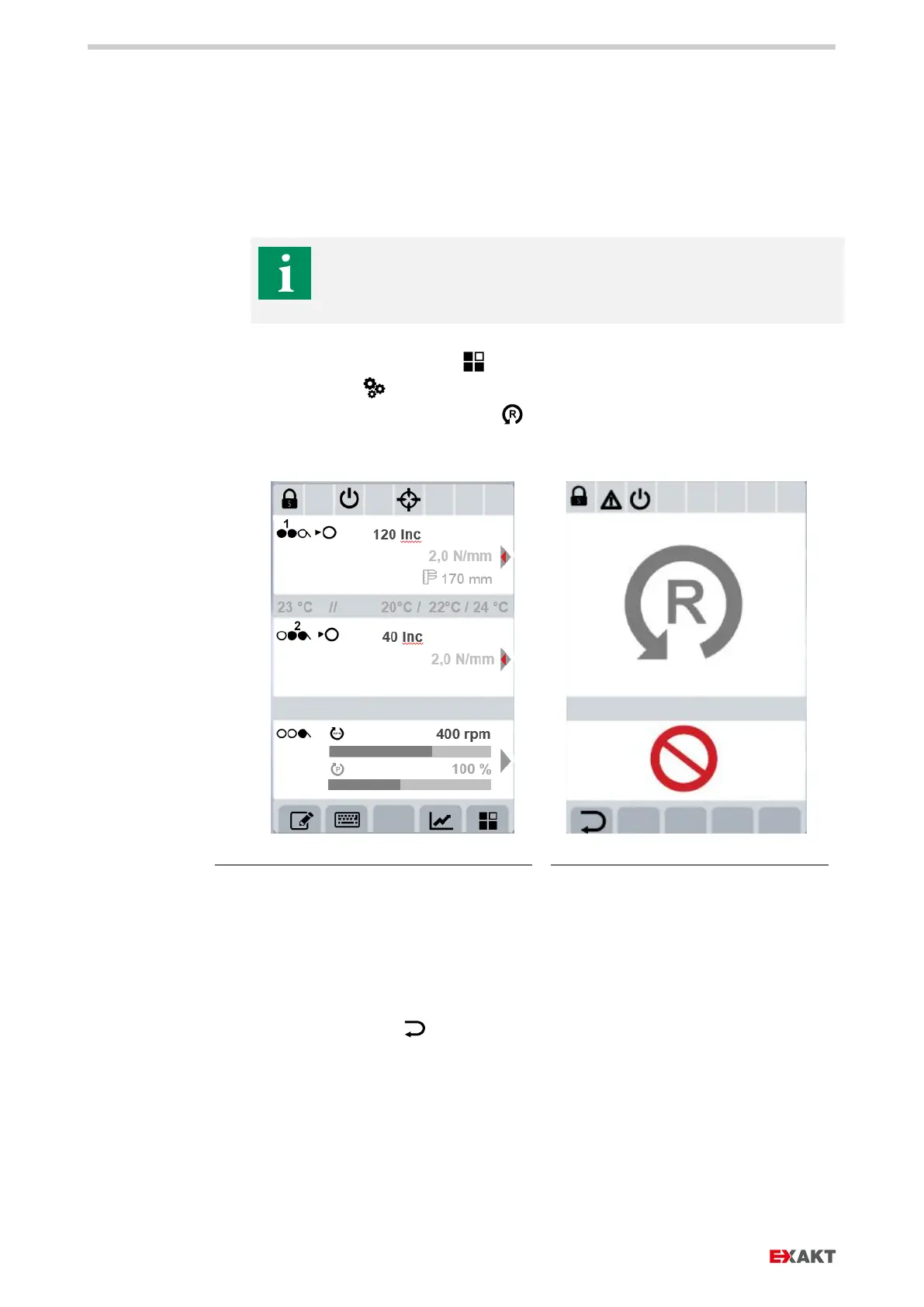
3. On the display, select reversing .
4. Activate key switch (b) clockwise.
Fig. 109: Select “Settings” / “Setup” / “Reversing”
Fig. 110: Key switch must be switched
5. Press start button reversing mode (a).
6. The rollers rotate in reverse at 30 rpm.
7. Remove foreign object out of nip gap (gap 1).
8. Lock key switch counter-clockwise. In that position, the key can be pulled off.
9. Press Back button to return to routine operations.


 To Next Page