Operation
119
27891EN-900-02 / Edition 02/2017
12.7. ROUTINE OPERATIONS
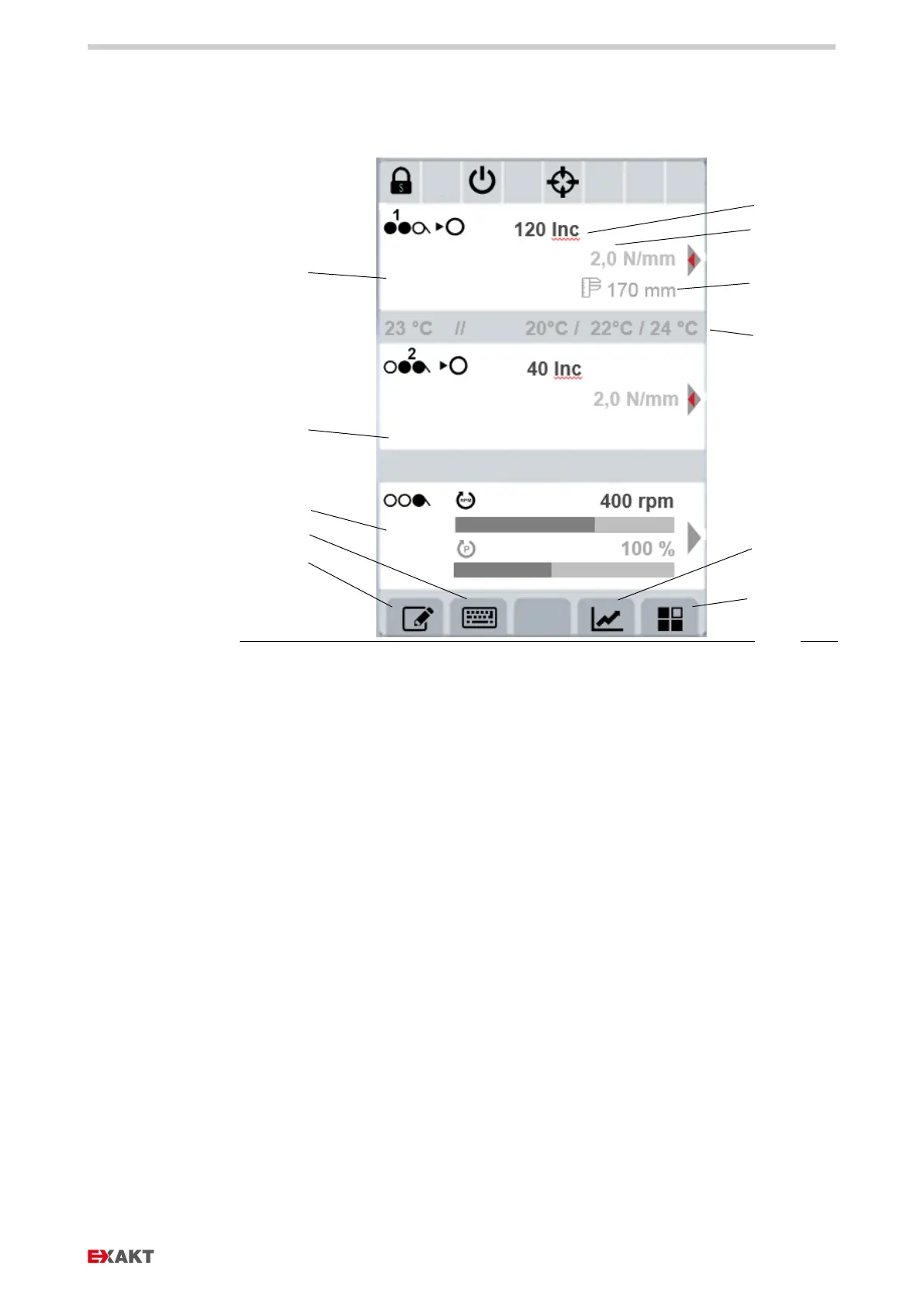
Fig.
: Display routine operations, numerical view
e Temperature display(s)
f Display gap 2
g Display drive parameters
i Menu DataLog
j Display process data, change
between graphical, schematic
and numeric display
k Settings
› Set the desired gap values with control dials 1 and 2 (about how to find the
correct gap values see chapter 12.8 Routine operations: Test run with
petroleum jelly).
› Pressing the corresponding control dial toggles between gap mode and force
mode.
Note: In the beginning, only operate in gap mode until you master operation in
gap mode securely.
› Use control dial 3 to set the desired speed. Start with a low speed, e.g. 80 ...
100 rpm.
› Press start button. Gap widths and speed can be varied during operation.


 To Next Page