Operating elements and operating unit
101
27891EN-900-02 / Edition 02/2017
Fig.
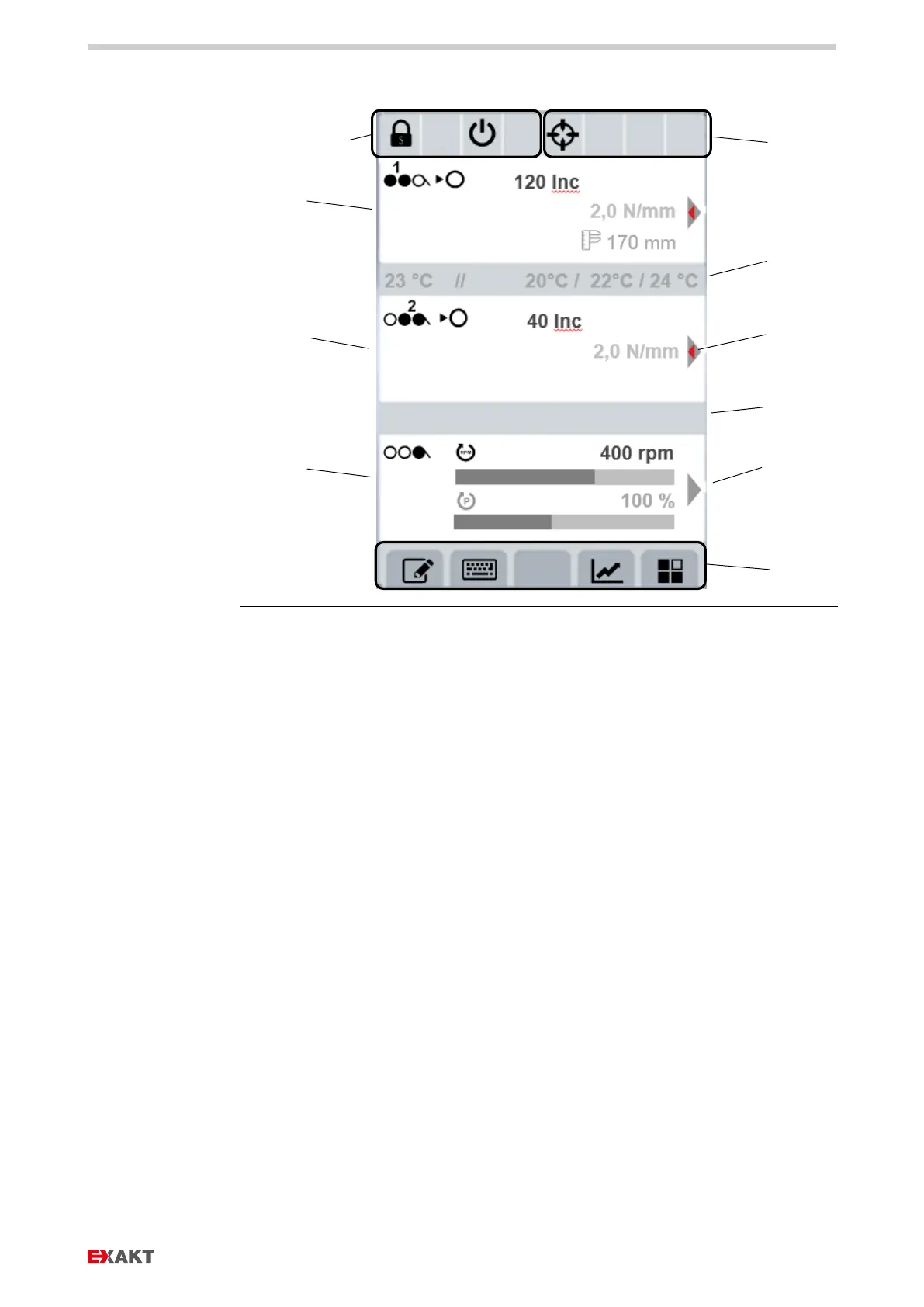
: Layout of the user interface, three parts, shown: routine operations
d Status messages safety
controller
e Status messages software
f Information lines
g Enable for control dial with
inner red arrow control dial
can additionally be pressed to
select other modes
h Enable for control dial (e.g.
setting the speed)
i Toolbar with assignment of
control keys (menu-
dependent)


 To Next Page