EasyManua.ls Logo

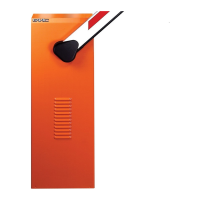
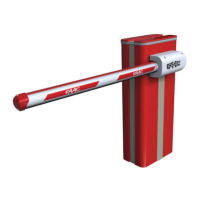
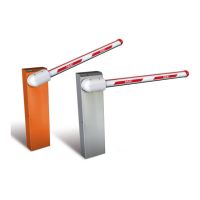
FAAC B680H - User Manual

FAAC B680H
76 pages
Print Icon
To Next Page IconTo Next Page
Loading...
B680H
Translation of the original instructions

Table of Contents

Other manuals for FAAC B680H

Questions and Answers

  • G
    George BakerAug 13, 2025
    What to do if the FAAC B680H Automatic Barriers does not open and does not close?
    • S
      Shane BurnsAug 13, 2025
      If your FAAC Automatic Barrier is not opening or closing, verify that the STOP LED is not active. Also, check the motor and encoder connections.
  • M
    michelle64Aug 17, 2025
    What to do if FAAC B680H does not close?
    • J
      Joel HicksAug 17, 2025
      If your FAAC Automatic Barrier is not closing, ensure that the automation has not been released and check the driving direction of the motor. Also, ensure that the LED status of the controls, loops, safety devices and EMR are not active.
  • M
    Mark HarrisAug 21, 2025
    What to do if FAAC B680H Automatic Barriers does not open?
    • D
      Donna FullerAug 21, 2025
      If your FAAC Automatic Barrier is not opening, ensure that the automation has not been released. Also, check the driving direction of the motor.
  • J
    John DavisAug 25, 2025
    Why FAAC B680H Automatic Barriers moves very slowly?
    • J
      James SandersAug 25, 2025
      If your FAAC Automatic Barrier is moving very slowly, check the force set and ensure that the beam is balanced. Also, make sure that the parameter cF has been set according to the length of the beam. If the barrier is working on battery, ensure that the battery is charged.
  • K
    Kimberly MooreAug 28, 2025
    Why FAAC B680H Automatic Barriers moves irregularly?
    • K
      Kelly McmillanAug 28, 2025
      If your FAAC Automatic Barrier moves irregularly, ensure that the automation has not been released and check the driving direction of the motor.
  • N
    nathan28Sep 1, 2025
    How to troubleshoot FAAC Automatic Barriers if it does not perform the setup?
    • N
      Nicholas PhillipsSep 1, 2025
      If your FAAC Automatic Barrier does not perform the setup, ensure that the automation has not been released and that there is power. Also, check the motor and encoder connection.
  • J
    Joan SmithSep 5, 2025
    What to do if FAAC B680H closes rather than opening?
    • G
      gclarkSep 5, 2025
      If your FAAC Automatic Barrier closes instead of opening, or vice versa, invert the phases in the motor connection and carry out the setup.
  • C
    Charles RobertsonSep 8, 2025
    How to fix FAAC Automatic Barriers if it moves irregularly and is very noisy?
    • U
      ujonesSep 8, 2025
      If your FAAC Automatic Barrier moves irregularly and is very noisy during the opening and closing cycles, make sure there is no air in the hydraulic circuit; bleed it if necessary.

Summary

Introduction to this Instructions Manual

Safety Warnings for the Installer

Warnings and instructions for the installer to ensure correct system operation.

Mechanical Installation

Installing the Foundation Plate

Step-by-step guide for correctly installing the foundation plate, including concrete work.

Installing the Barrier Body

Instructions for mounting the barrier body onto the foundation plate and securing it.

Fitting the Spring Assembly

Procedures for preparing the balancer and fitting the spring assembly for the barrier.

Installing the Bracket and Beam

Guides for installing the beam bracket, adapter, and beam onto the barrier body.

Balancing and Limit Switch Adjustment

Procedures to balance the beam correctly and adjust mechanical limit switches.

Electronic Installation

Start-Up and Board Programming

Check Movement Direction and Setup

Procedure to check motor direction and perform the system setup process.

Putting into Service

Two-Barrier Configuration

Diagnostics and Troubleshooting

Error Codes and Alarms

Lists error codes, alarms, and their corresponding solutions for troubleshooting.

Operational Problems and Troubleshooting

Troubleshooting guide listing common problems and their solutions.

Maintenance Procedures

Scheduled Maintenance

Table detailing scheduled maintenance operations, structures, and frequencies.

Instructions for Use

Safety Recommendations for Users

Safety guidelines for users operating the automation system, emphasizing risks and proper use.

FAAC B680H Specifications

General IconGeneral
Power Consumption220 W
Duty Cycle100%
Operating Temperature-20°C to +55°C
Protection ClassIP54
Power Supply230V AC (+6% -10%), 50 (60) Hz
Motor TypeAsynchronous
Opening Time1.5 - 6 seconds
Maximum Boom Length8.3 m

Related product manuals