99,9 kmh
Check
Speed
sensor
18
5
kmh
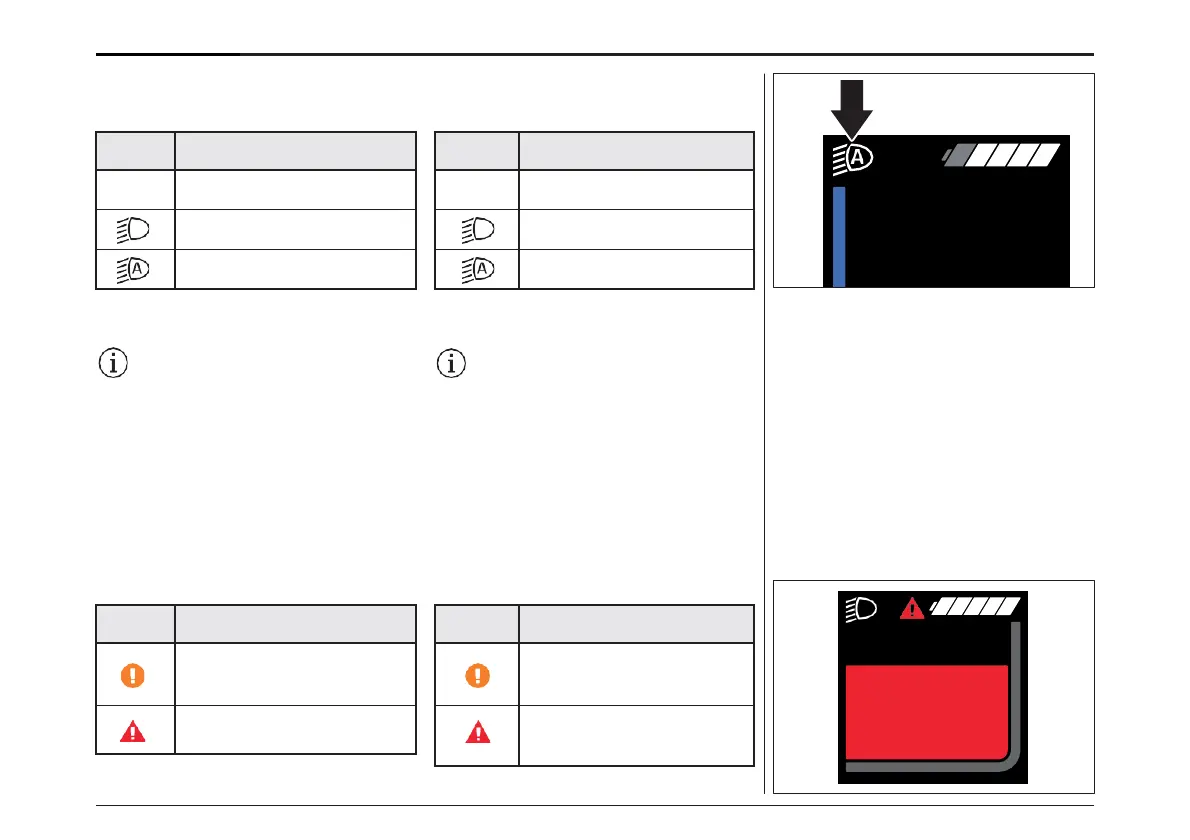
When the light is on, an icon appears in the status
bar on the display.
Icon Light status
Lighting not activated
Lighting switched on
Automatic control activated
Switching the bike lights on and off has no
influence on the display backlight.
If the battery removed or fully discharged,
the light does not turn on if it is connected
to the electric power system. Be aware that
using the bicycle under these conditions
will be considered non-observance of the
road traffic laws.
System information
The following is displayed to you in the status bar:
Icon Error & status symbols
Battery reserve is reached or
battery is drained and the
system is switched off
A fault has occurred (refer
to Troubleshooting
chapter)
ライトが点灯しているときは、ディスプレイのス
テータスバーにアイコンが表示されます。:
ライトは作動していない
ライト点灯
ライト自動点灯
ライトのオン/オフを切り替えても、ディスプレイの
バックライトには影響しません。
e-Bikeの電源システムに接続している場
合は、バッテリーを外したり、完全に放電さ
せたりするとライトが点灯しません。このよ
うな状態で自転車を使用すると、道路交通
法違反になりますのでご注意ください。
システムインフォメーション
ステータスバーには次のように表示されます。
バッテリーリザーブに達したとき、
またはバッテリーが消耗してシ
ステムがオフになったとき
故障発生(「トラブルシュー
ティング」の章を参照)。
ディスプレイ- DISPLAY
72



 To Next Page