kmh
3
5
WALK
Walk Assist
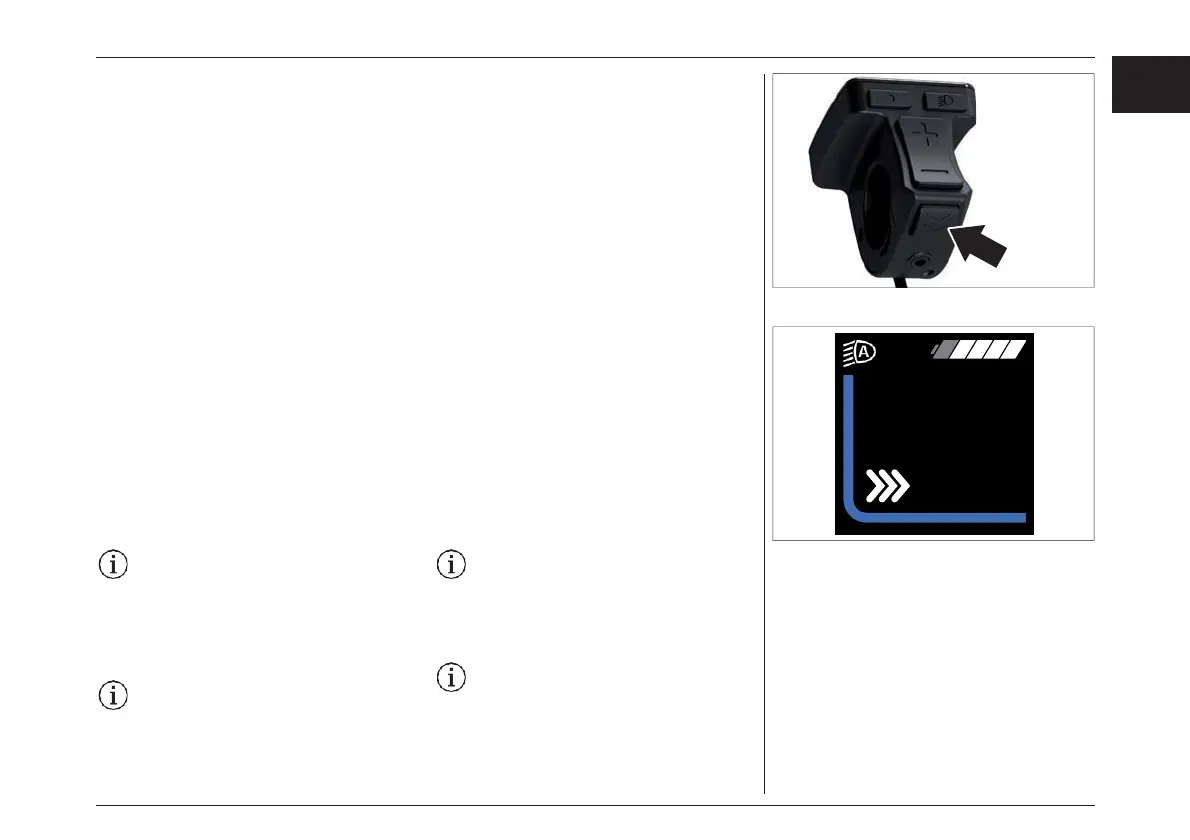
The Walk assist key helps you to push your e-bike.
It is activated as follows:
› Press and hold the «Walk assist» key. The e-
bike accelerates without pedal assistance to a
speed between 3 and 6 km/h specified by the
bicycle manufacturer.
ウォークアシスト
ウォークアシストは、e-bikeを降りた状態で押すと
きに役立ちます。 起動方法は以下のとおりです。:
›ウォークアシストキーを長押しします。「push -(マイ
ナス)キーの表示が画面に出ましたら、-(マイナ
ス)キーを長押しします。時速3〜6kmの範囲内で、
ペダルのアシストなしにe-bikeが移動します。
The trip information display will show you when
Walk assist is activated.
Release the Walk assist key to deactivate the Walk
assist.
The Walk assist is switched off as soon as one of
the following occurs:
› You release the «Walk assist» key,
› the e-bike wheels are blocked (e.g. due to
braking or hitting an obstacle),
› the speed exceeds 6 km/h.
The Walk assist function may only be
used when pushing the e-bike. If the e-
bike wheels have no contact with the
ground when using the Walk assist,
there is a risk of injury.
The Walk assist cannot be activated in
the «OFF» assistance mode and in the
menu and Settings.
ウォークアシストが作動すると、トリップインフォ
メーションディスプレ イに表示されます。
ウォークアシストキーを離すと、ウォークアシスト
が解除されます。
ウォークアシストは、以下のいずれかが発生する
とすぐにオフになります。.:
› ウォークアシストキーを離す。
› ブレーキをかけたり、障害物にぶつかったりして、自
転車の車輪がふさがれてしまった場合。
› 速度が6km/hを超えた場合。
ウォークアシスト機能は、e-bikeを押してい
るときのみ使用できます。ウォークアシスト
使用時にe-bikeのホイールが地面に接し
ていないと、ケガをする恐れがあります。
アシスタンスモードが "OFF "のときや、メ
ニューや設定では、ウォークアシストを作動
させることはできません。
75
EN
JPN
ディスプレイ- DISPLAY



 To Next Page