18
5
Kmh
ECO
TOUR
SPORT
18
5
kmh
TRIP 47.5 km
Assistance level
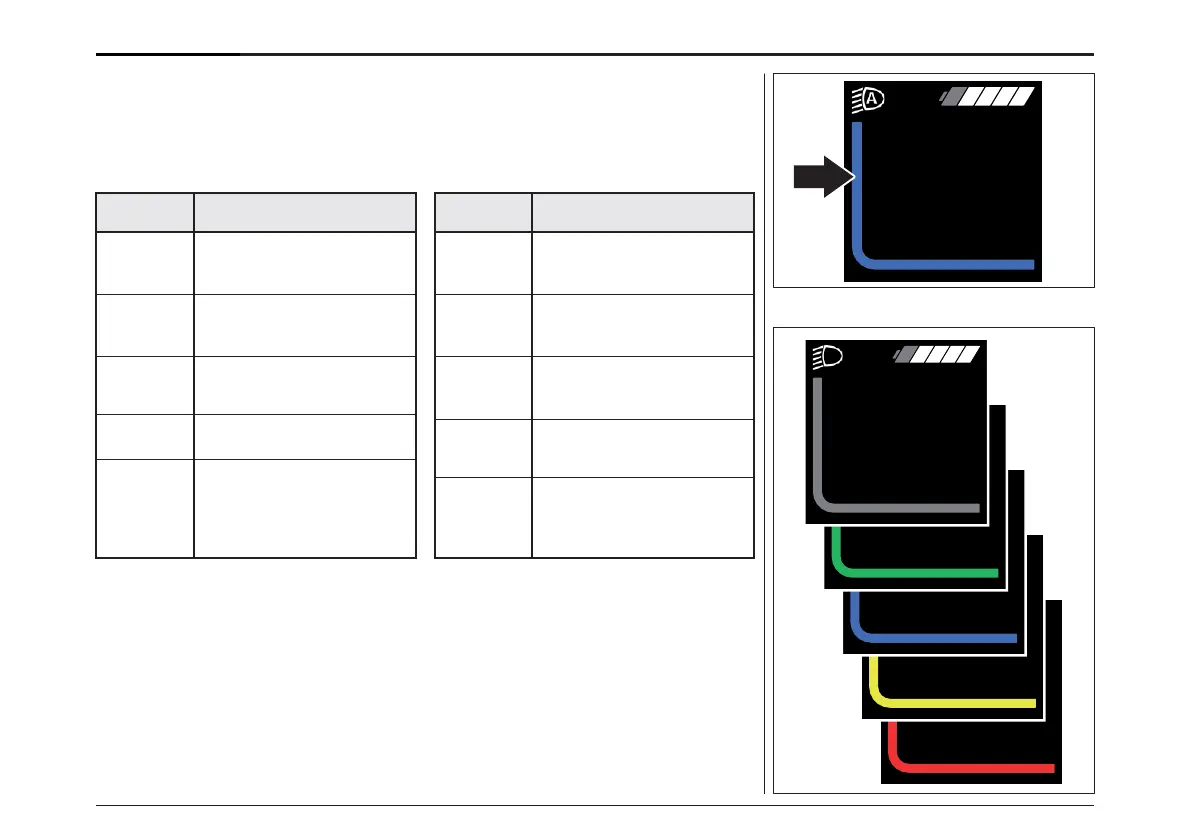
Your Brose Drive System has four assistance
levels. While riding, you will see the level as
a coloured bar. The characteristics of the
respective assistance mode can be found in the
following table:
Assistance levels
OFF
(grey): No motor assistance.
At the same time
resistance-free cycling.
ECO
(green): Noticeable motor
assistance for maximum
effi- ciency and range.
TOUR
(blue): Very noticeable
motor assistance, ideal for
lengthy tours.
SPORT
(yellow): Powerful
assistance for sport
cycling
BOOST/
BOOST
FX
(red): Full assistance for
sport cycling, on hilly
routes and in city traffic
with normal battery range
You can use the control unit to adjust how much
the e-bike drive assists you when pedalling. The
assistance level can be changed at any time, even
while riding.
To increase the level of assistance, press the
«Increase» key on the control panel until the
desired level of assistance appears on the
display; to decrease, press the «Decrease» key.
For 2 seconds you will see the selected assistance
level in the ride information area, also as text.
アシストレベル
ブローゼドライブシステムには、4つのアシストレベ
ルがあります。走行中は、そのレベルがカラー
バーで表示されます。それぞれのアシストモードの
詳細は、次の表のとおりです。:
OFF
(グレー):モーターアシストな
し。同時に抵抗のないサイク
リングも可能。
ECO
(緑): 最も効率性が高く、理想的な
航続距離を実現するためのアシスト
レベルです。
TOUR
(青):顕著なモーターアシス
トで、長時間のツアーに最適
です。
SPORT
(黄):スポーツサイクリングを
強力にサポートします。
BOOST/
BOOST
FX
(赤):スポーティなサイクリング、
坂道や市街地での走行に適し
たフルサーボアシストで、バッ
テリーの自給率は通常通り。
ペダルを漕いだときのe-bike driveのアシスト量
をコントロールユニットで調整することができます。
アシストレベルの変更は、走行中でもいつでも可
能です。
アシストレベルを上げるには、ディスプレイに希
望のアシストレベルが表示されるまで、「+」キー
を押し、下げるには「-」キーを押します。 2秒間、
ライドインフォメーションエリアに選択したアシスタ
ンスレベルがテキストで表示されます。
ディスプレイ- DISPLAY
74
OFF
BOOST



 To Next Page