BACK
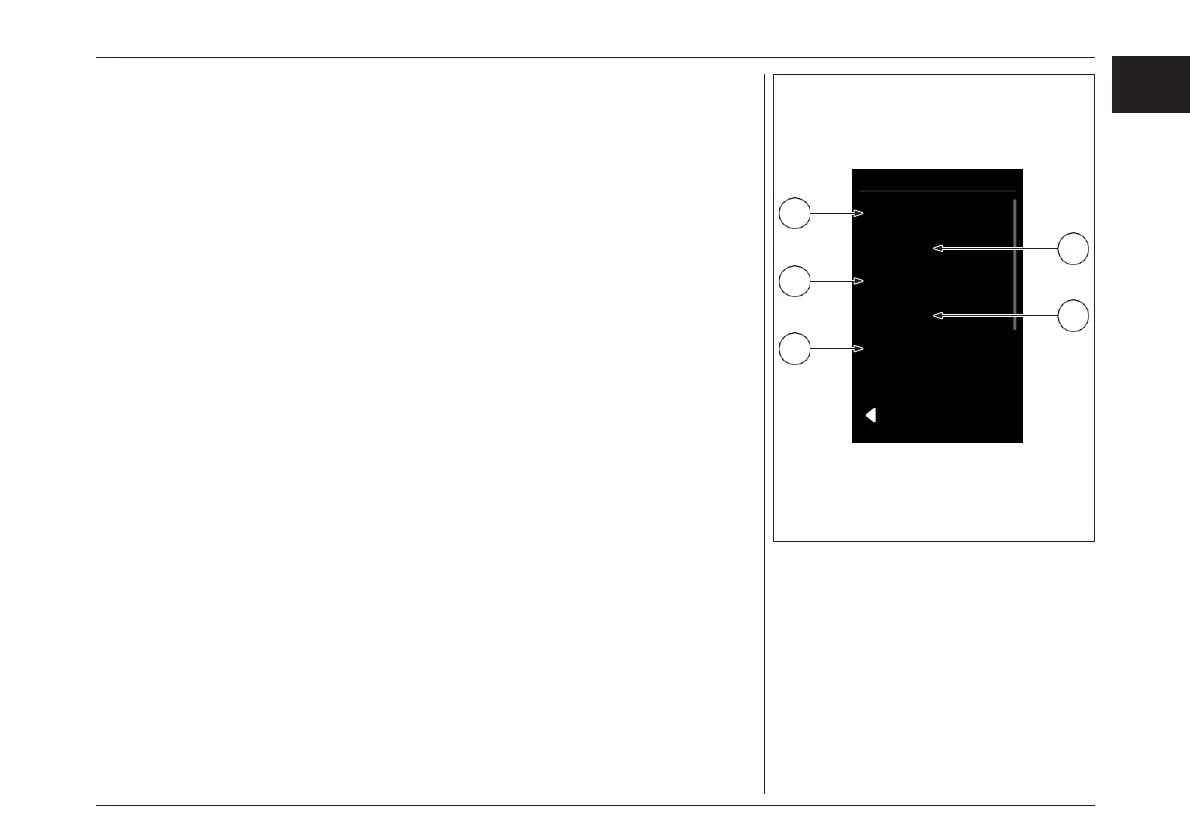
Settings
Language
Screens
Display
System
Information
2
4
1
3
5
3. Display: Ajustment of the display
» «Automatic» Automatic control of the
display brightness as well as the day and
night cycling display («White/Black»).
» «Brightness» Control of the display
brightness; this can only be changed if the
automatic control is deactivated.
» «White/Black» Change between white and
black background.
» «Stealth Mode» The backlight of the display
will turn off after 5 seconds of inactivity. All
e-bike and display functions remain active.
Press any key to turn on the backlight.
4. System: Refer to the System Settings chapter
5. Information: Displays information about
your Brose Drive System (e.g.: Product name
& software version)
3. ディスプレイ: ディスプレイの調整方法
» "Automatic" ディスプレイの明るさを自動制御
するとともに、昼夜の画面表示(「ホワイト/ブ
ラック」)を行います。
» "Brightness" ディスプレイの明るさのコント
ロール。これは、自動コントロールが解除さ
れている場合にのみ変更できます。
» "White/Black" 白と黒の背景の変更。
» "Stealth Mode" ディスプレイのバックライトは、
5秒間操作しないとオフになります。e-bikeと
ディスプレイの機能はすべて有効のままです。
いずれかのキーを押すと、バックライトが点
灯します。
4.
システム: 「システム設定」の章を参照してくだ
さい。
5. インフォメーション:ブローゼドライブシ
ステムに関する情報を表示します
( 例:製品名、 ソフトウェア・ バー
ジョン)
79
EN
JPN
ディスプレイ- DISPLAY



 To Next Page